How it works
1
Upload the photo
JPG, PNG or WebP up to 10 MB. The model redraws the area to match what is around it, so use the sharpest version you have.
2
Brush the area
Click Mark area, then paint over the part to change or drag a rectangle around it. The brushed area goes to the model with an instruction to edit only inside it.
3
Describe the change
Say what the area should become and press Generate. Nano Banana 2.1 costs 6 credits at 1K and GPT Image 2.5 3 at standard quality; brushing costs nothing extra.
Does the brush make a difference? 72 test edits
If your prompt names one clear thing and asks to keep the rest, you may not need the brush. In four of our six tests, every run on both models made the requested change, brushed or not, and Nano Banana 2.1 changed less than 0.5% of the photo outside the target either way. The brush earned its place when the change would otherwise spread: asked for a sunset sky, both models relit the whole photo without it and tinted the bottle in front; with the sky brushed, the bottle stayed much closer to its color, especially on Nano Banana 2.1. And the brush guides the model rather than forcing it: in one brushed run, Nano Banana 2.1 left people standing inside the brushed area.
The 6 tests, with and without the brush
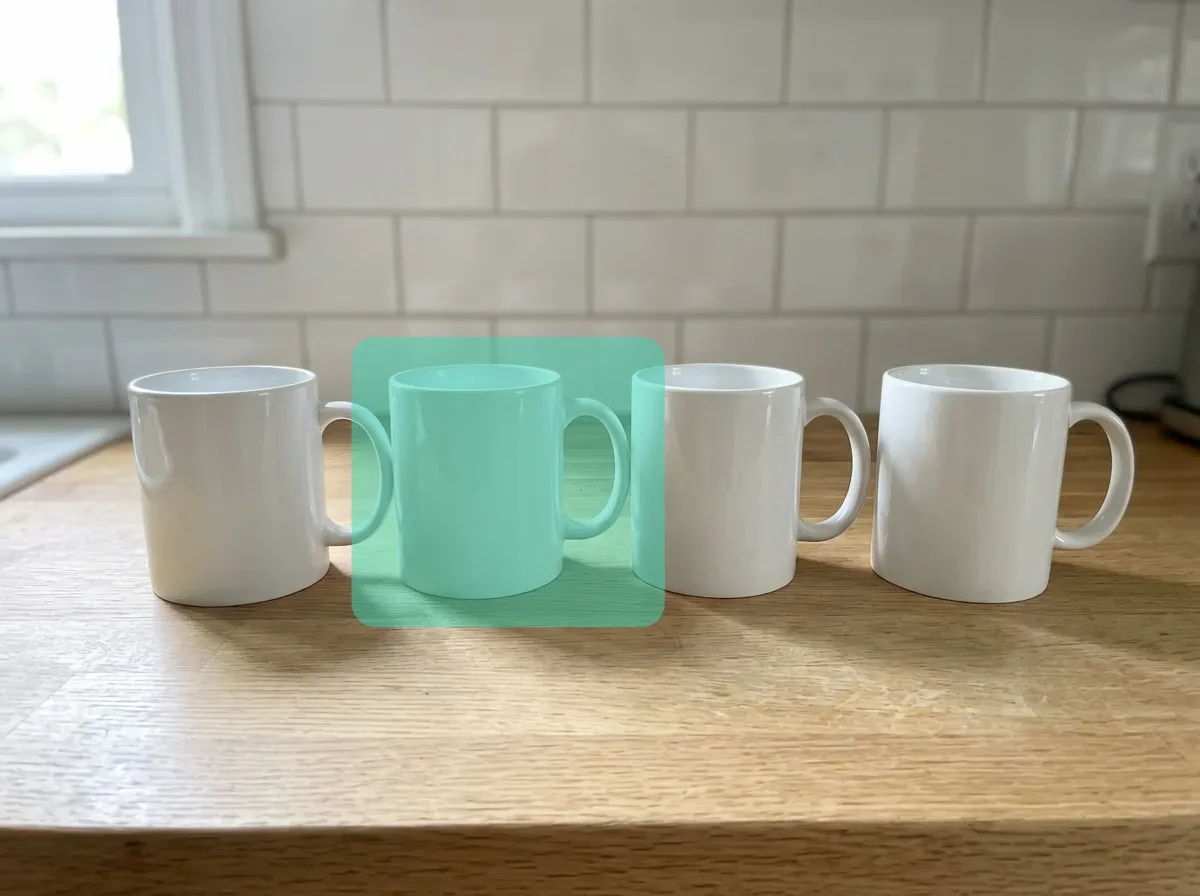
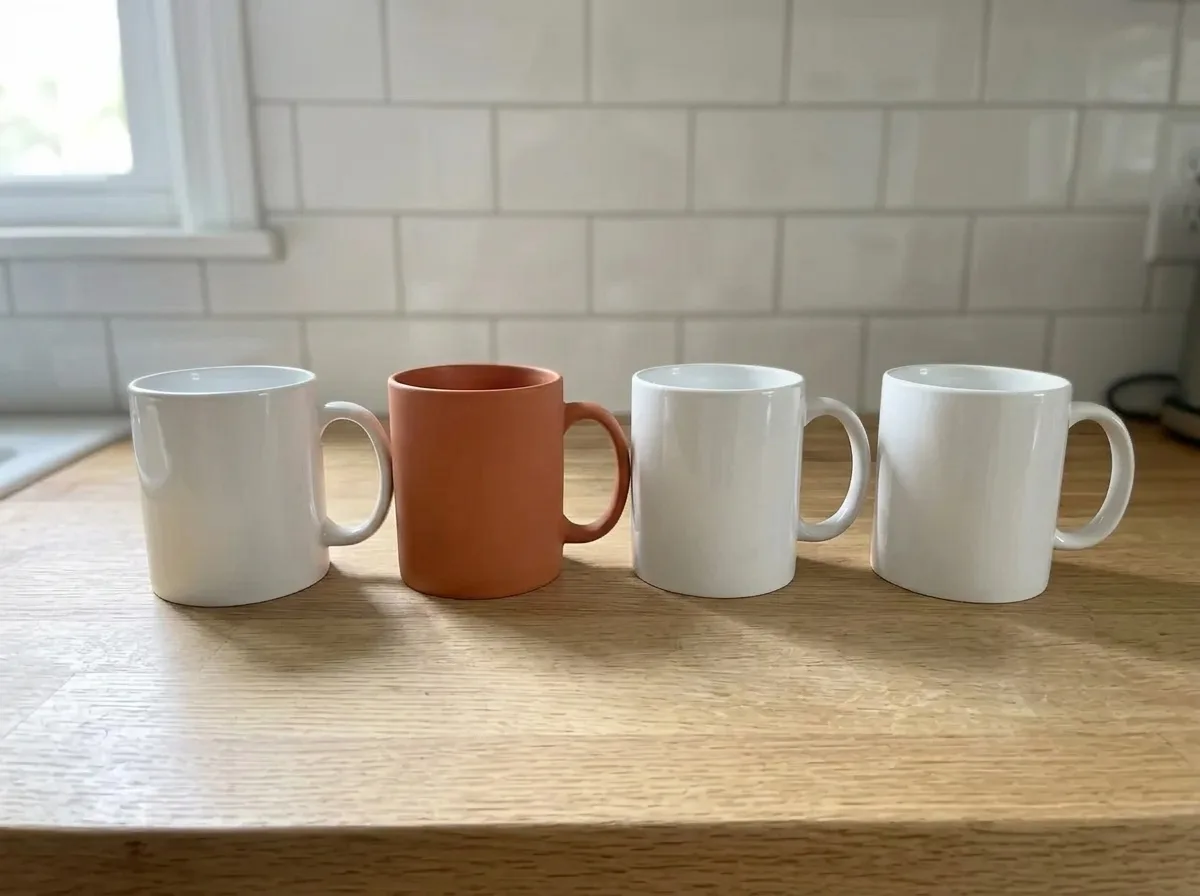
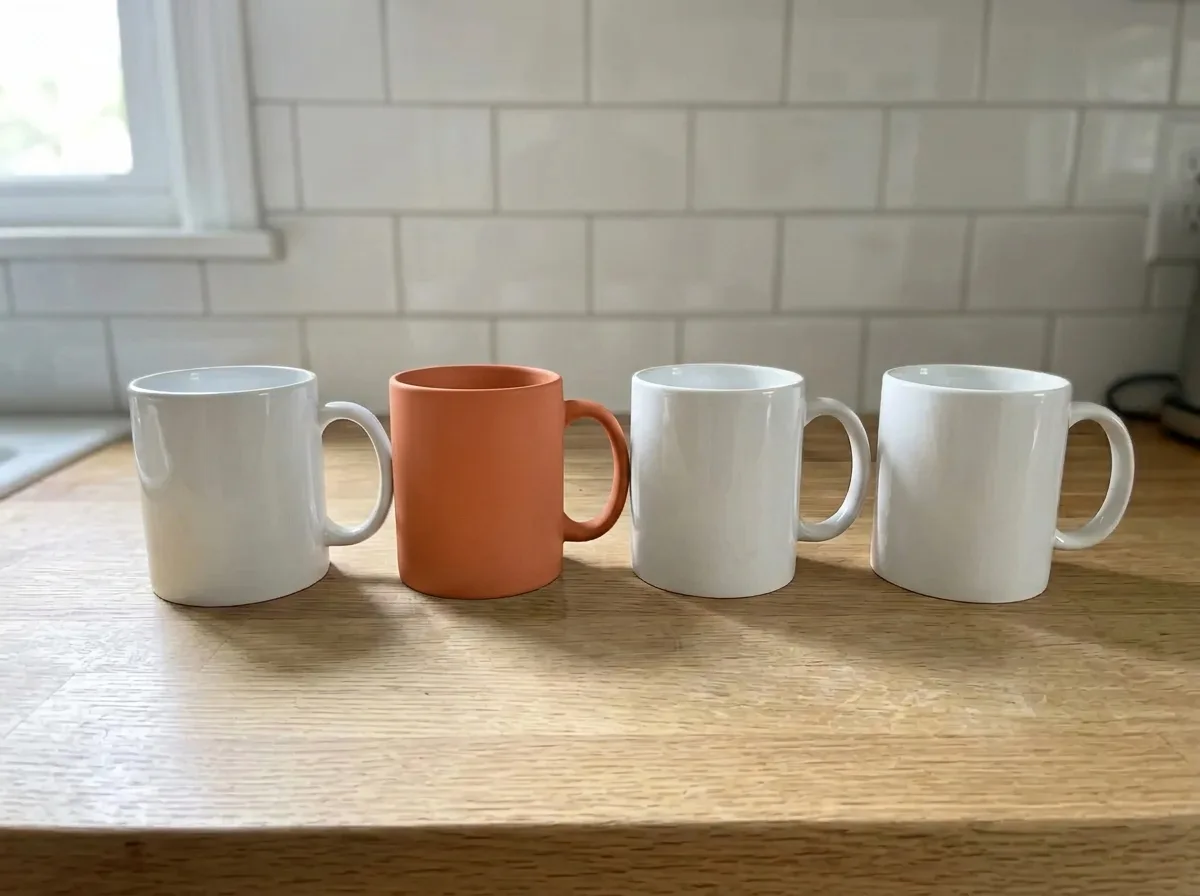
Each row shows the original with the brushed area in green, then Nano Banana 2.1's first run without and with the brush. Click an image for the full file. The note under each row covers all three runs on both models.
Brushed area
No brush
With brush
One of four identical mugs
Prompt: Change the second mug from the left to matte terracotta orange. Keep everything else unchanged.
Both models recolored the right mug in all 12 runs, brushed or not, and left the other three white. Saying "the second mug from the left" was enough to pick it out.
GPT Image 2.5, first run: no brush · with brush
Brushed area
No brush
With brush
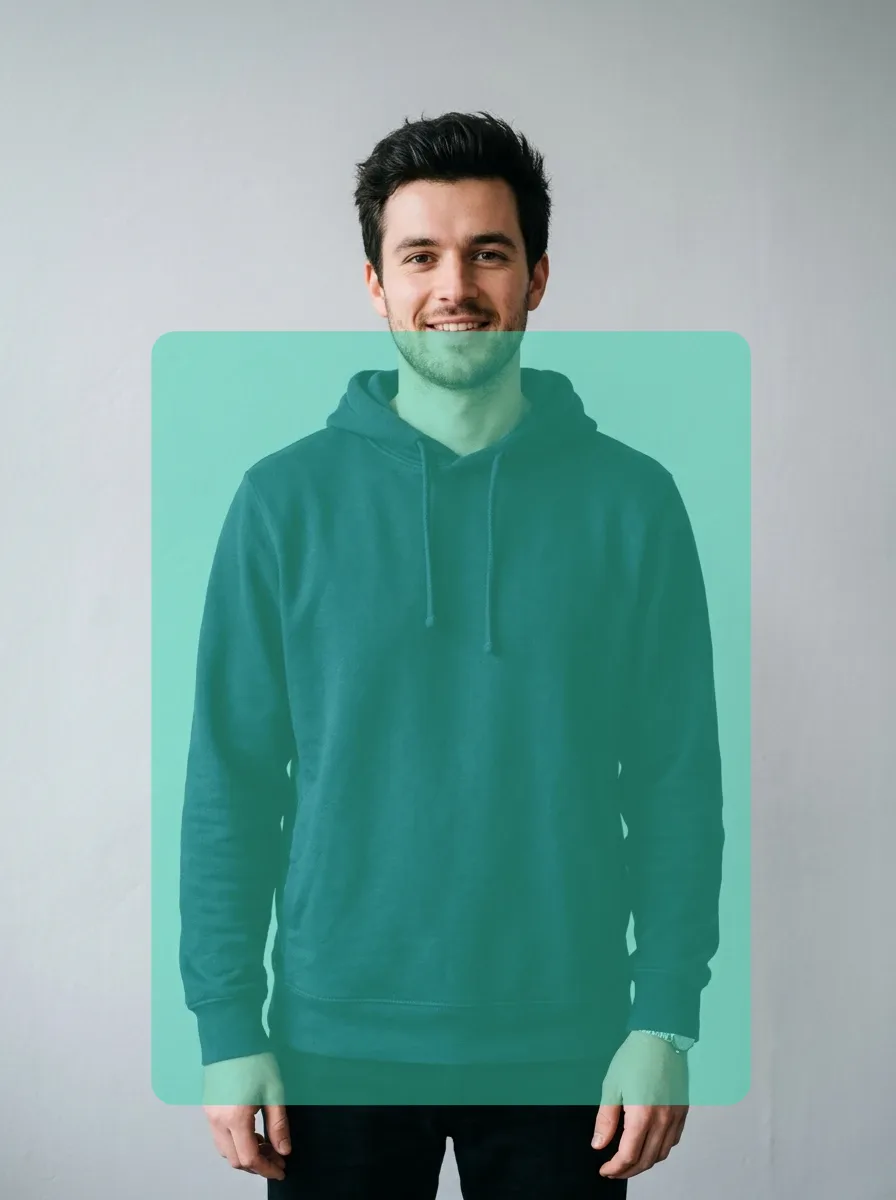
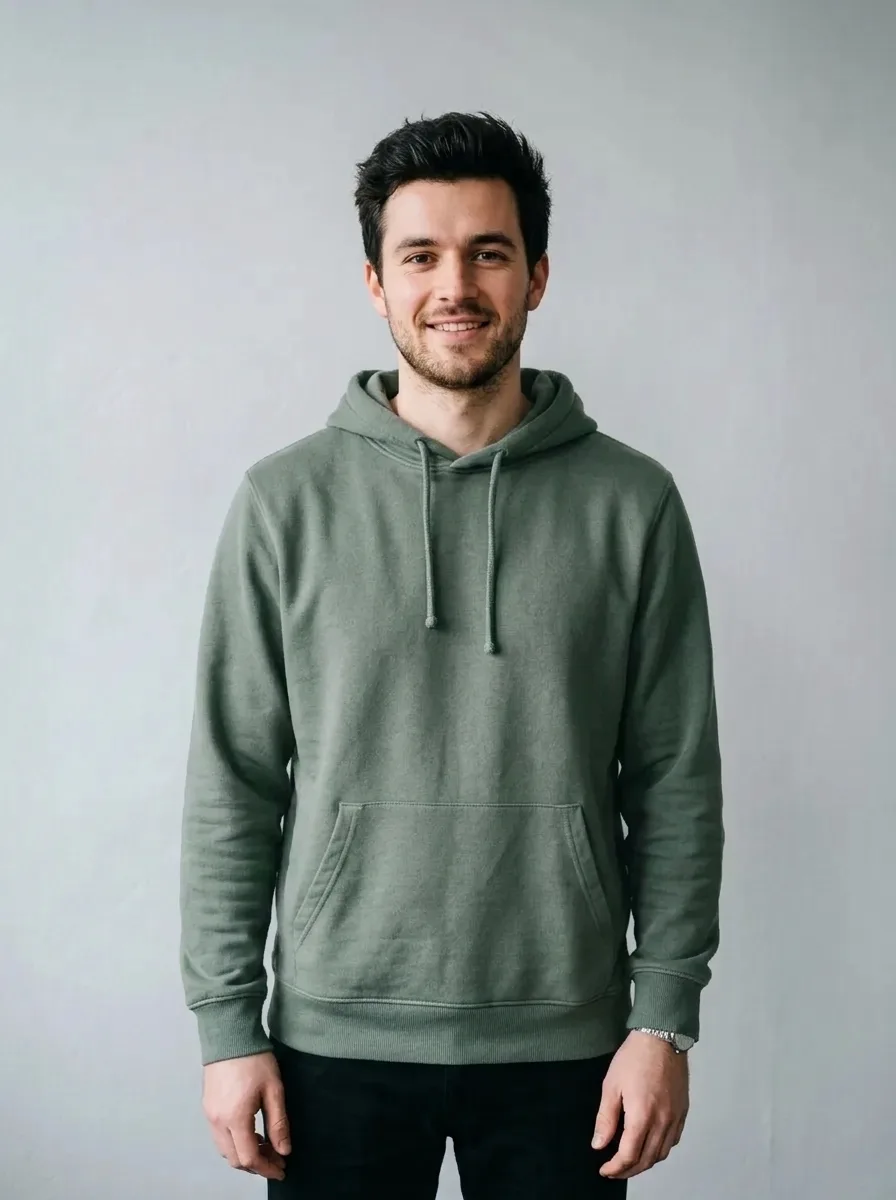
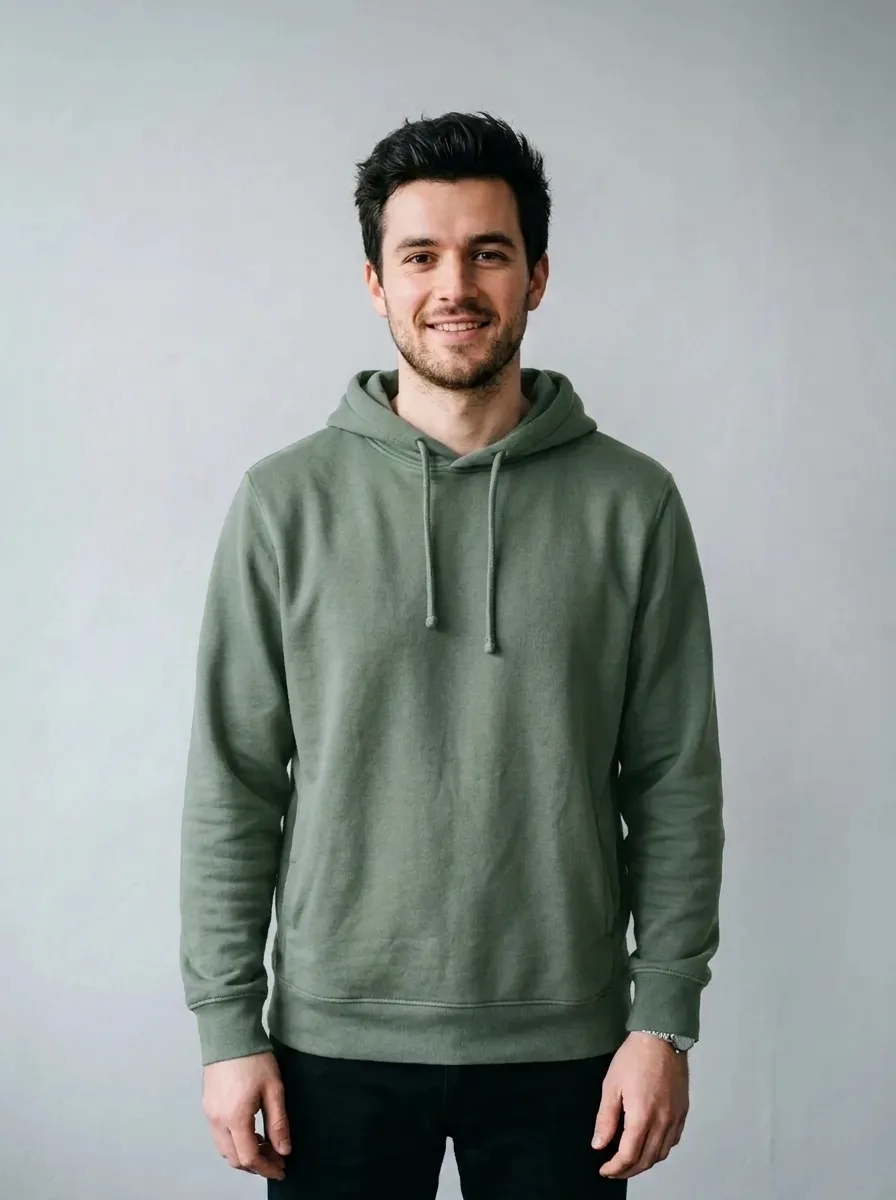
Recolor a hoodie
Prompt: Change the hoodie to sage green. Keep everything else unchanged.
Every run turned the whole hoodie sage green and kept its folds. With or without the brush, Nano Banana 2.1 left the wall, face and trousers as they were: outside the hoodie, 0.0% of the photo changed in all six runs.
GPT Image 2.5, first run: no brush · with brush
Brushed area
No brush
With brush
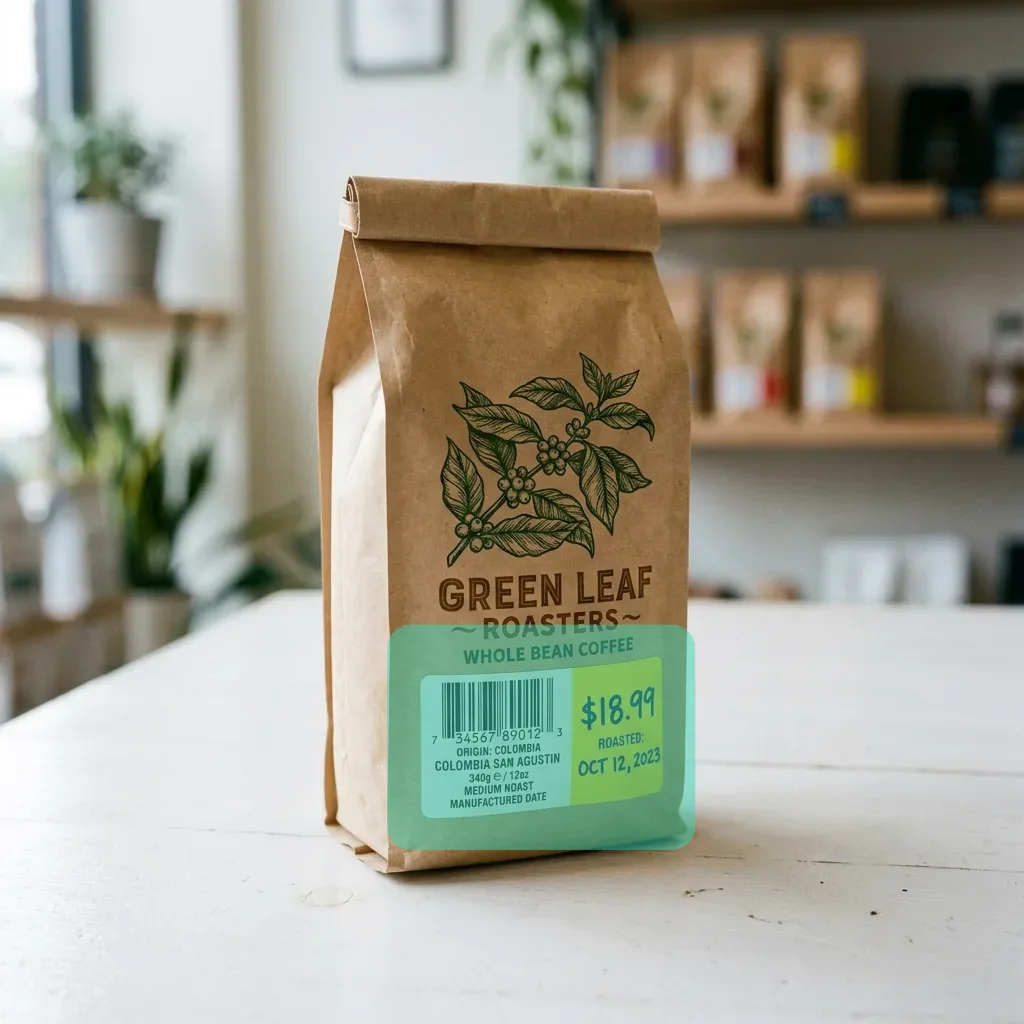
Remove a price sticker
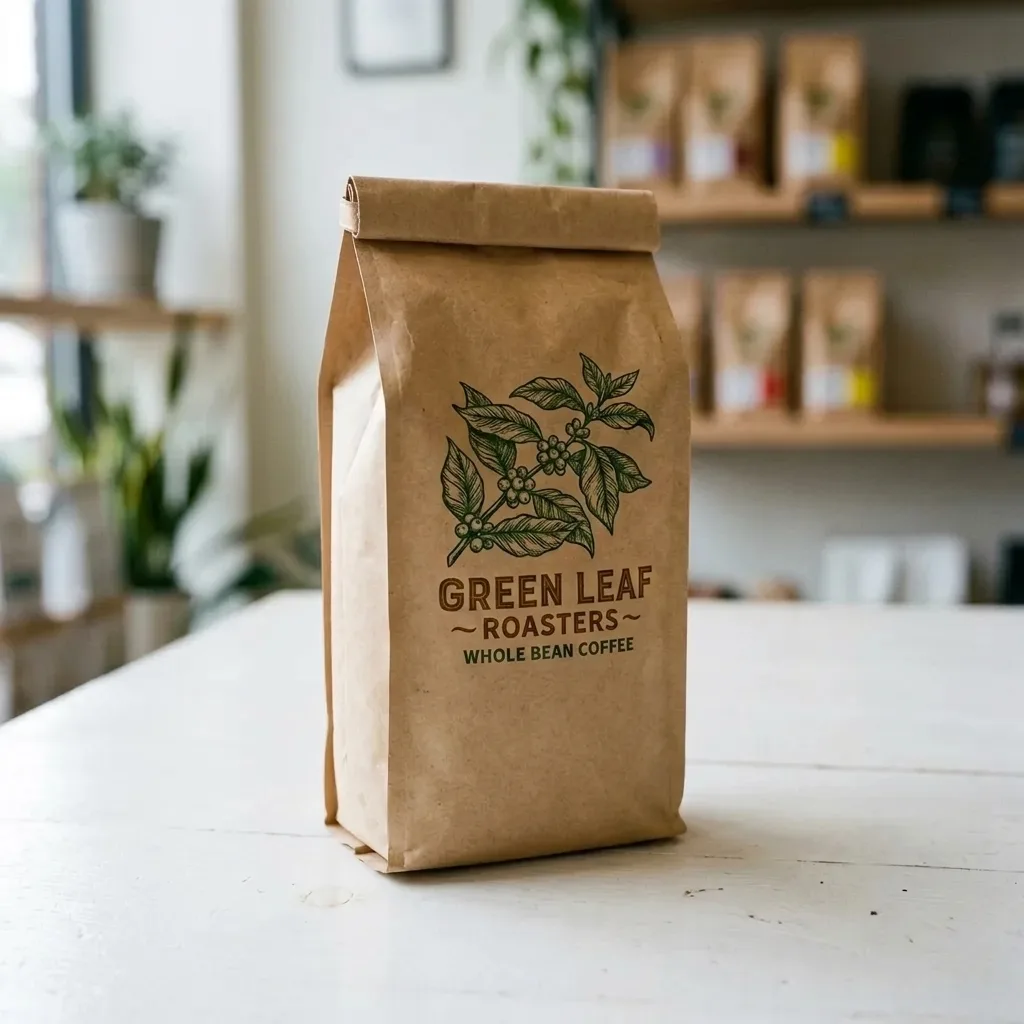
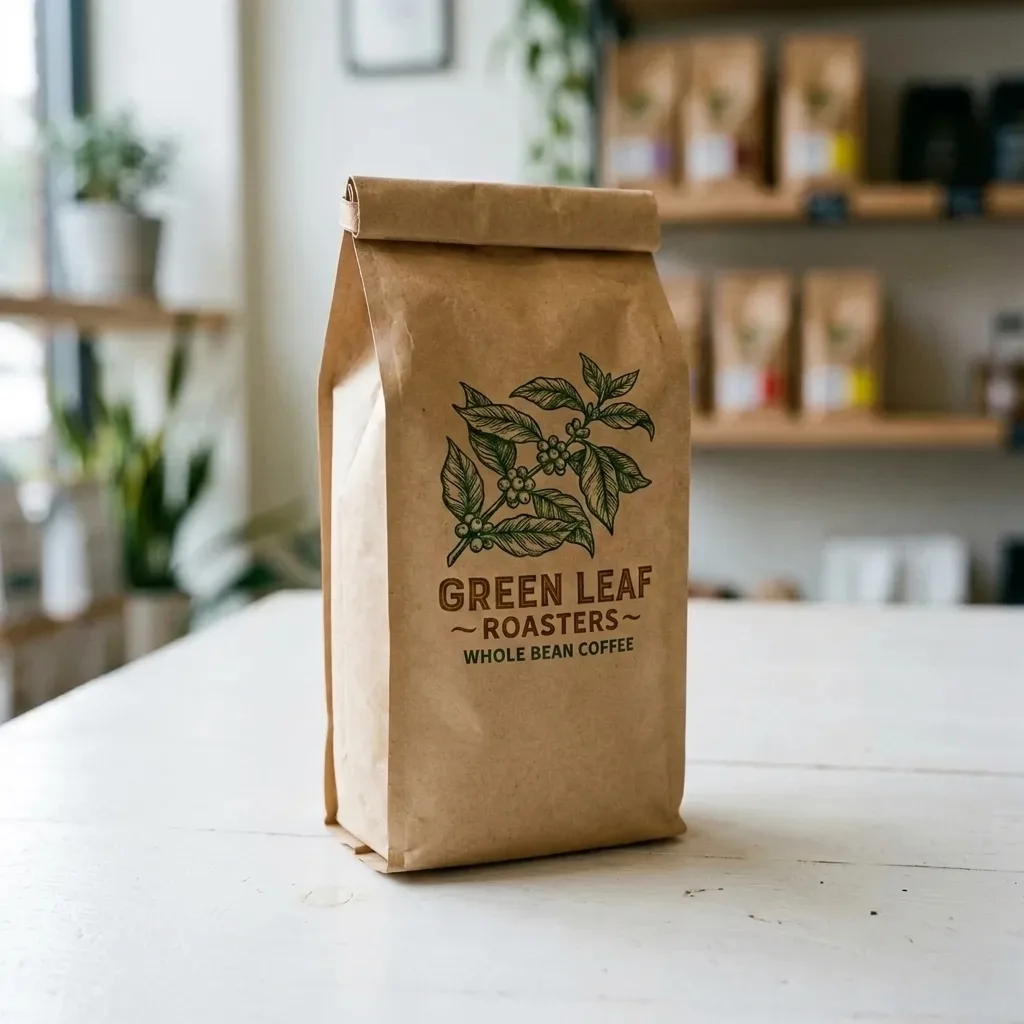
Prompt: Remove the barcode sticker and the yellow price tag from the bag, and rebuild the printed bag underneath. Keep everything else unchanged.
Every run removed the barcode sticker and the price tag and rebuilt plain kraft paper, keeping GREEN LEAF ROASTERS and WHOLE BEAN COFFEE above them. In one brushed run, GPT Image 2.5 printed a few lines of made-up small print where the sticker had been.
GPT Image 2.5, first run: no brush · with brush
Brushed area
No brush
With brush
Change one word on a label
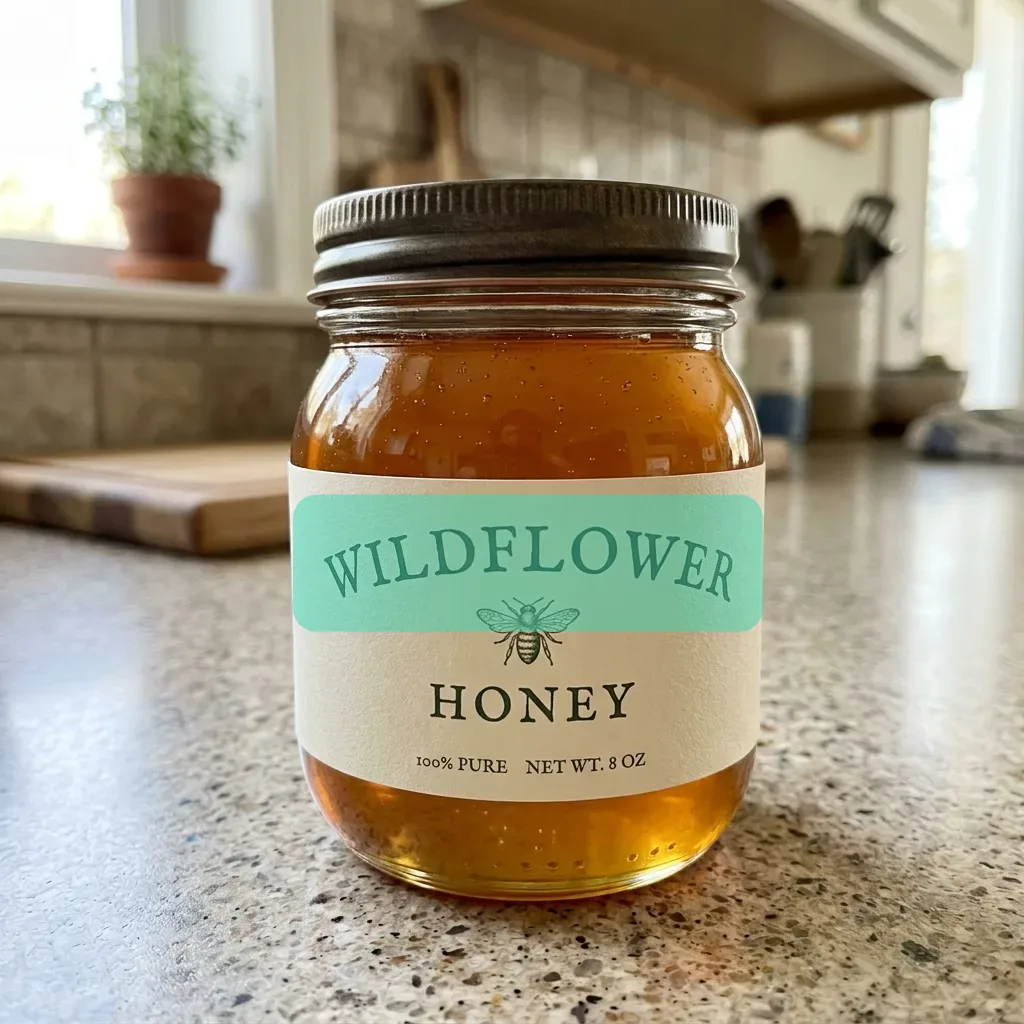
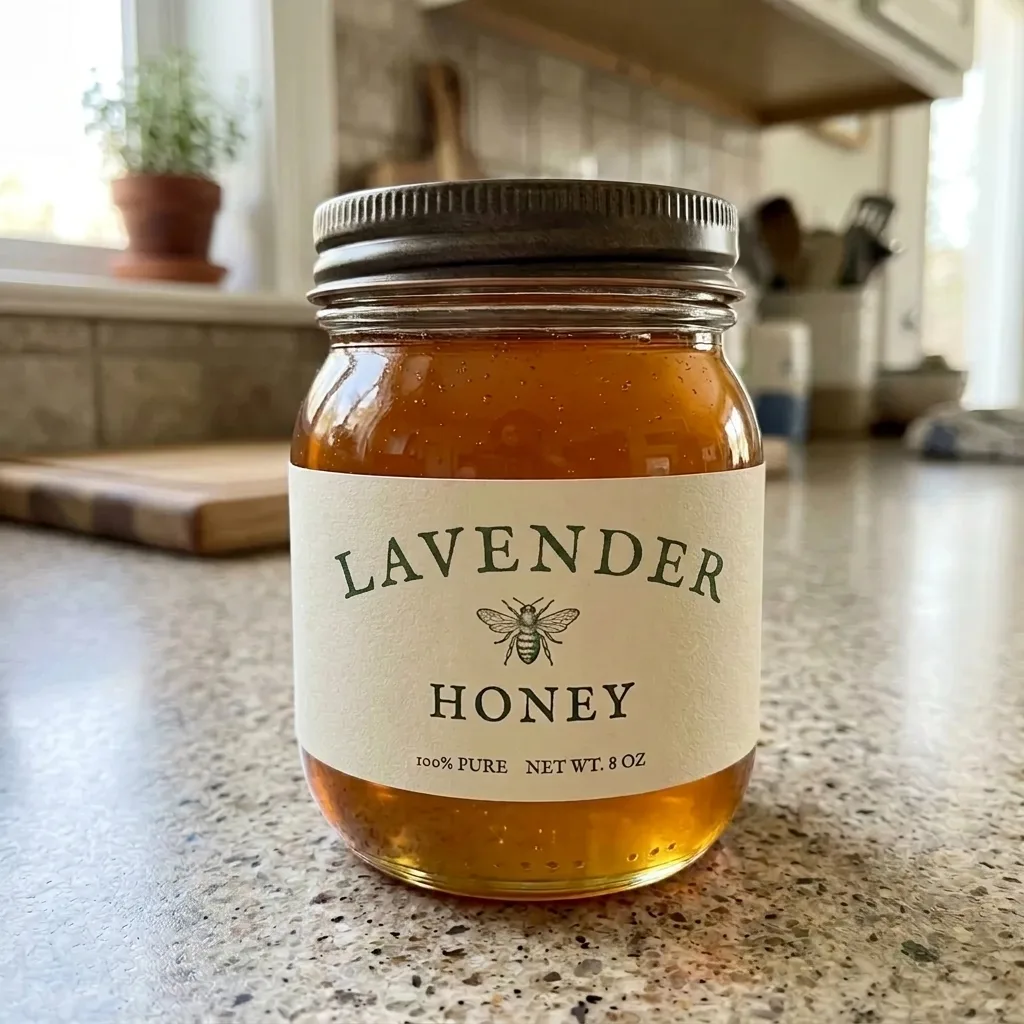
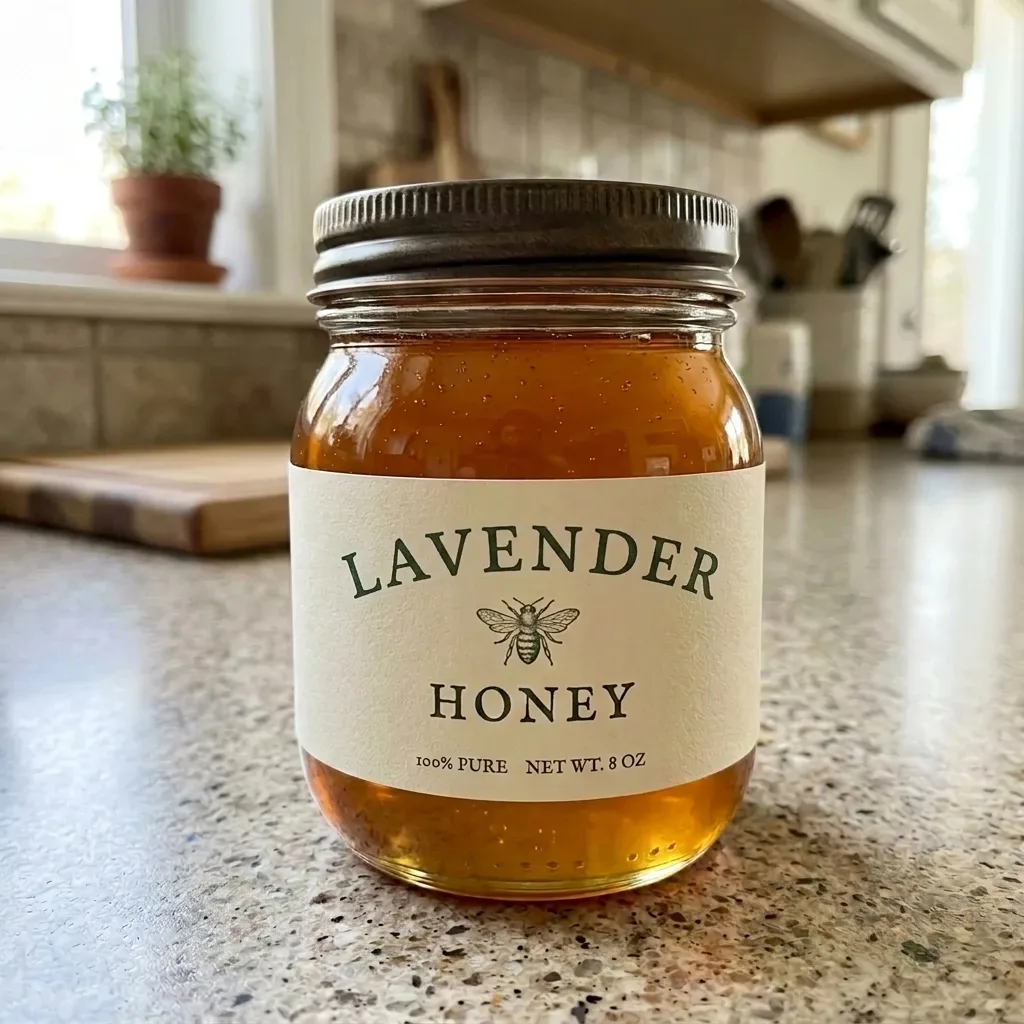
Prompt: Change the word WILDFLOWER on the label to LAVENDER, in the same lettering. Keep everything else unchanged.
WILDFLOWER became LAVENDER in all 12 runs, in matching green serif capitals, with HONEY, the bee and the small print left alone.
GPT Image 2.5, first run: no brush · with brush
Brushed area
No brush
With brush
Remove people from the background
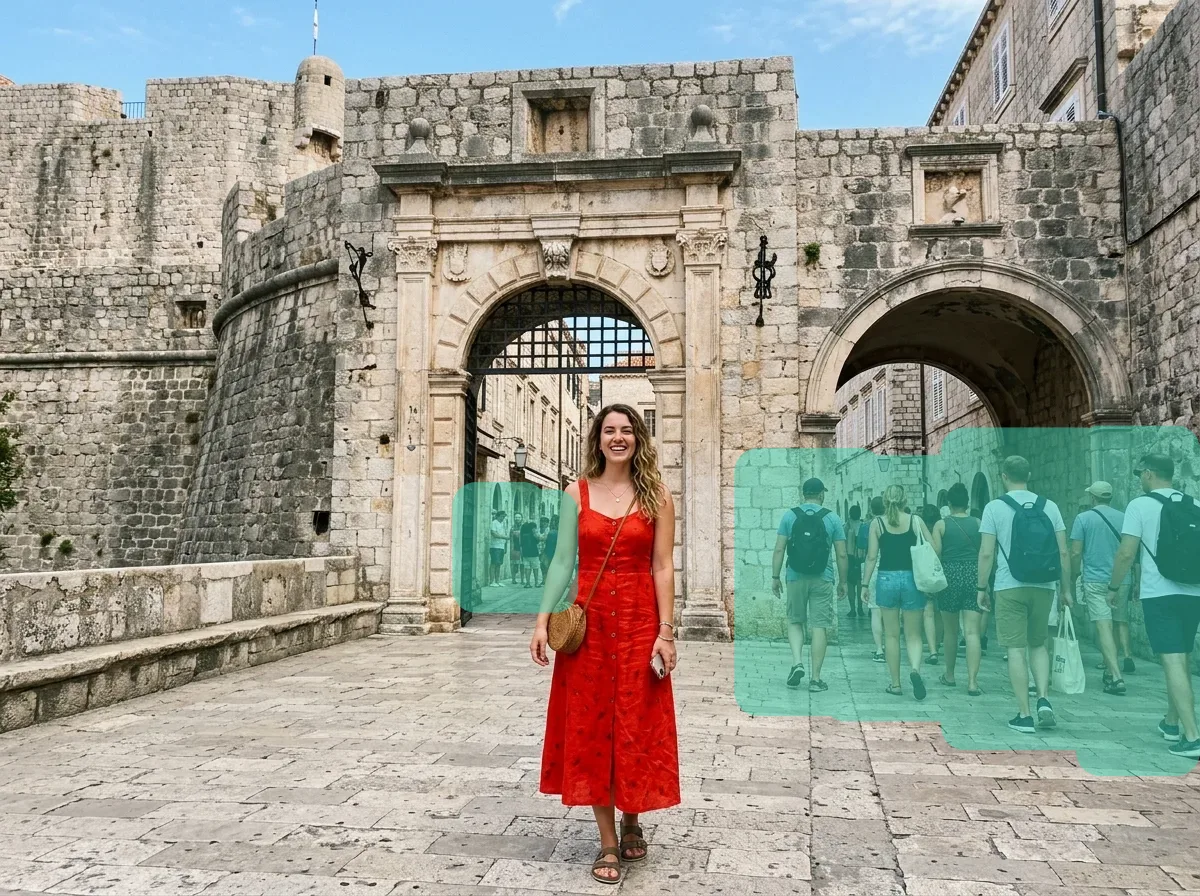
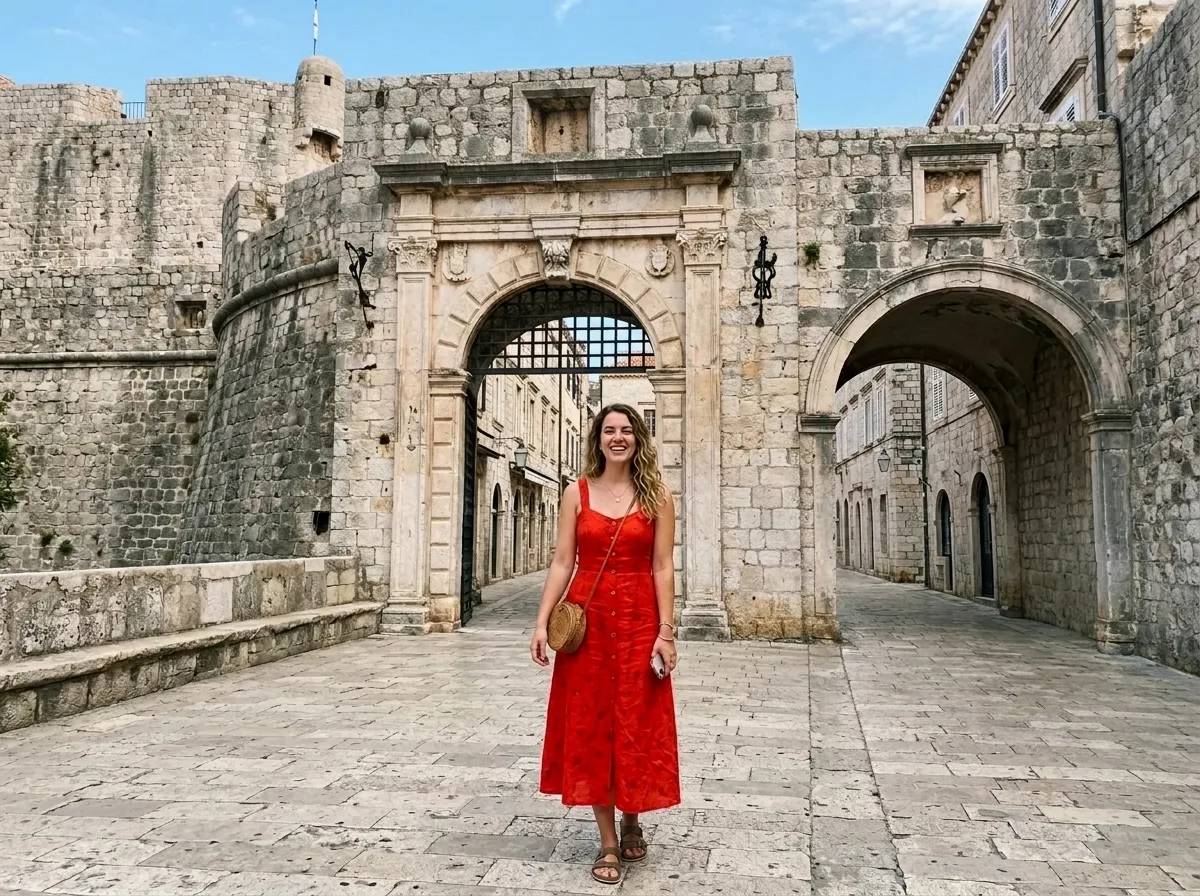
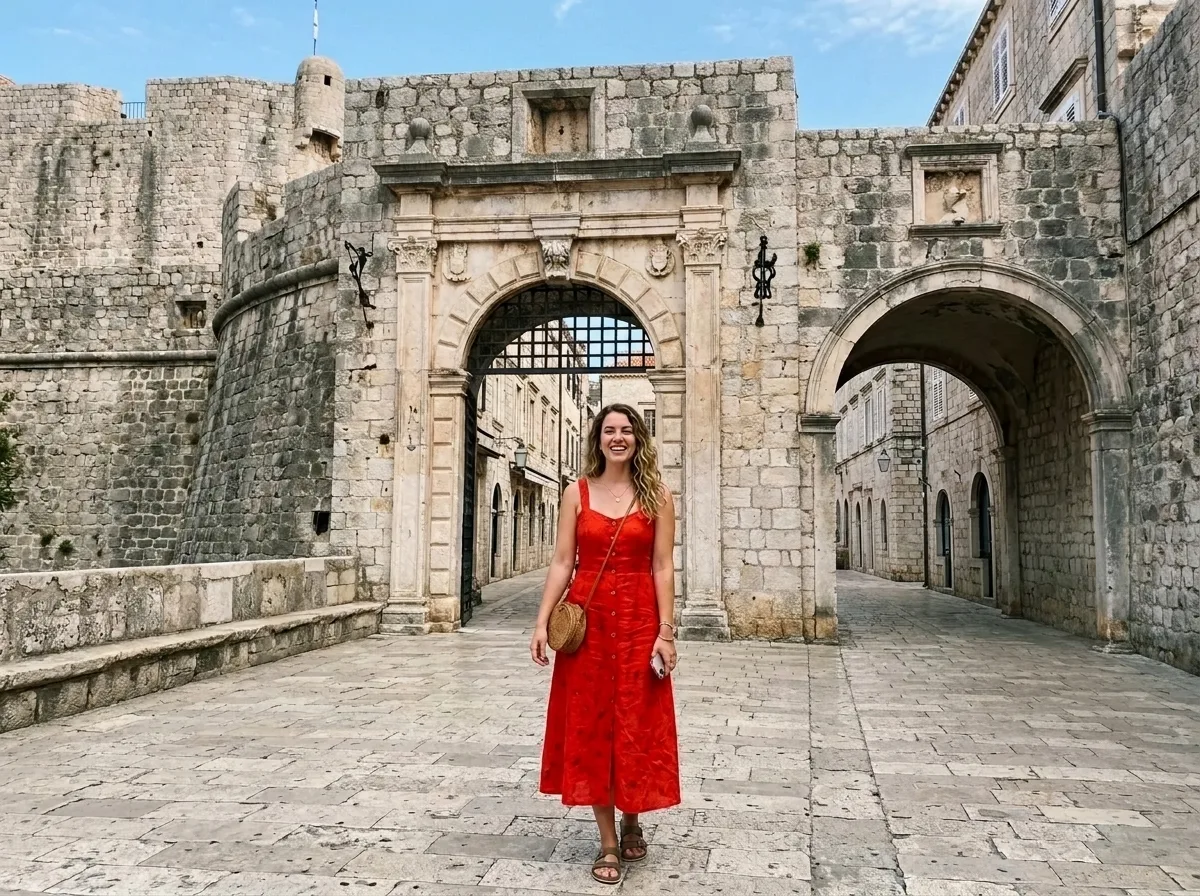
Prompt: Remove the tourists walking in the background and rebuild the street behind them. Keep the woman in the red dress and everything else unchanged.
Every run removed the group on the right and kept the woman in the red dress. The small group inside the gateway on the left is where the brush fell short: Nano Banana 2.1 left them standing in one of its three brushed runs, although they were inside the brushed area, while all three runs without the brush removed them. GPT Image 2.5 removed them in all six runs.
GPT Image 2.5, first run: no brush · with brush
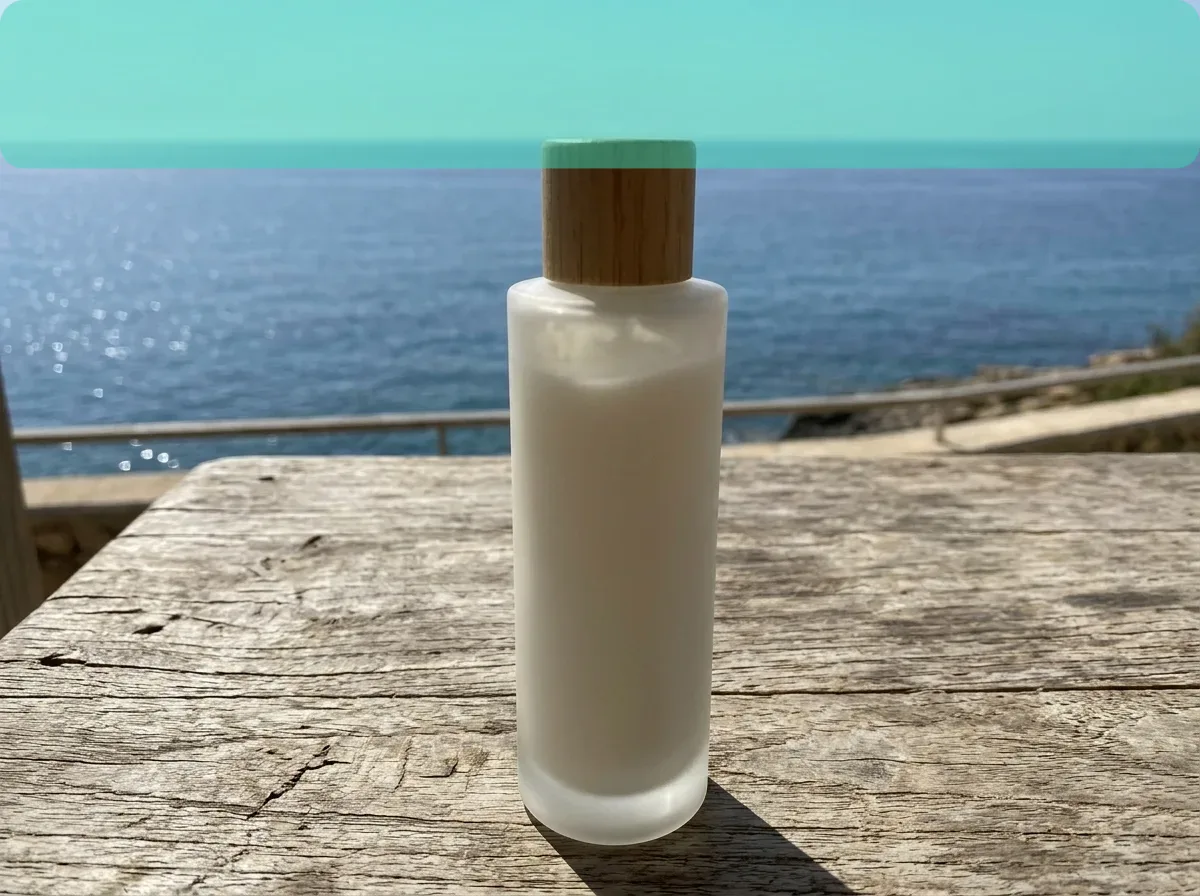
Brushed area
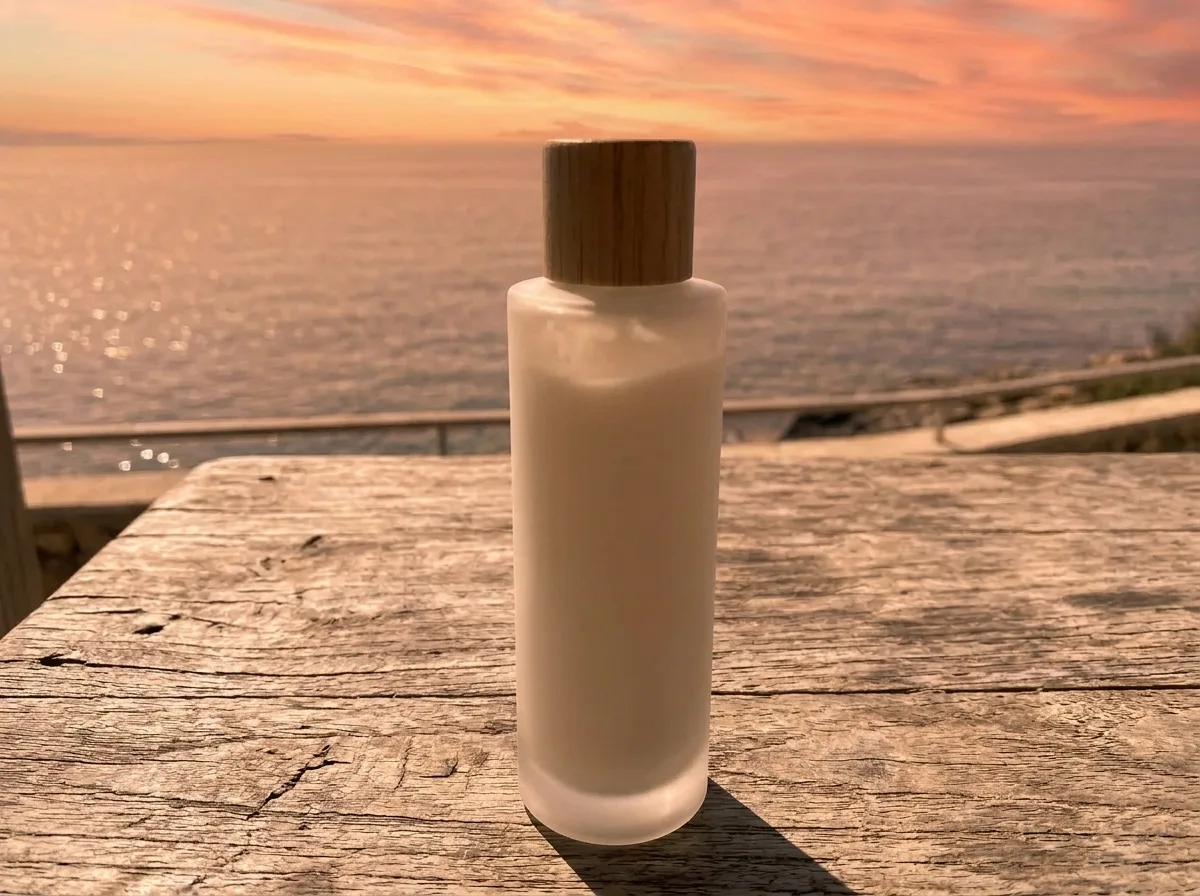
No brush
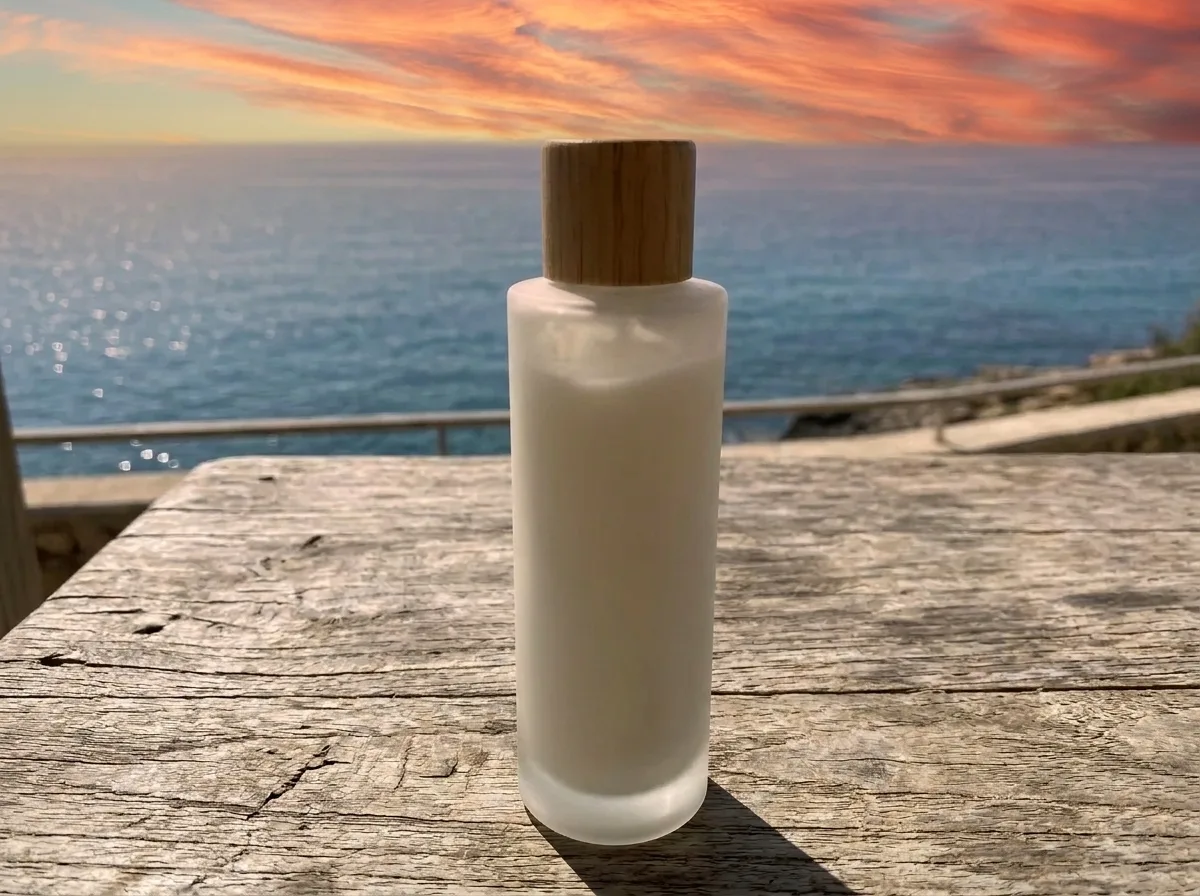
With brush
Turn the sky into a sunset
Prompt: Turn the sky into a warm orange and pink sunset.
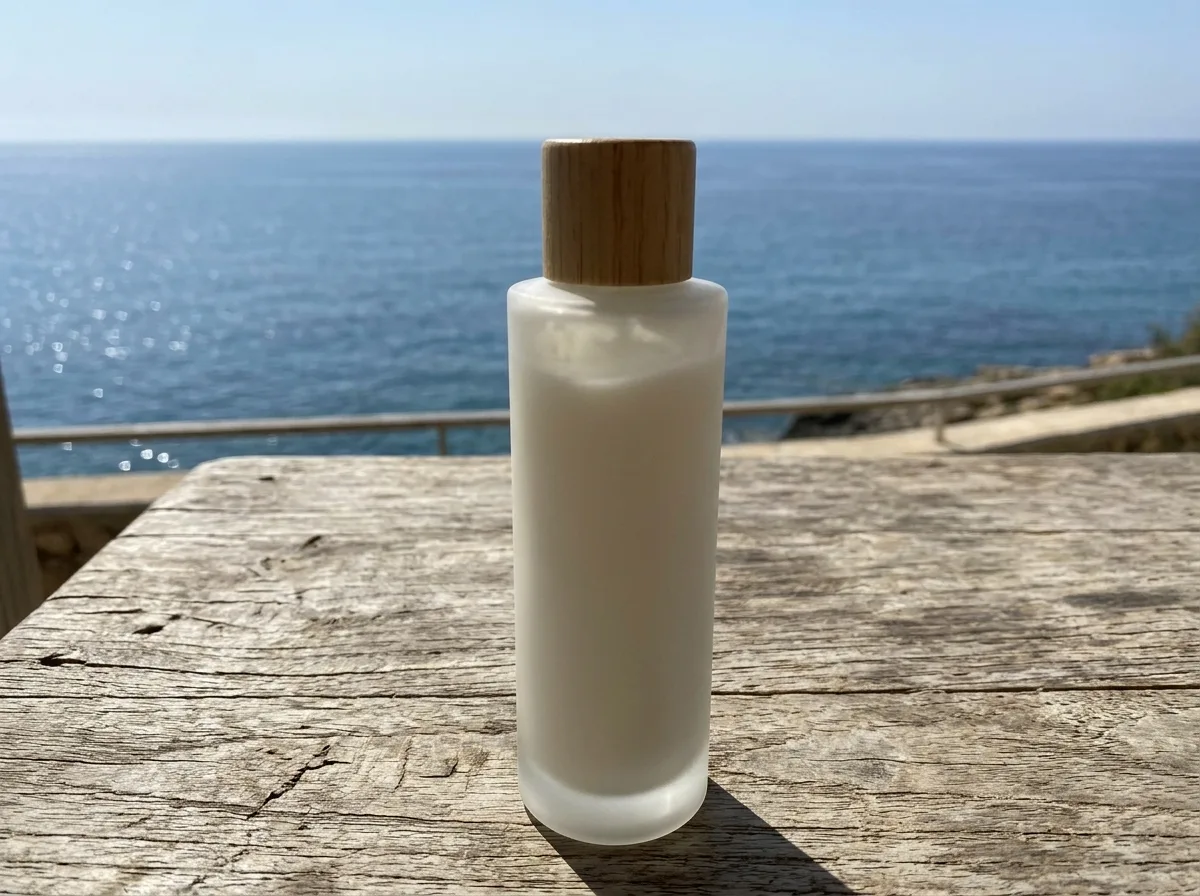
This is where the brush mattered. Without it, both models relit the whole photo: the sea turned orange and pink and the bottle took on the sunset's color. Its average color moved by 21 to 25 levels (out of 255) on Nano Banana 2.1 and 23 to 34 on GPT Image 2.5. With the sky brushed, Nano Banana 2.1 changed the sky and a thin strip of sea below the horizon and kept the bottle within 9 levels, though a blue midday sea under an orange sky looks less natural. GPT Image 2.5 still turned the sea orange with the brush, but kept the bottle closer to its color (5 to 18 levels).
GPT Image 2.5, first run: no brush · with brush
How much of the rest changed
The share of the photo outside the brushed area that visibly changed with Nano Banana 2.1, lowest to highest of three runs. We shrank each result and its original to 600 pixels wide and counted the pixels where any color channel moved by more than 30 of 255 levels, so the faint noise of the model redrawing the photo doesn't count.
| Test | No brush | With brush |
|---|---|---|
| One of four identical mugs | 0.1–0.2% | 0.0–0.3% |
| Recolor a hoodie | 0.0% | 0.0% |
| Remove a price sticker | 0.0% | 0.0% |
| Change one word on a label | 0.0–0.1% | 0.1% |
| Remove people from the background | 0.3–0.4% | 0.4% |
| Turn the sky into a sunset | 55.6–83.6% | 6.8–10.6% |
GPT Image 2.5 isn't in the table. It returns a 4:3 photo at 1,184 × 880 rather than the original's 1,200 × 896, and that slight misalignment counts as a change along every edge in the photo, so its numbers aren't comparable. By eye, its results with and without the brush differed no more than Nano Banana 2.1's did, apart from the sunset and the one sticker run with made-up print.
When to brush
- Brush to keep a change from spreading
- A new sky, different light or a color cast naturally reaches the rest of the photo. When the product's color has to stay true, brush only the area that should change.
- A clear prompt can be enough
- For one thing you can name, a prompt like "Change the hoodie to sage green. Keep everything else unchanged." did as well without the brush as with it in our tests.
- Point when words get long
- When the target is hard to name, such as one stain or one of many similar items, brushing it saves describing where it is. Prompts written for the brush say "the marked area"; if you skip the brush, name the target instead.
- Brush loosely, then check the edges
- Our brushed areas were rounded rectangles a little wider than the target, and that was precise enough. The models blend the edit into its surroundings, so look just past the edge, like the strip of sea under the sunset.
For common jobs, start from a prompt written for them: remove an object, change text in an image or replace a product background.
How we tested
We ran 6 edits on October 14, 2026, each with the area brushed and without it, 3 times per model on Nano Banana 2.1 and GPT Image 2.5: 72 runs. The prompt was word for word the same with and without the brush and already named what to change, so the brush was the only difference. Settings were the editor's defaults: 1K, aspect ratio auto, standard quality on GPT Image 2.5.
The brushed area was drawn once per photo, automatically, as a rounded rectangle a little wider than the target, and reused for every run. It is shown in green on each original below. The sunset prompt is the only one without "Keep everything else unchanged": a sunset is supposed to change the light, and we wanted to see whether the brush holds it back.
Four photos come from YepShot's Explore library; the mugs and the bottle were generated for this page with Nano Banana 2.1. All of them are AI-generated. The images shown are the first run of each, not the best of three.
For the same two models on 48 different edits, see Nano Banana 2.1 vs GPT Image 2.5.
Frequently asked questions
What is AI inpainting?
Redrawing part of an image: you mark an area, say what should be there, and the model fills it in to match the rest of the photo. In YepShot you mark the area with a brush or a rectangle and describe the change in the prompt.
Do I have to brush the area?
No, the brush is optional. In our tests, a prompt that named one clear target and asked to keep everything else worked as well without it. Brush when the change would otherwise spread, like a new sky, or when the target is easier to point at than to describe.
Does the rest of the photo stay exactly the same?
Not pixel for pixel: both models redraw the whole image. Apart from the sunset, Nano Banana 2.1 changed less than 0.5% of the photo outside the target in every run, too little to see at normal size.
Which model follows the brush more closely?
In the sunset test, Nano Banana 2.1: with the sky brushed, it left the table and bottle as they were, while GPT Image 2.5 still turned the sea orange. But Nano Banana 2.1 also produced the one brushed run that missed part of its target. Google lists partial instruction following in masked edits as a known limitation of the model. If a result misses something, run it again.
How careful does the brushing need to be?
Not very. The brushed areas in these tests were rectangles with a margin; they covered part of the chin above the hoodie and the lettering above the sticker, and Nano Banana 2.1 still changed only what the prompt asked for.
Does brushing cost extra?
No. An edit costs 6 credits at 1K with Nano Banana 2.1 and 3 with GPT Image 2.5 at standard quality, brushed or not. In Multi Fusion with GPT Image 2.5, the brushed area counts as one of the 4 images, so you can add up to 3 photos.