How it works
1
Upload one sharp photo
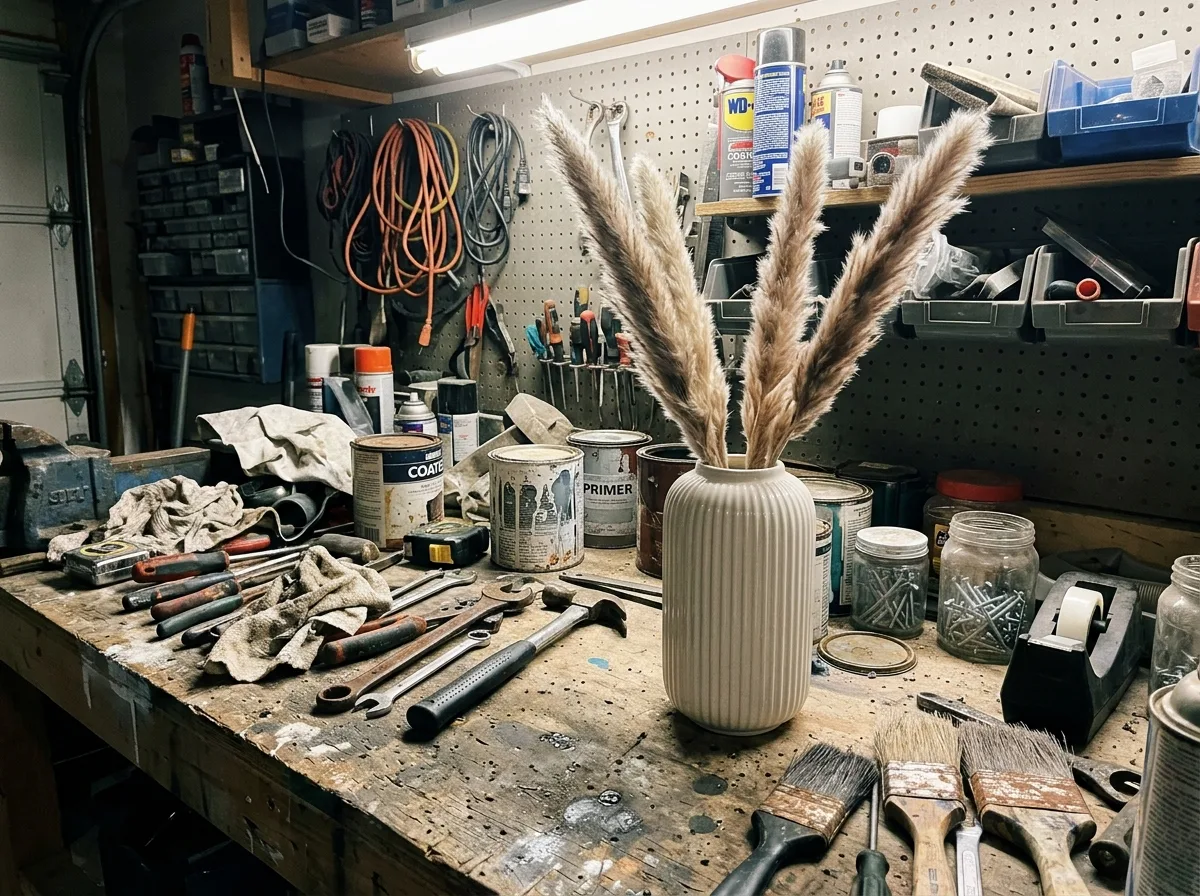
The background can be anything: the examples below started from a garage workbench, a kitchen sink and an office desk. Keep the whole product in the frame and in focus.
2
Describe the scene
Keep the first sentence, which tells the model not to change the product, and rewrite the rest: what the product stands on, what is around it and where the light comes from. With Nano Banana 2.1 a 1K edit costs 6 credits.
3
Check, then download
Compare the product with your original before you publish, using the checks further down this page. Downloads have no watermark.
Real results
Each example was generated on YepShot with Nano Banana 2.1 at 1K, using the prompt shown on its card. The source photos are AI-generated snapshots and the brands are fictional. The first card is the prompt preloaded in the editor above. The last one uses two photos: the place and the product.
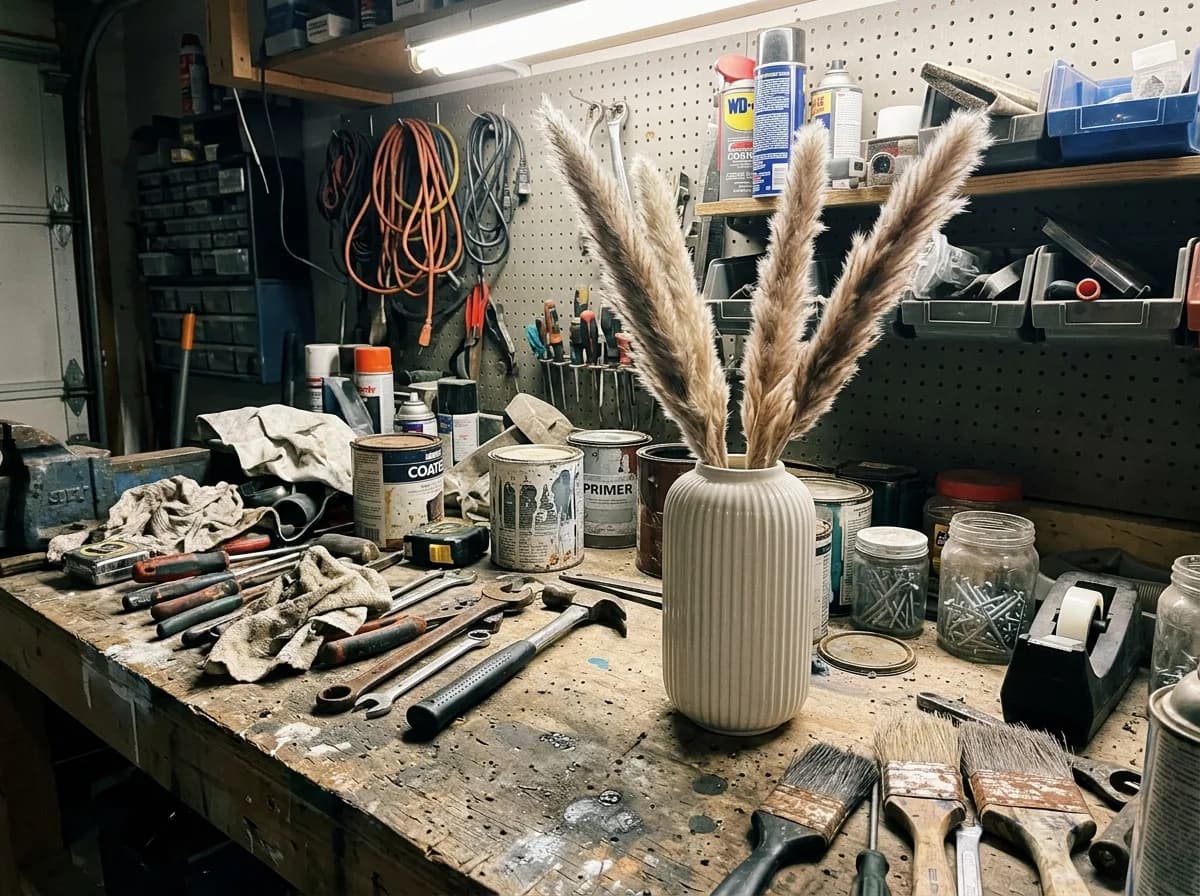
Before 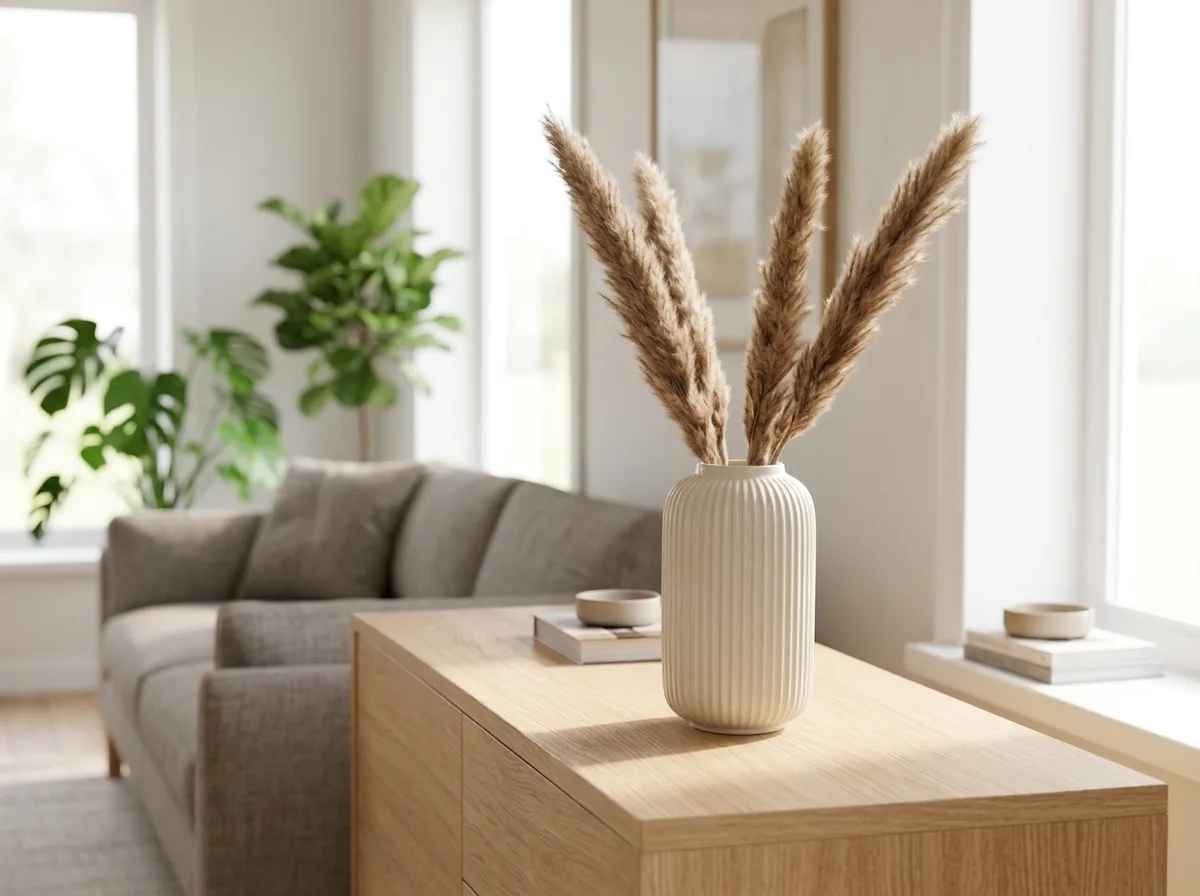
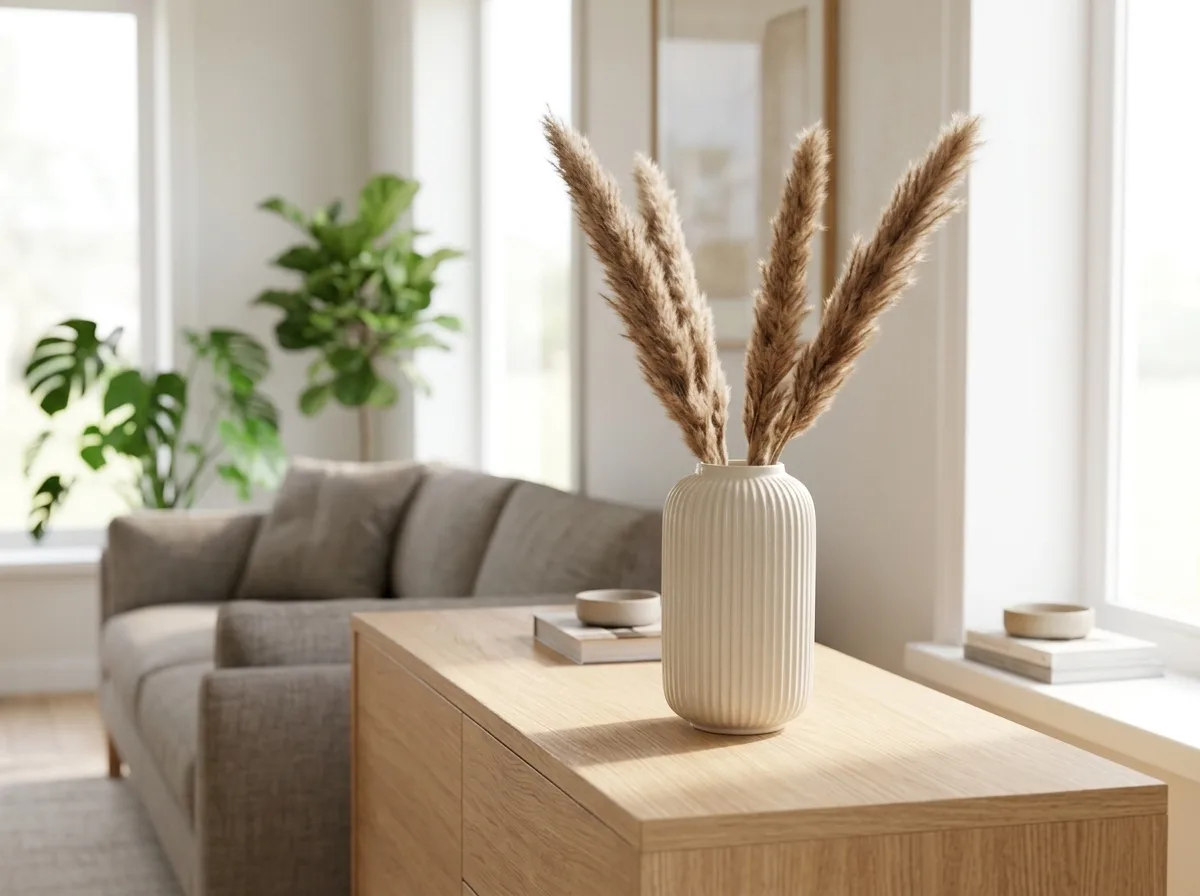
Nano Banana 2.1 Bright Modern Living Room
Keep the product exactly as it is, including its shape, finish and colors. Place it on a light oak sideboard in a bright, modern living room, with a sofa and green plants softly blurred behind it. Natural daylight from a large window, shadows that match the light, photorealistic interior catalog photo.
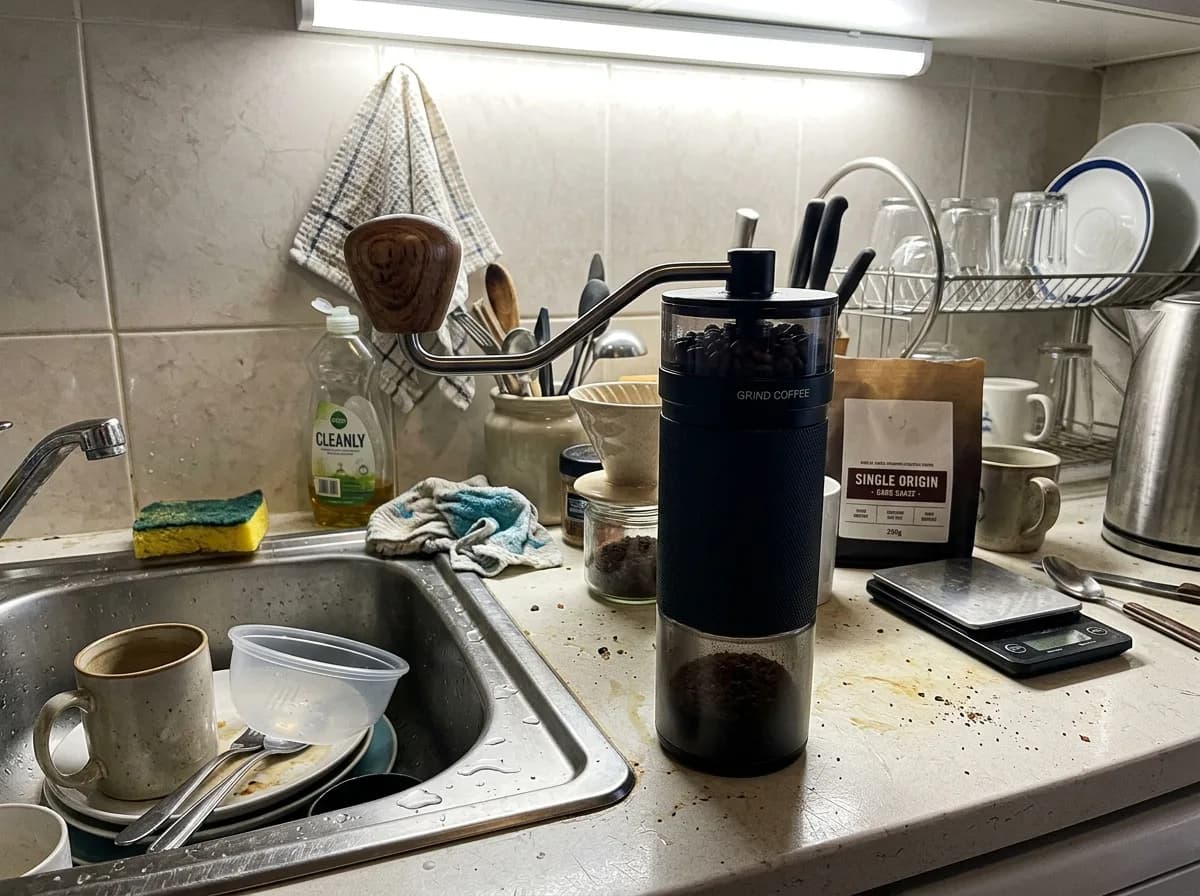
Before 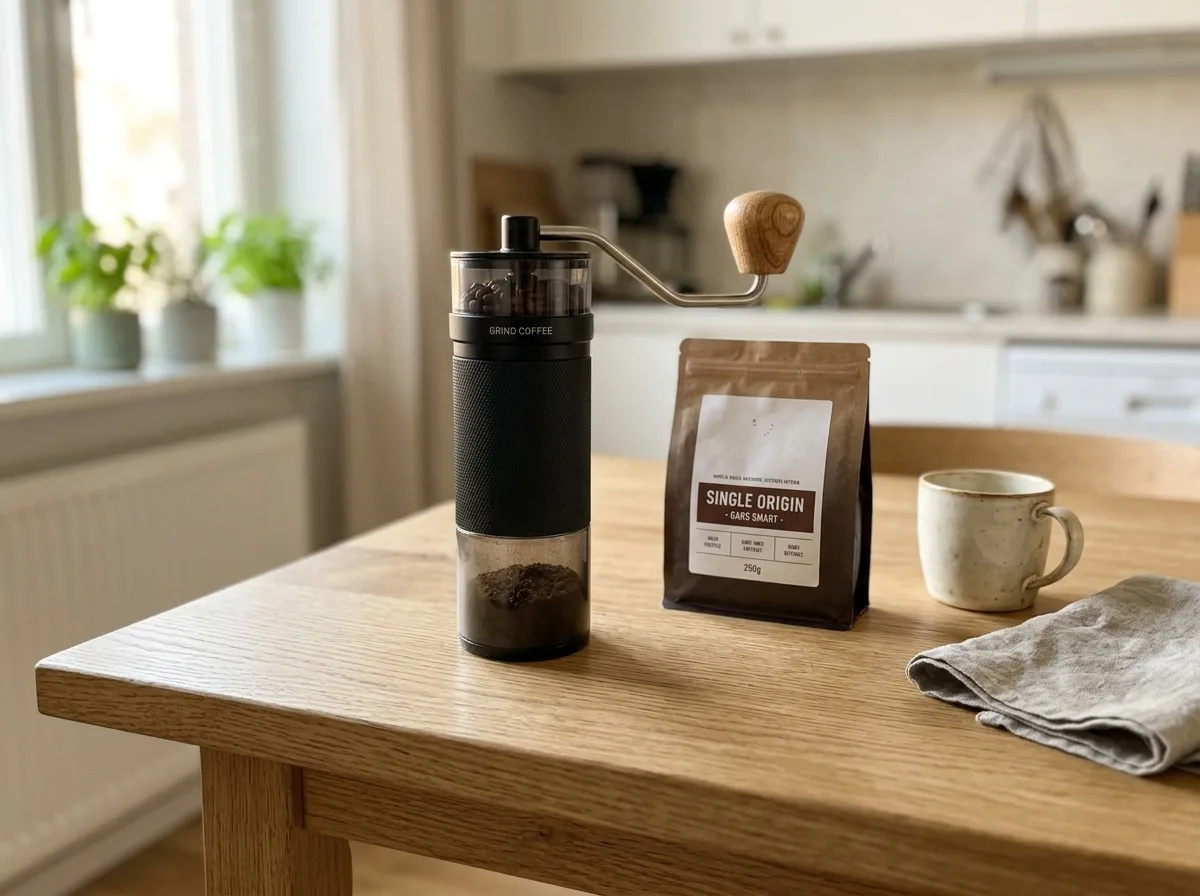
Nano Banana 2.1 Oak Table with Kitchen Props
Keep the product unchanged. Place it on a natural oak tabletop with visible wood grain, with a ceramic cup and a linen napkin nearby. Warm daylight from a side window, authentic Scandinavian home atmosphere, f/4 depth of field, product in sharp focus.
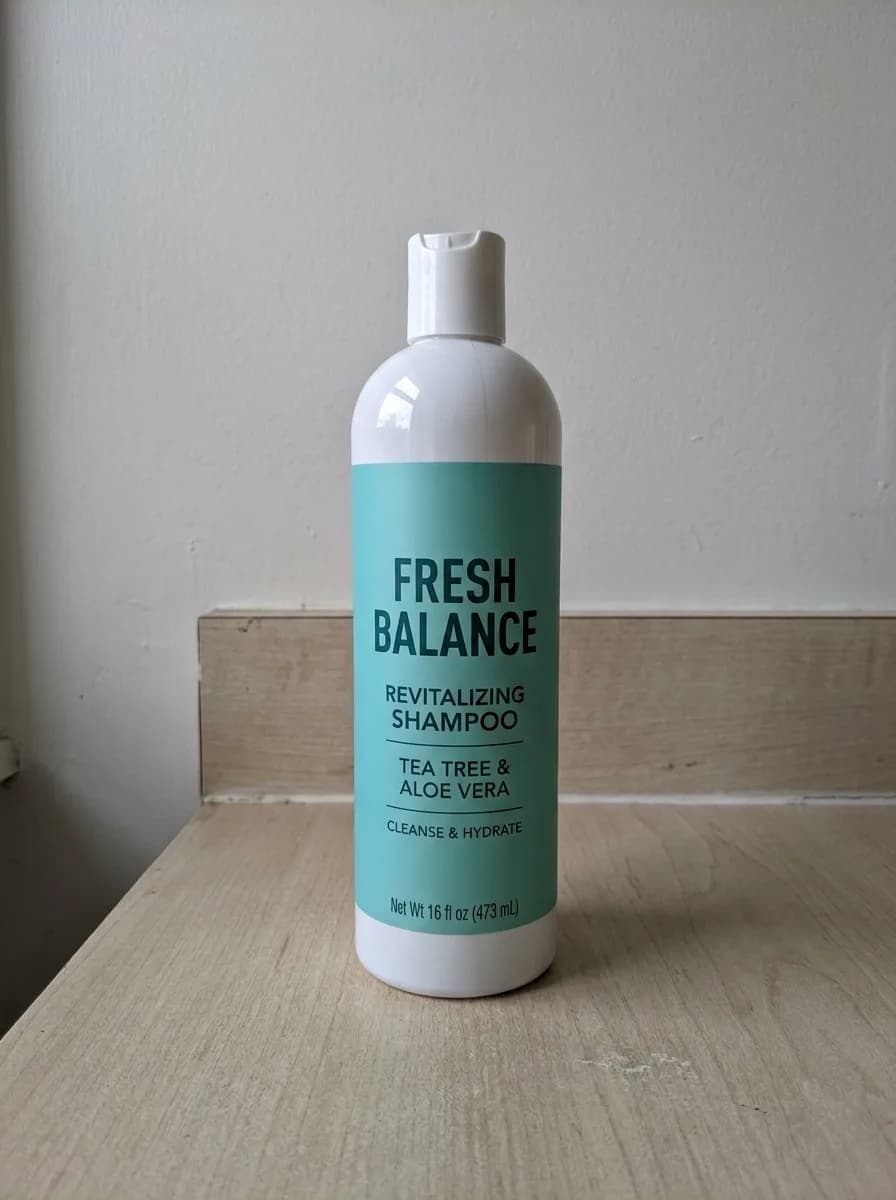
Before 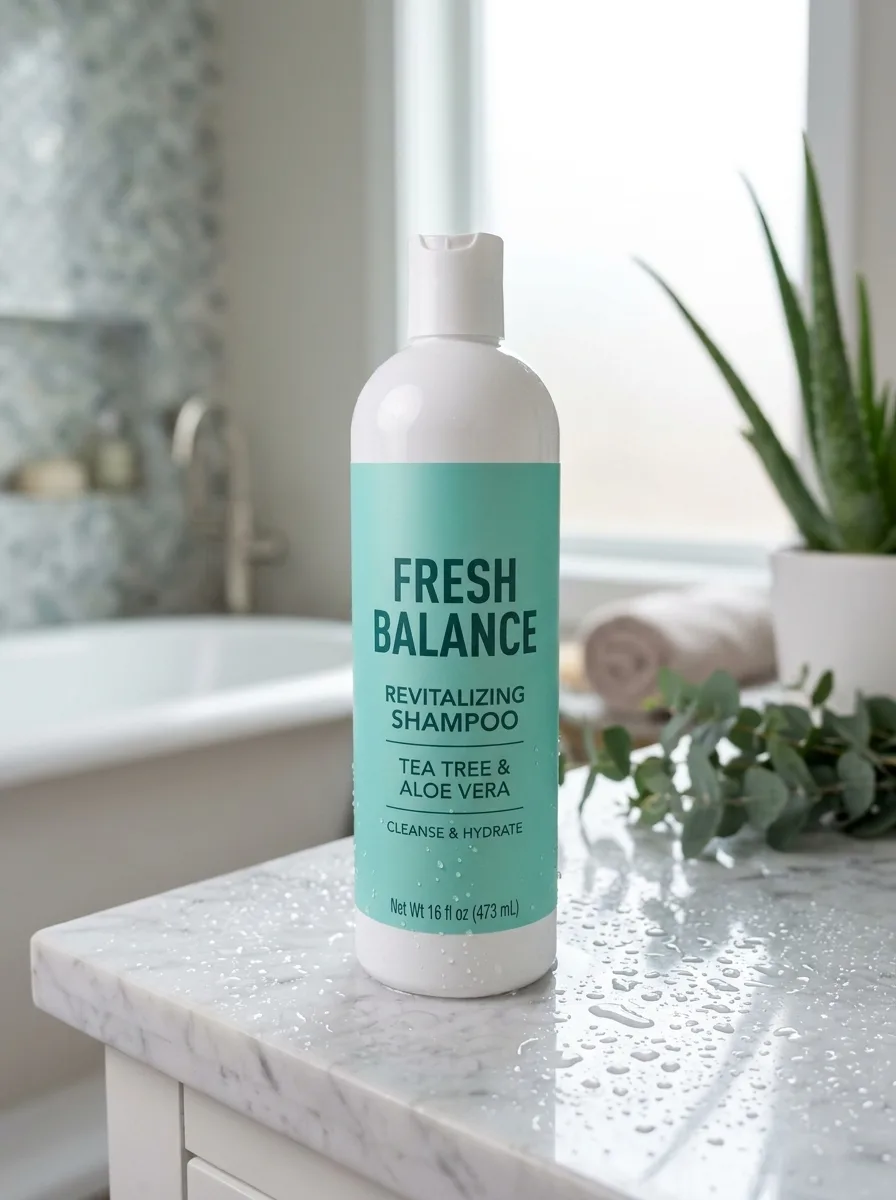
Nano Banana 2.1 Marble Vanity with Water Droplets
Keep the product unchanged. Place it on a polished white Carrara marble bathroom vanity with fine water droplets on the surface. Soft light through a frosted window, a blurred luxury spa bathroom in the background. Fresh, clean skincare advertising look with crisp focus on the product.
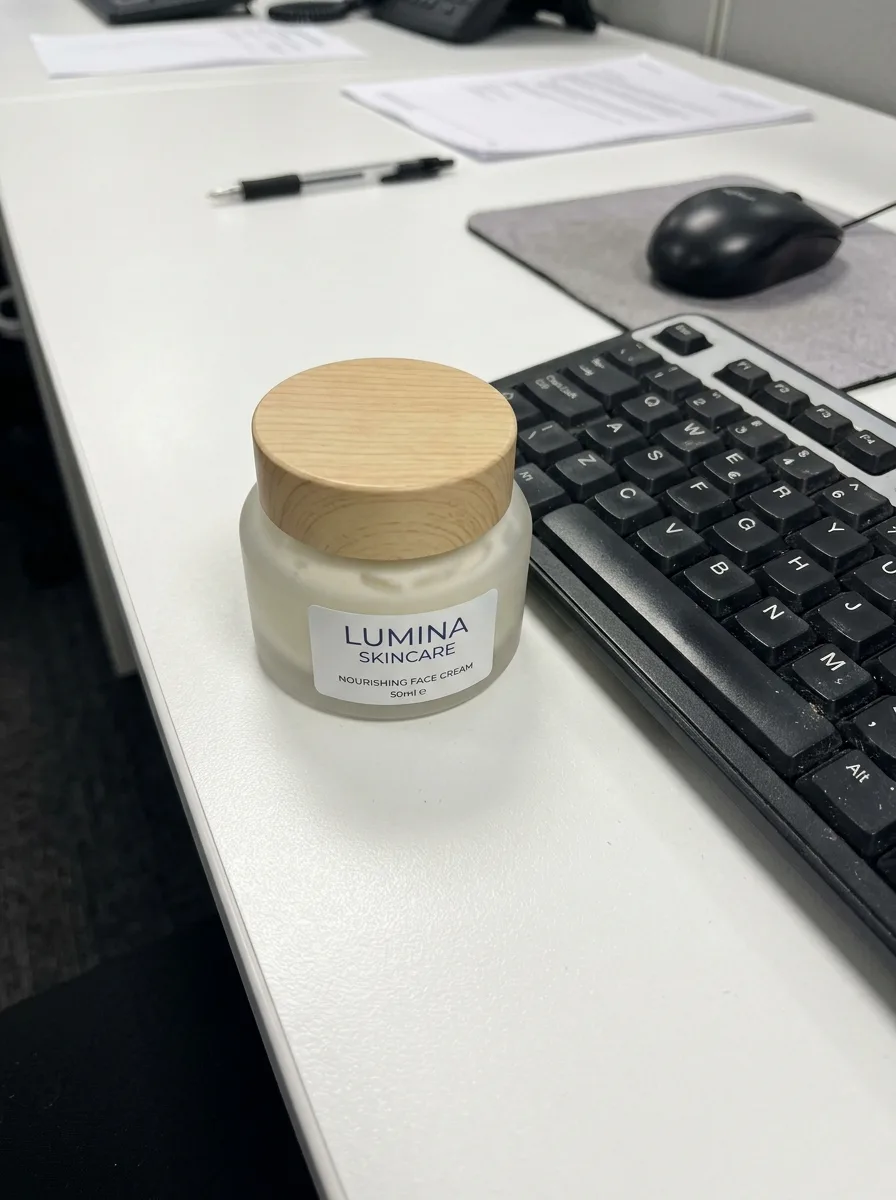
Before 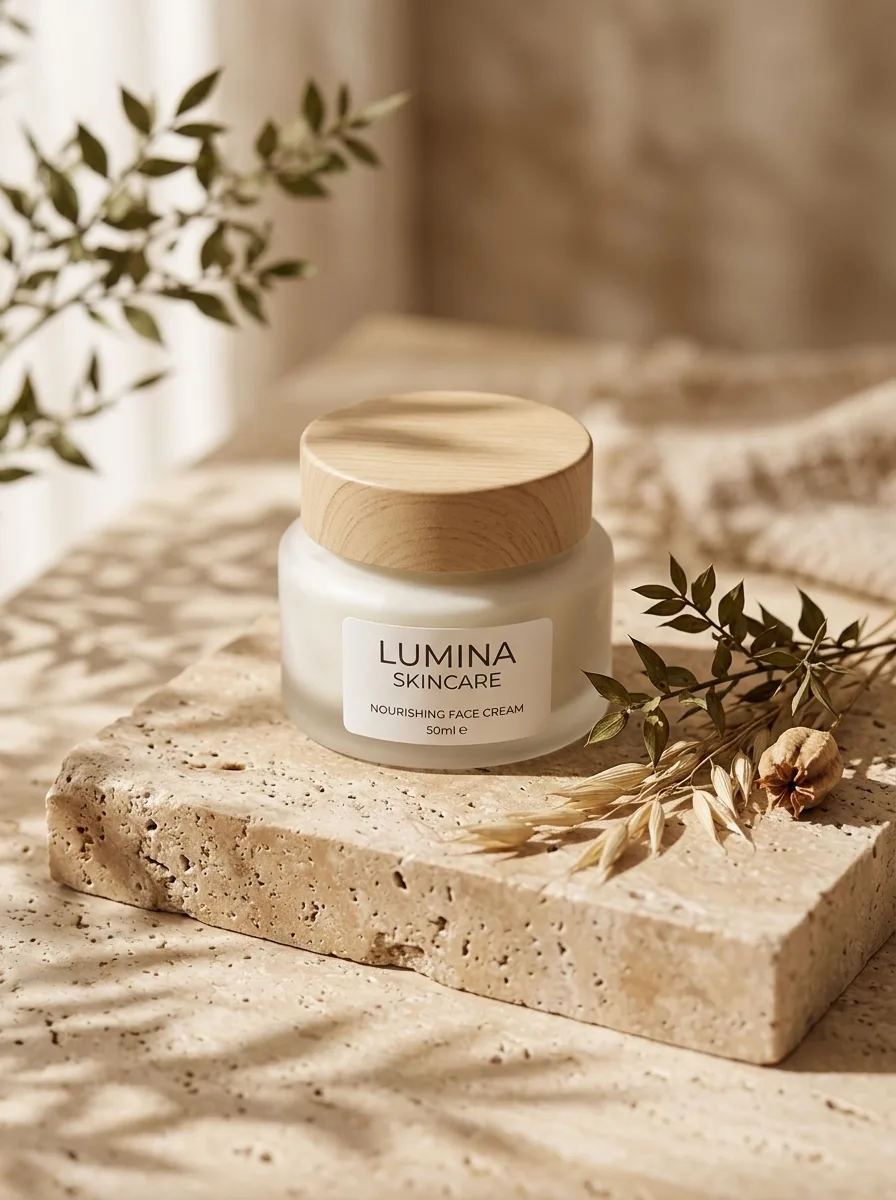
Nano Banana 2.1 Travertine Block in Morning Light
Keep the product exactly as it is, including its shape, label and colors. Place it on a raw-cut beige travertine block with a few dried botanical stems beside it. Soft morning window light casts dappled leaf shadows across the scene. Warm, organic mood, shallow depth of field, editorial lifestyle photo.
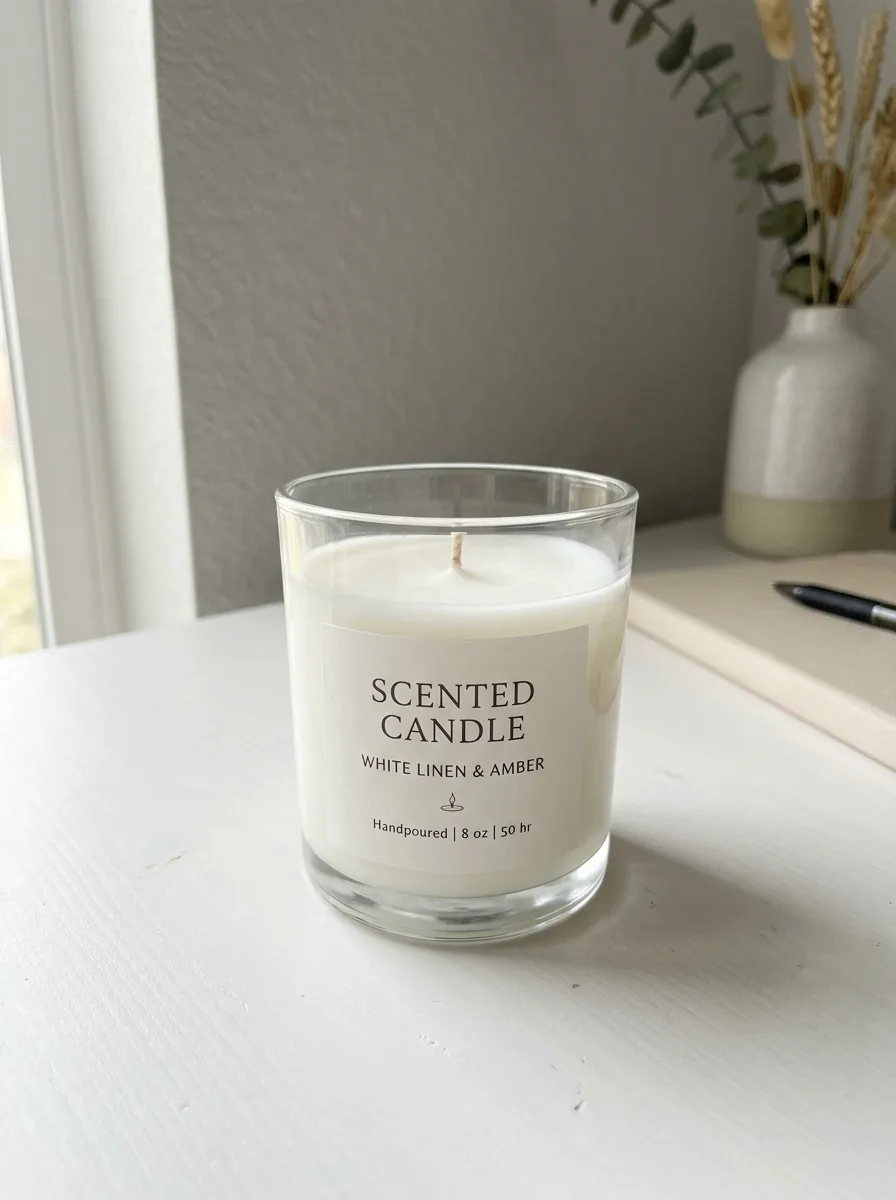
Before 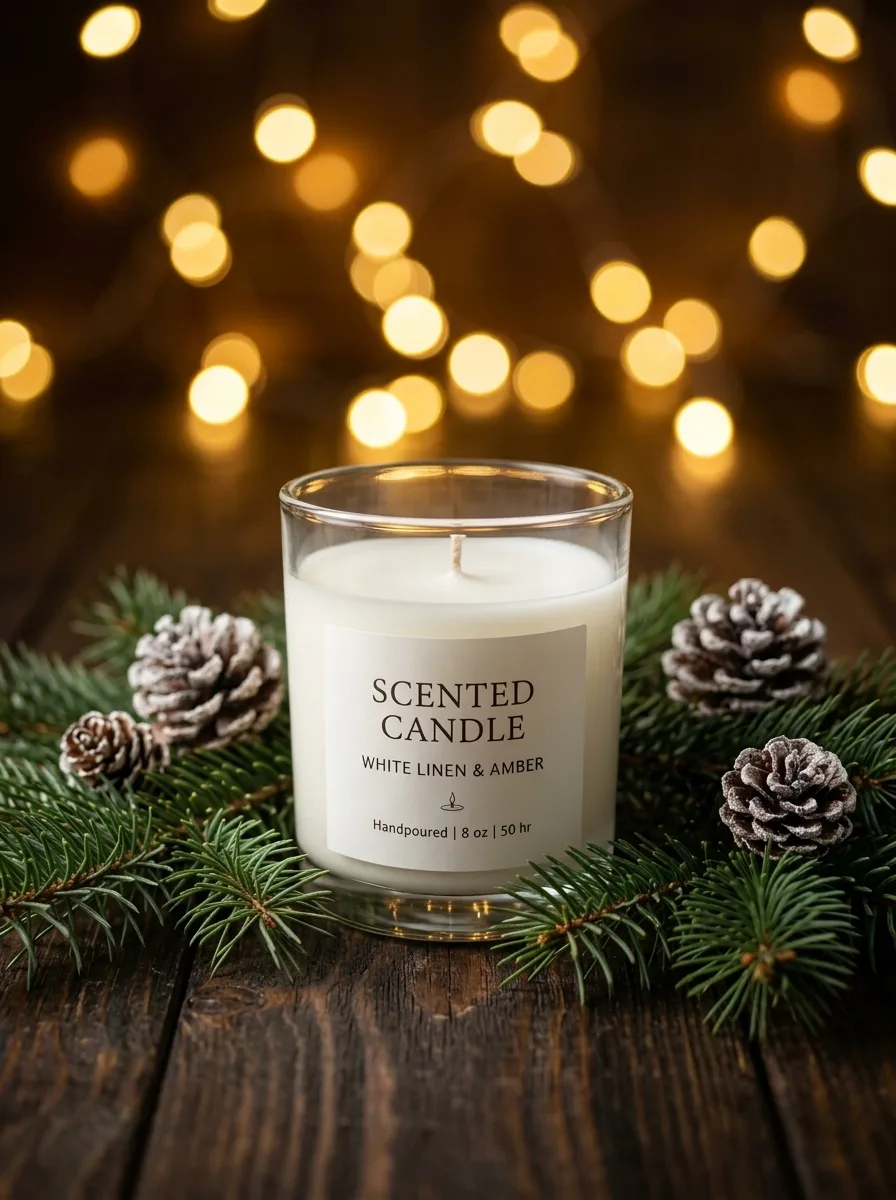
Nano Banana 2.1 Christmas Pine and Warm Bokeh
Keep the product unchanged. Place it on dark rustic wood surrounded by fresh pine branches and a few frosted pinecones, with golden fairy lights forming warm, round bokeh in the background. Cozy, premium Christmas campaign look.

IMG_1 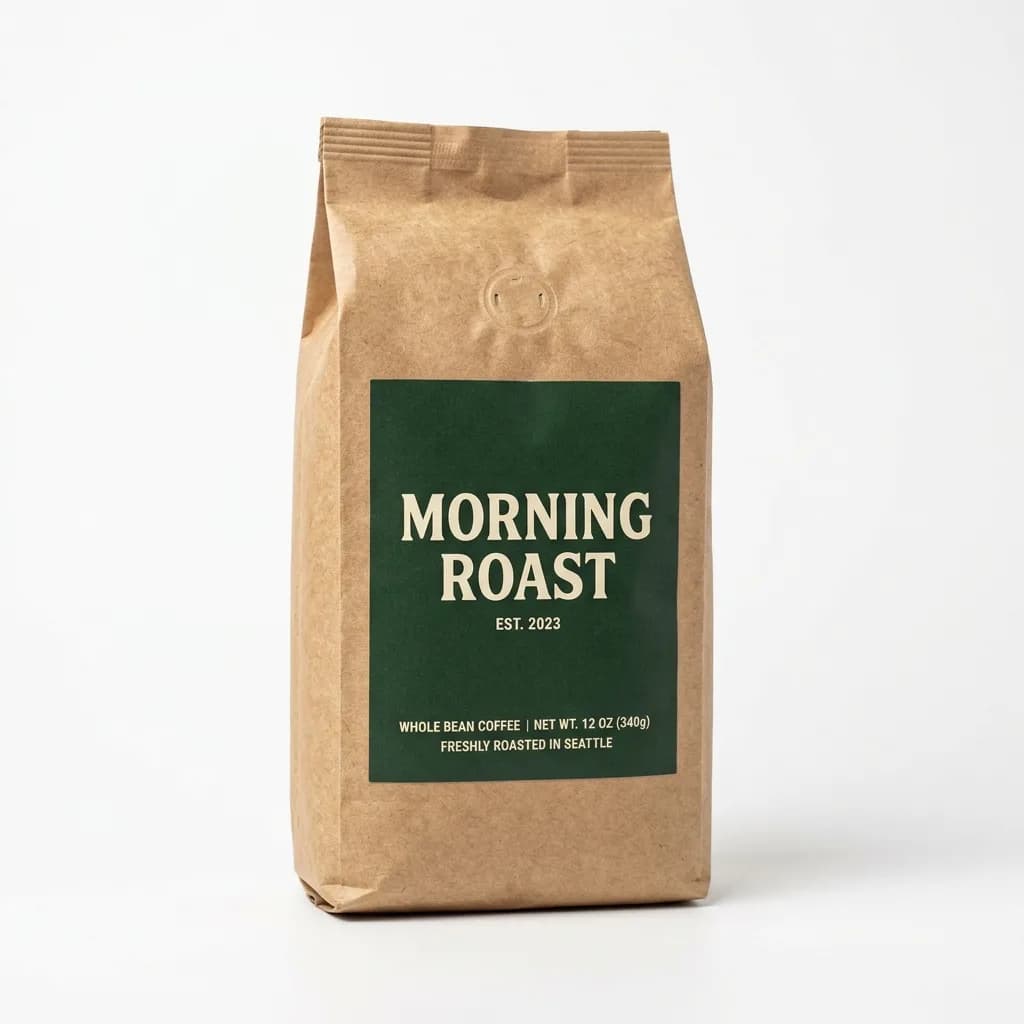
IMG_2 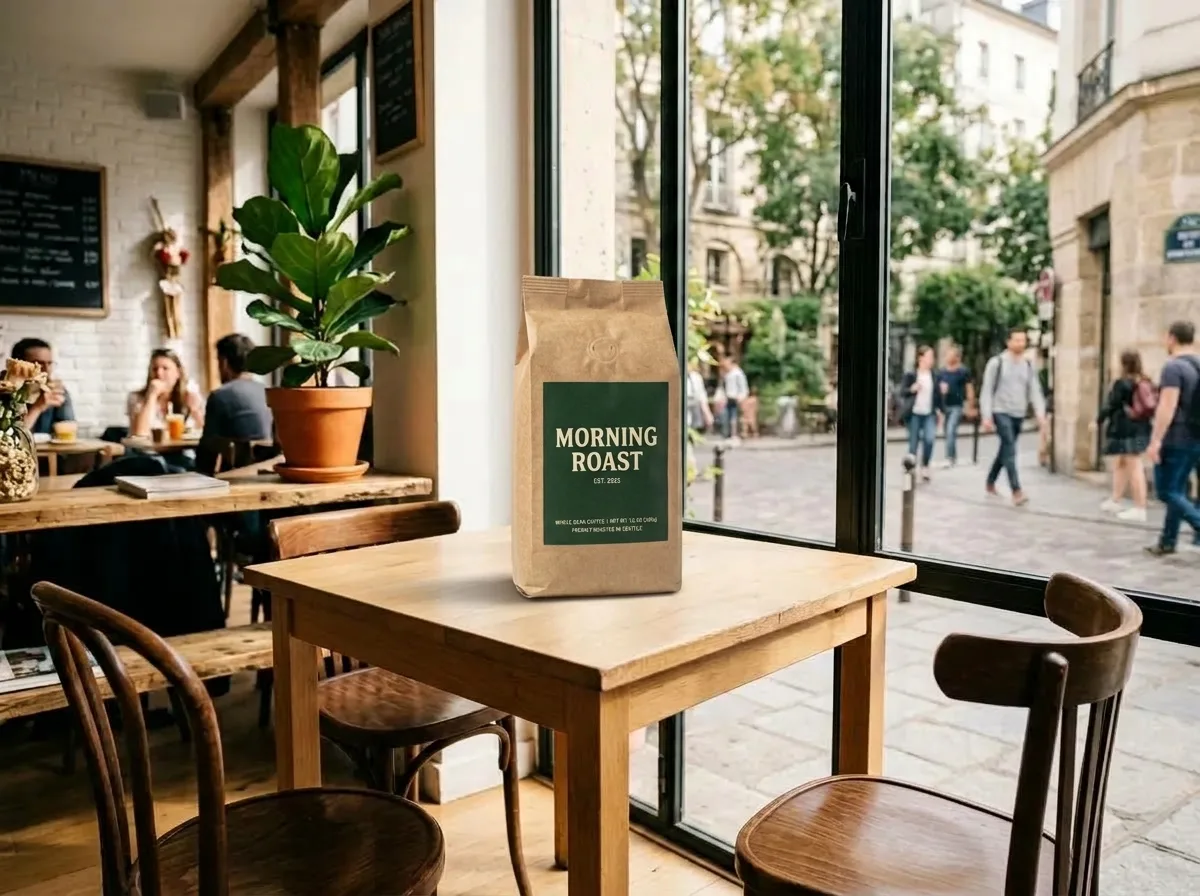
Nano Banana 2.1 Place a Product into Your Scene
Needs two photos, uploaded in order
Place the product from IMG_2 on the table in IMG_1. Keep the product's shape, label and colors exactly as in IMG_2. Match IMG_1's perspective, lighting direction and color temperature, and add a natural contact shadow so the product looks photographed in place. Keep the rest of IMG_1 unchanged.
Writing your own scene
The prompts above follow the same pattern. Use it when none of the scenes fits what you sell.
- Keep the product sentence
- Every one-photo prompt on this page opens with "Keep the product unchanged" or a longer version that names the shape, label and colors. Leave it in: it is what tells the model to edit around the product rather than the product itself.
- Name the surface
- Say what the product stands on: an oak tabletop, a marble vanity, a picnic blanket. The model places it there and draws the shadow it would cast on that surface.
- Pick a light source
- A side window, morning sun, a spotlight from above. One named source gives the scene a direction for shadows and highlights, which is most of what makes a product look photographed in place rather than pasted in.
- Keep the props few
- One or two props set the mood and show scale, like the cup next to the coffee grinder. More than that and they compete with the product, especially on a small listing thumbnail.
- Watch colored light
- Neon or colored light tints the product's edges, and a red product on a red set can disappear into it. If color matters, choose neutral light or a contrasting set.
What to check before you publish
We compared every result on this page with its original. Three kinds of change showed up, and they are worth a look on your own results too.
- Camera angle
- The face cream jar was photographed from above on a desk and came back at eye level on the travertine block. The model may re-shoot the product from the angle the scene calls for.
- Moving parts
- The coffee grinder's crank handle pointed left in the original and right in the result. Handles, lids, straps and cables can end up in a different position.
- Small print
- Large labels came through intact: FRESH BALANCE on the shampoo and SCENTED CANDLE on the candle read the same as in the originals. On the grinder, the G in the small GRIND COFFEE print came back looking like a 6.
Scene photos can't be your main image on Amazon, which requires a pure white background. For that one, make a white background product photo from the same photo.
Frequently asked questions
Do I need to cut out the product first?
No. Upload the photo as it is. The examples on this page started from a garage workbench, a kitchen sink and an office desk, and the model replaced everything around the product.
Can I put the product into a photo of my own shop or room?
Yes. Switch to Multi Fusion and upload two photos in order: the place first, then the product. The coffee bag on the café table above was made that way. If your scene has no table, change "on the table" in the prompt to the surface you have.
Will it change my product?
The prompt asks the model to keep the product as it is, and the labels came through intact in our examples. The camera angle, the position of moving parts and small print can still change, so compare the result with the original before you publish.
Can I make several scenes from one photo?
Yes. Each scene is a separate edit of the same upload: change the prompt and generate again. The photo stays in the editor, so you don't upload it again.
Can I use a scene photo as my Amazon main image?
No. Amazon requires a pure white background on the main image. Scene photos belong in the other image slots, A+ content, your own store, ads and social posts.
How much does it cost?
With Nano Banana 2.1 an edit costs 6 credits at 1K, 7 at 2K and 15 at 4K, and 4K needs a paid plan. New accounts get 18 free credits, enough for three 1K edits.
Which model should I use?
Nano Banana 2.1 is preselected, and every example on this page was made with it. GPT Image 2.5 is also in the editor if you want to compare the two on your own photo.
Can I use the results commercially?
Yes. You own what you generate and can use it in listings and ads. You are responsible for holding the rights to the photos you upload.