Updated November 10, 2026
GPT Image 2.6: what's new, which model to pick and what it costs
Quick answer
GPT Image 2.6 is OpenAI's image model released on November 4, 2026. In ChatGPT (as Images 2.6) it adds animated GIFs and reference images you save once and reuse. In the API it comes as two models: Flare, built for speed, and Sunburst, built for detail and consistent edits. Token prices are unchanged from GPT Image 2.5. In a launch-night test, Flare at high quality returned images in about half the time of 2.5 Flare for the same price; at low and medium it cost three to four times as much.
What's new in GPT Image 2.6
OpenAI announced it as ChatGPT Images 2.6, available in ChatGPT and Codex on every plan, and as GPT-Image-2.6 in the API. The first two items are ChatGPT features; the rest are for developers.
- Animated GIFs
- In ChatGPT you can turn a prompt or an image into a looping GIF, change its speed and edit single frames. In OpenAI's API, GIFs come from the image generation endpoint with 2 to 64 frames (9 by default) of 20 to 2,000 ms each (200 ms by default); on fal.ai the edit endpoint returns them from a photo too.
- Saved reference images
- In ChatGPT you can keep photos of yourself, a pet or a character and reuse them in new images without uploading them again. OpenAI says the release keeps characters, products and brand details more consistent across rounds of edits.
- Two API models
- Flare is for fast iteration; OpenAI says it can return an image in as little as six seconds. Sunburst is for detailed work and keeps details more consistent from one edit to the next.
- Markup in the API
- Draw circles, arrows or notes on a transparent layer the size of the first image to show where an edit should go. ChatGPT already had this; the API now takes it on 2.6 and 2.5 edits. It replaces a mask and can't be combined with one.
- SVG output
- The generation endpoint can return a static vector file, one per request. The model draws a reference image first and builds the SVG from it.
- Complexity setting
- Low, medium or high (high by default): how much the model plans before it draws. OpenAI says higher settings help dense text and layouts, can add latency and unwanted changes, and cost nothing extra on their own.
Flare vs Sunburst
Both models take text and images and return images, and both cost the same per token. Times in the table are CellCog's launch-night measurements through OpenAI's API over four prompts at low to high quality. Our own same-photo test follows it.
| Model | Model ID | Built for | Time per image | Use it for |
|---|---|---|---|---|
| GPT Image 2.6 Flare | gpt-image-2.6-flare | Fast iteration | 5.6–8.0 s, faster than 2.5 Flare on every prompt | Drafts, many variations, quick edits |
| GPT Image 2.6 Sunburst | gpt-image-2.6-sunburst | Detail, consistent edits | 14.5–25.4 s, no faster than 2.5 Sunburst | Final images, edits in several rounds |
Our test: the same 10 photo edits on both
We ran 10 prompts from our library on both models through fal.ai's edit endpoints: the same photo, the same prompt word for word, medium quality, 1K, one run each. Flare ran on November 6, 2026 and Sunburst on November 10. Sunburst took 28 to 42 seconds per image (median 36); Flare's median across its 48 runs was 20 seconds. The runs were on different days, so read that as Sunburst taking a little under twice as long.
Sunburst followed the prompt more literally in three of the ten (the old print, the brand name, the poster). It was no more restrained with the flat lay, and it added a real brand name to one image, which we blurred; that is the only image in this section we altered. On four, the two were hard to tell apart. With one run each, treat these as examples, not a benchmark. YepShot's editor runs Flare.
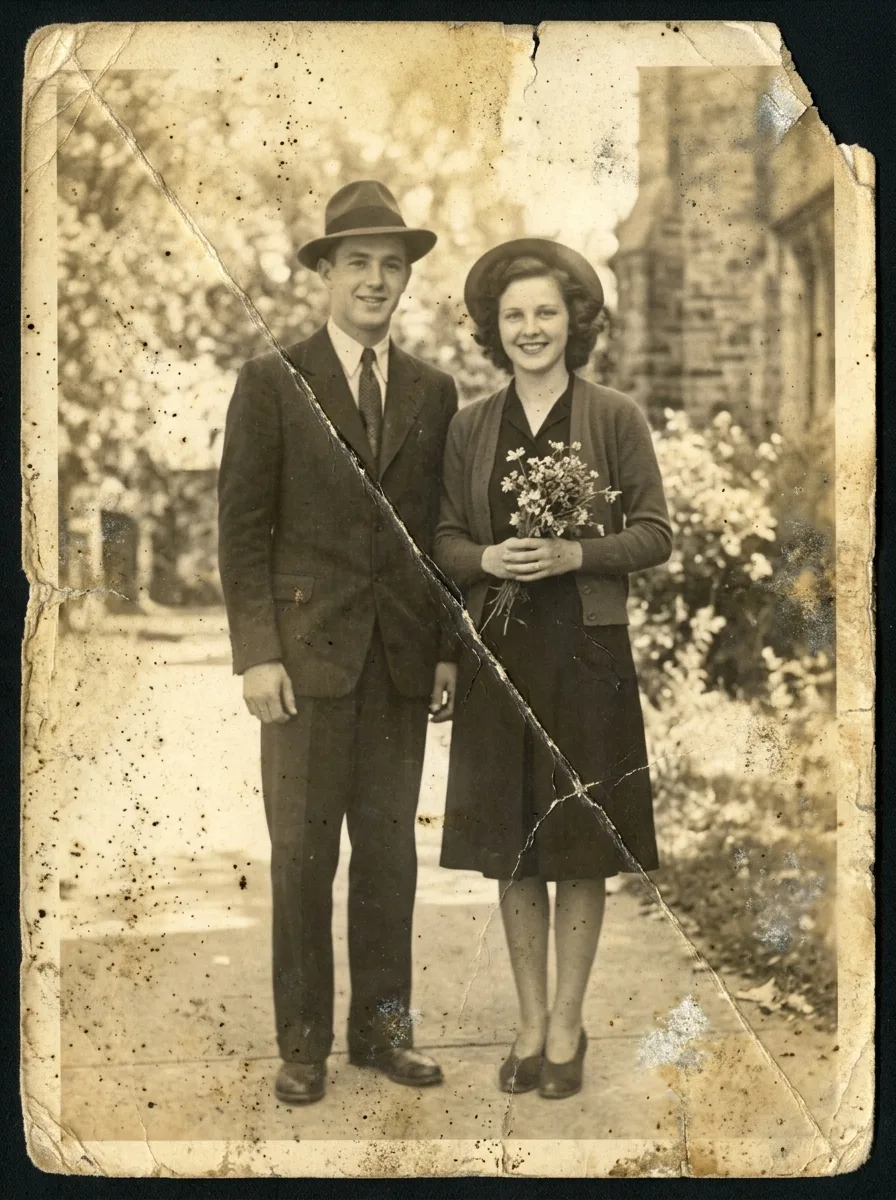
Original
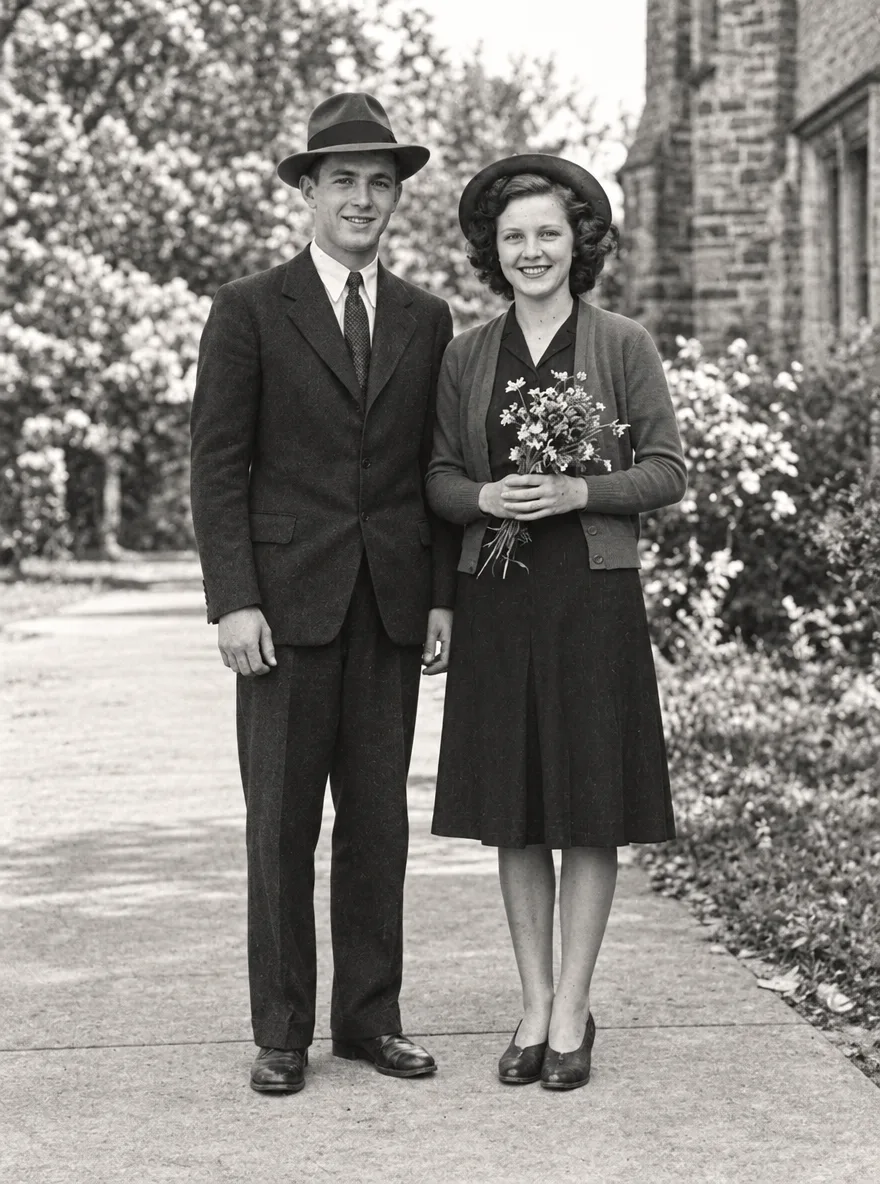
Flare
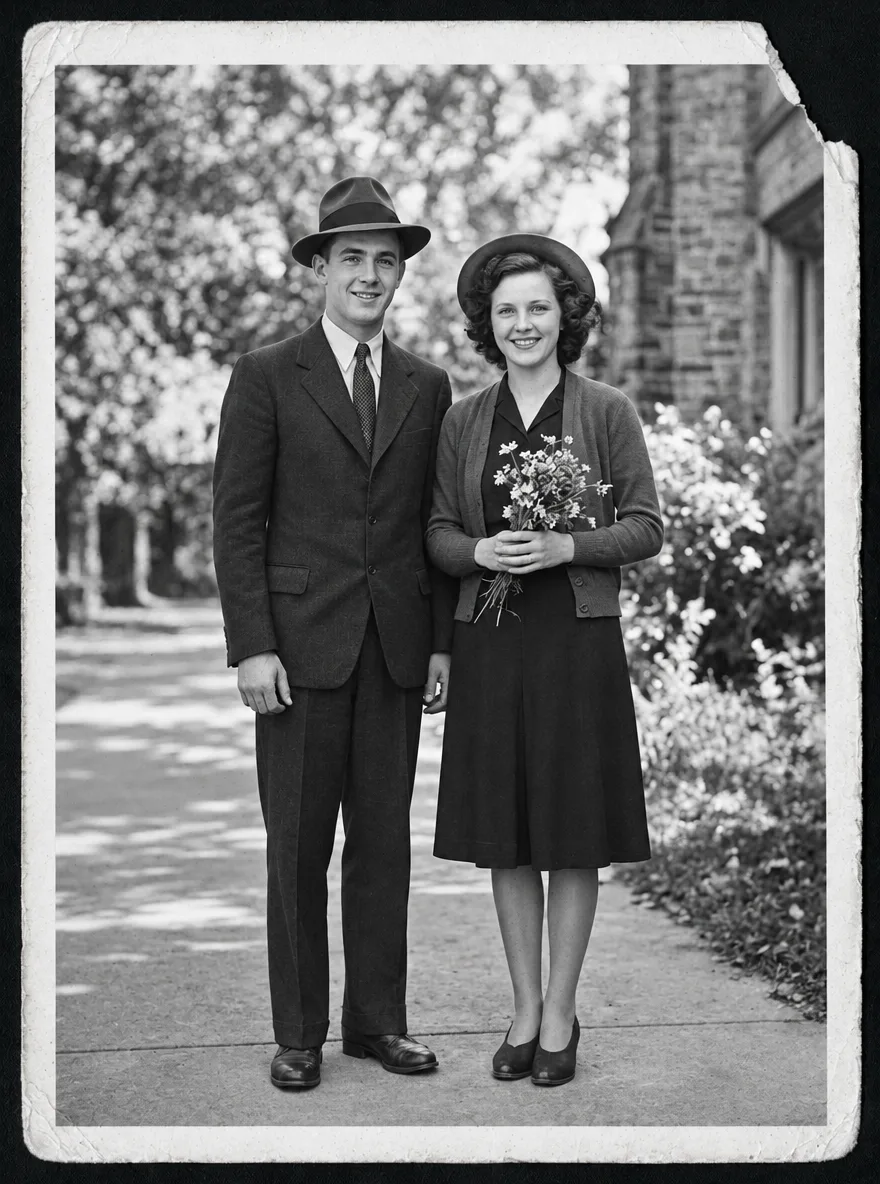
Sunburst
Sunburst kept the whole print; Flare cropped it
The prompt says to keep the original composition. Sunburst repaired the crease and the stains and left the frame as it was, white border and torn corner included. Flare cut the border off and came back zoomed in on the couple.
Prompt: Restore a Faded Old Photo
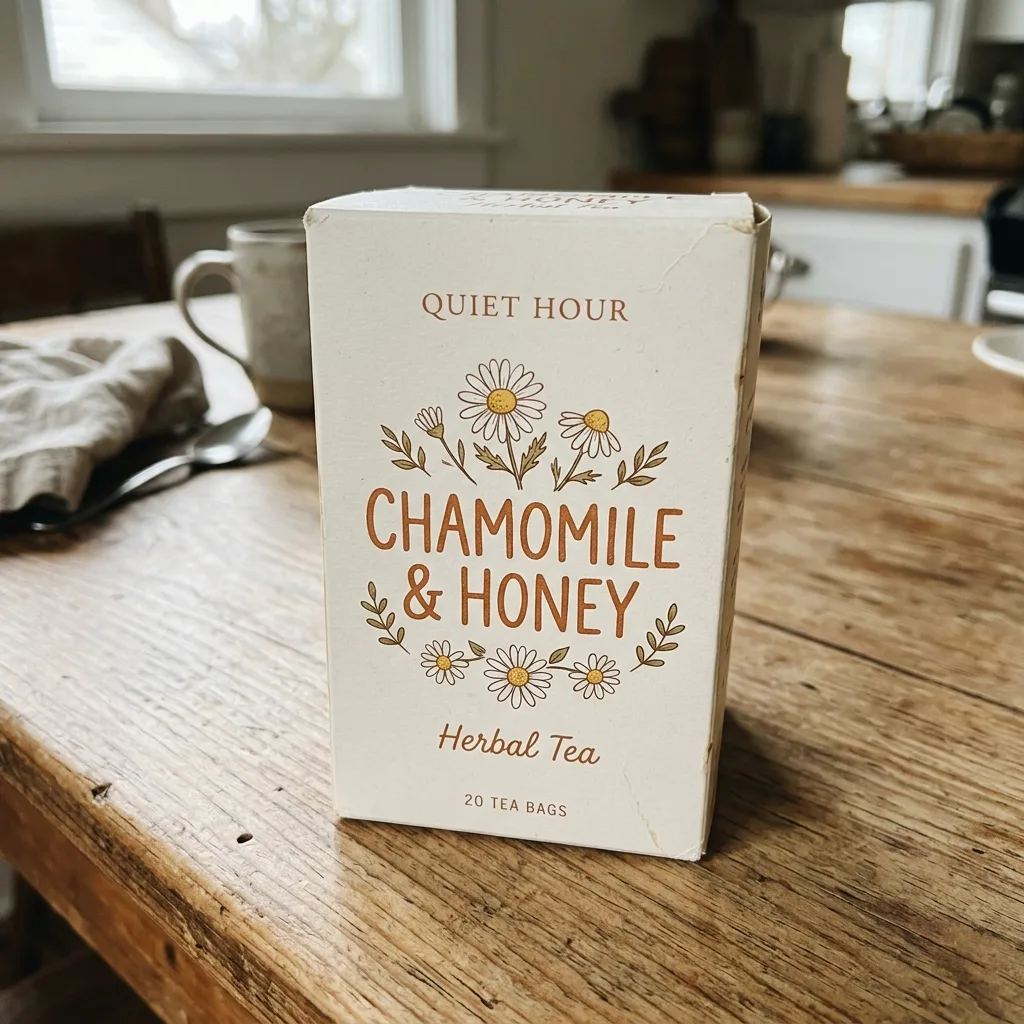
Original
Flare
Sunburst
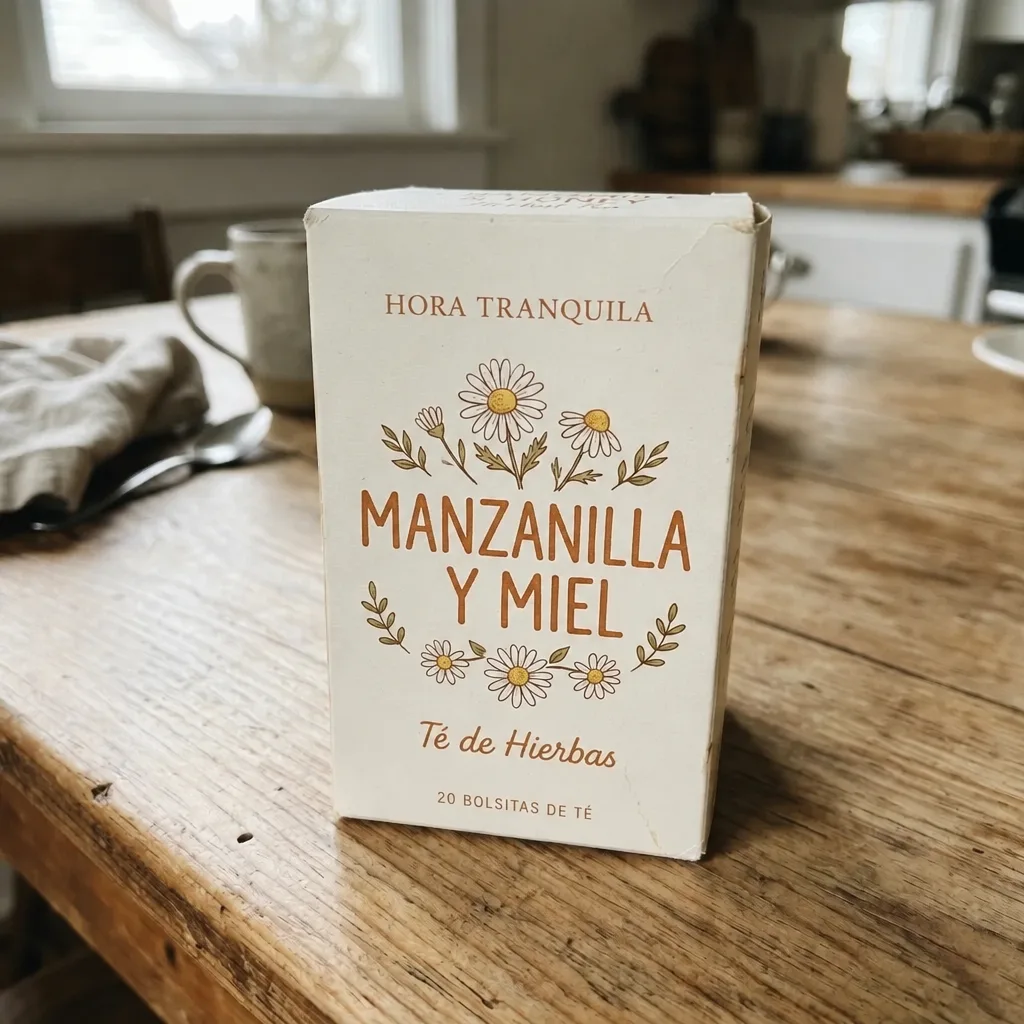
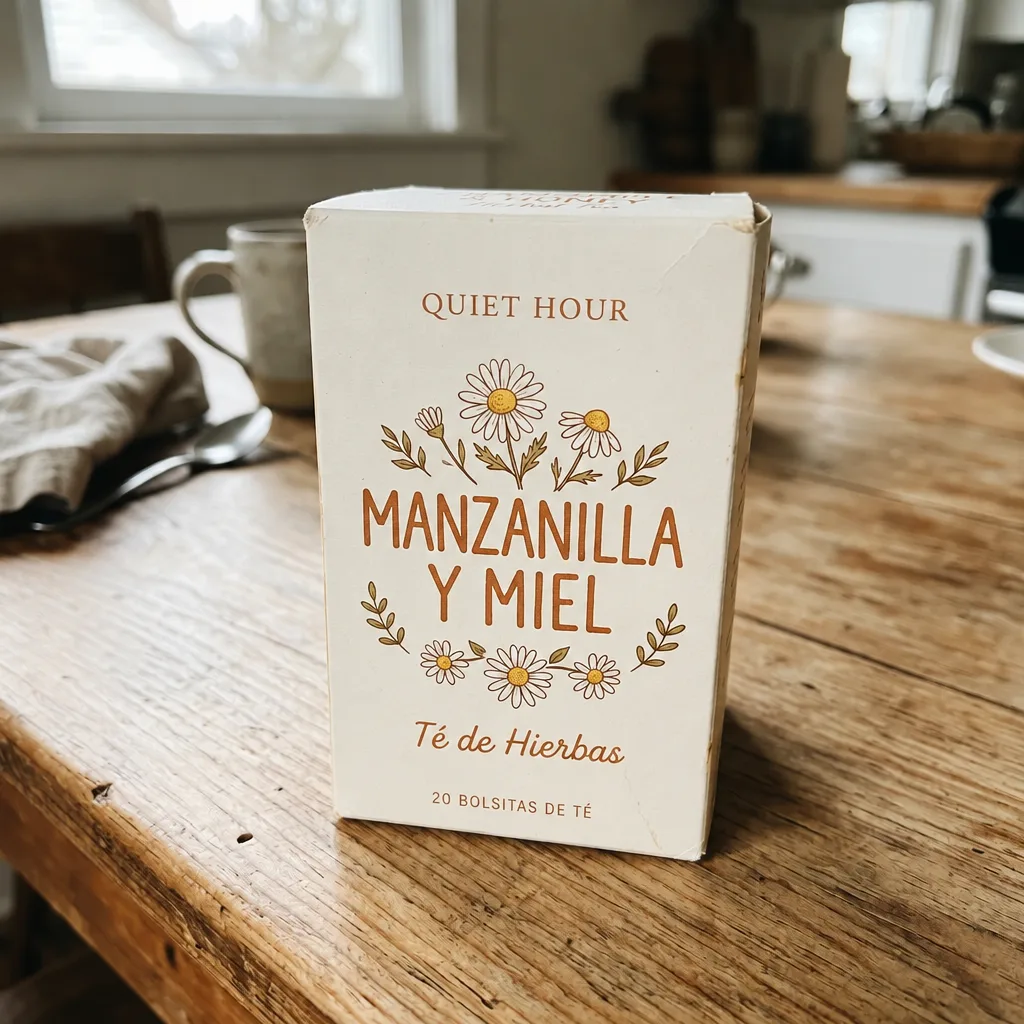
Sunburst left the brand name alone, as asked
The prompt says to translate the packaging into Spanish and keep the brand name. Both wrote MANZANILLA Y MIEL. Sunburst kept the brand line QUIET HOUR; Flare translated it to HORA TRANQUILA.
Prompt: Translate the Text on Packaging
Original
Flare
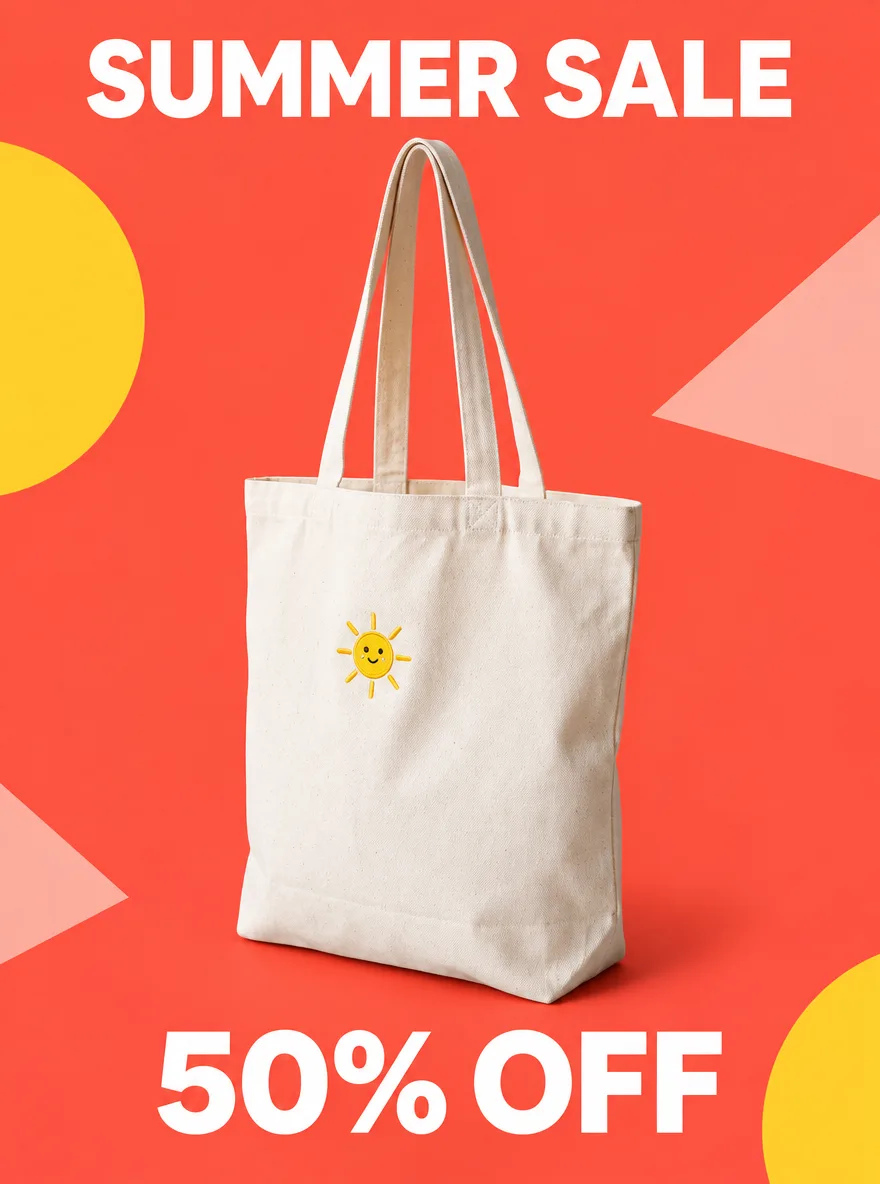
Sunburst
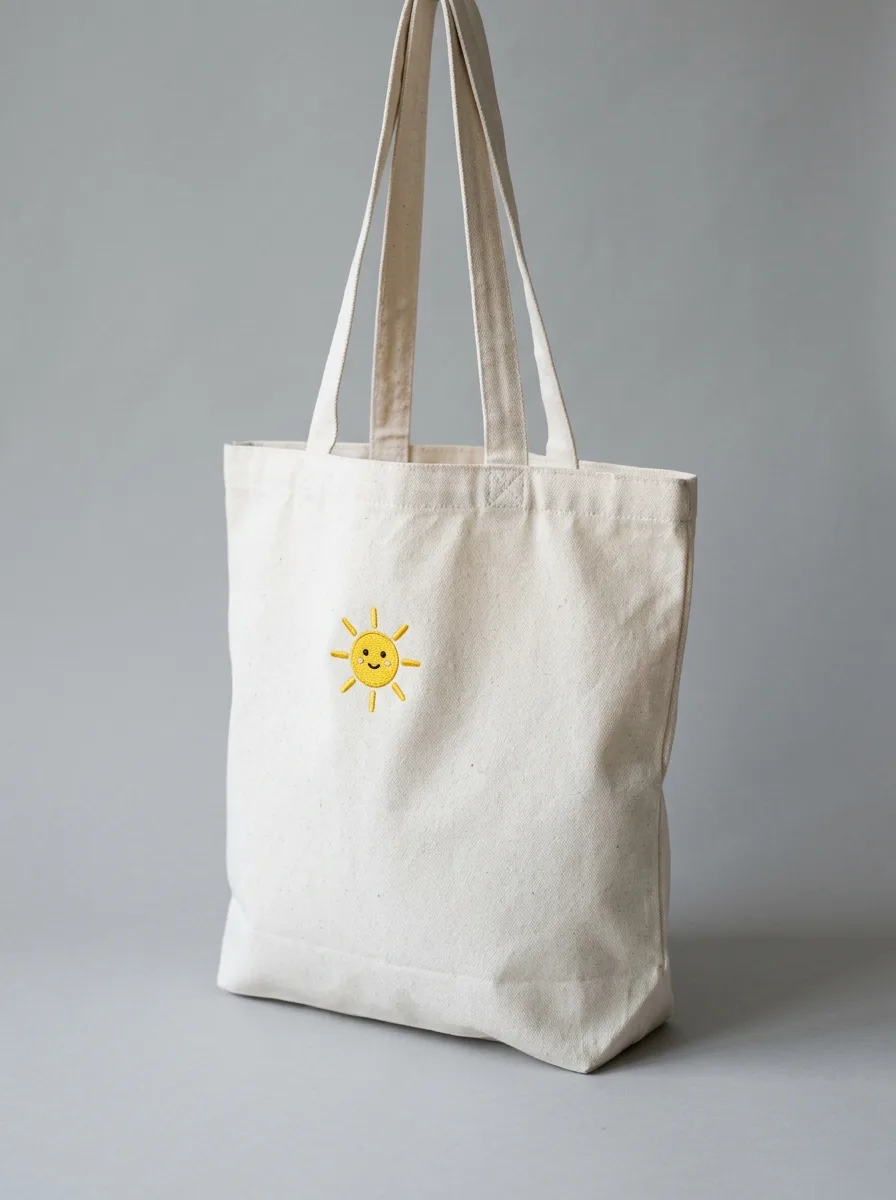
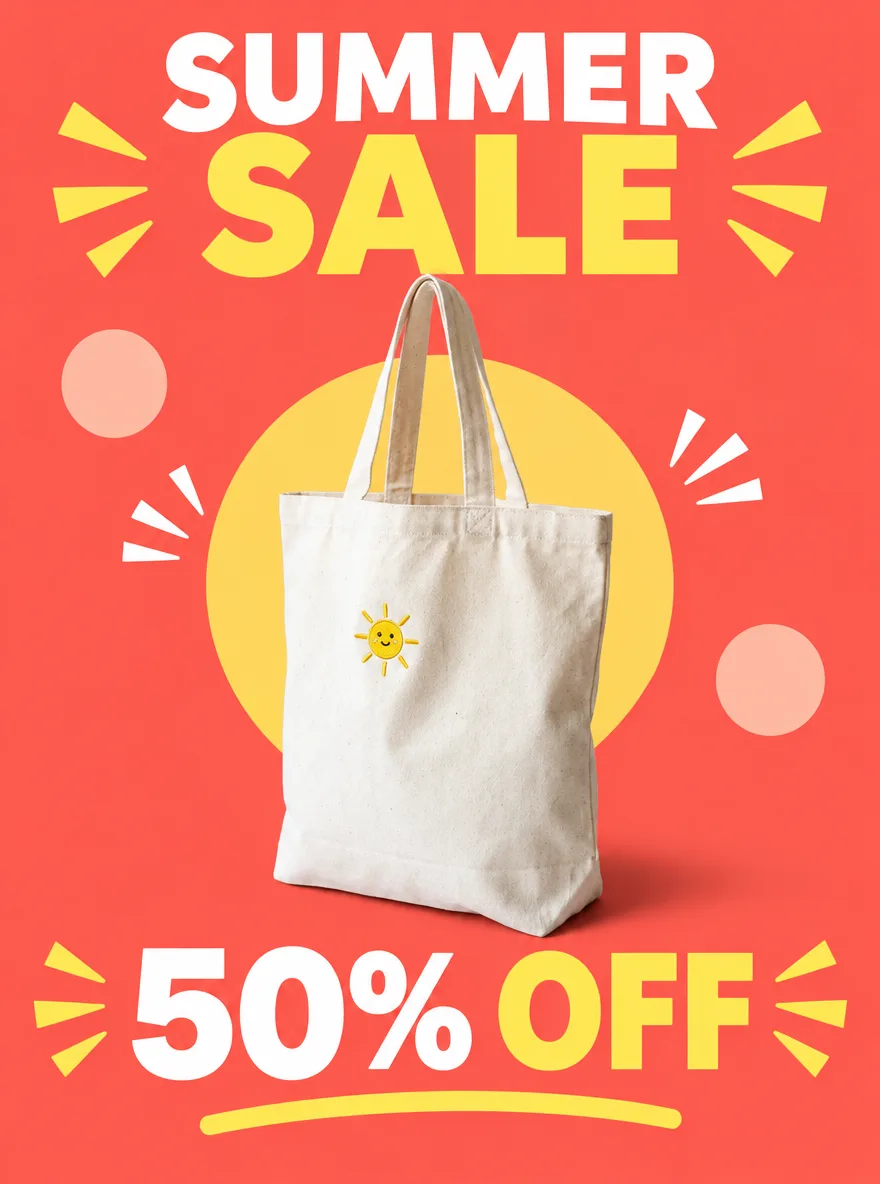
Sunburst's poster is plainer and the product is larger
Asked for a clean sans-serif headline and simple shapes, Sunburst set SUMMER SALE on one line in white with a few flat shapes, and the bag is larger in the frame. Flare split the headline into two colors, added burst lines and an underline, and shrank the bag. Both spelled the text correctly.
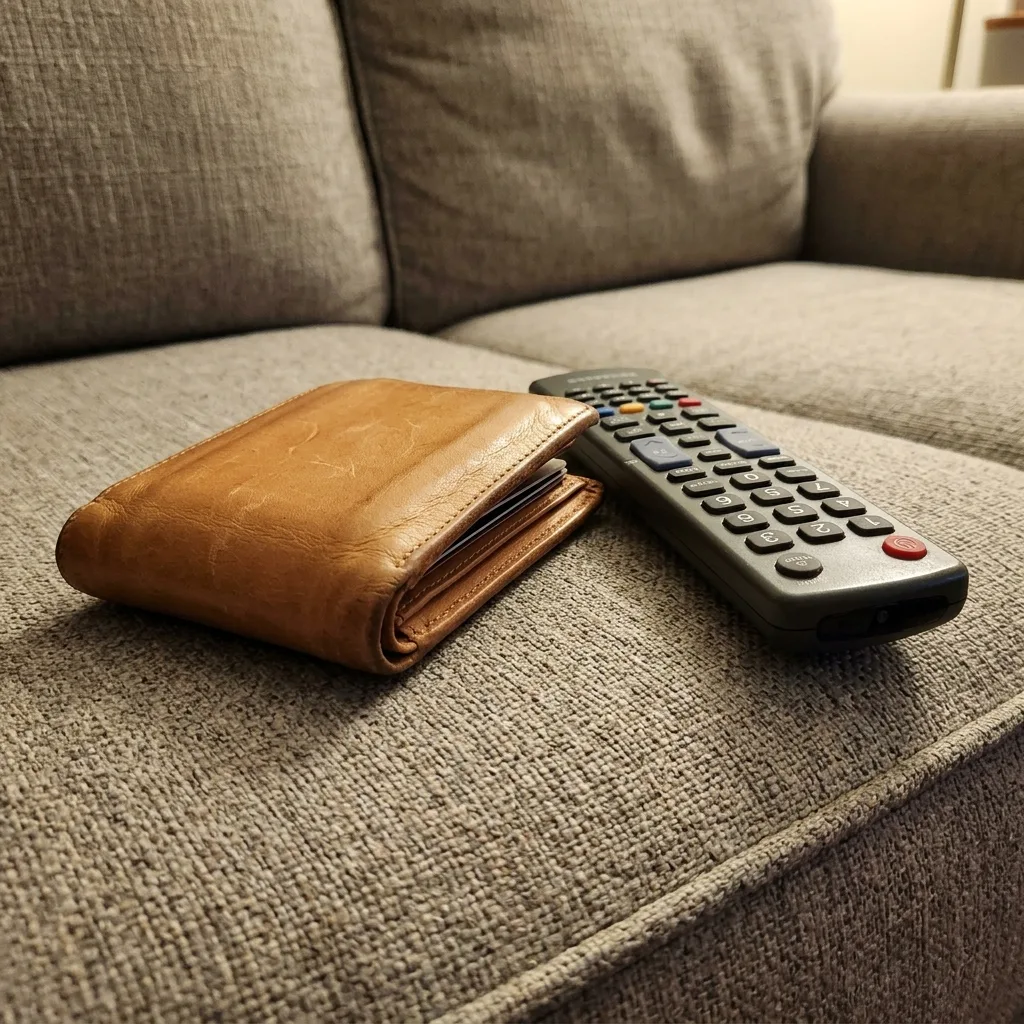
Original
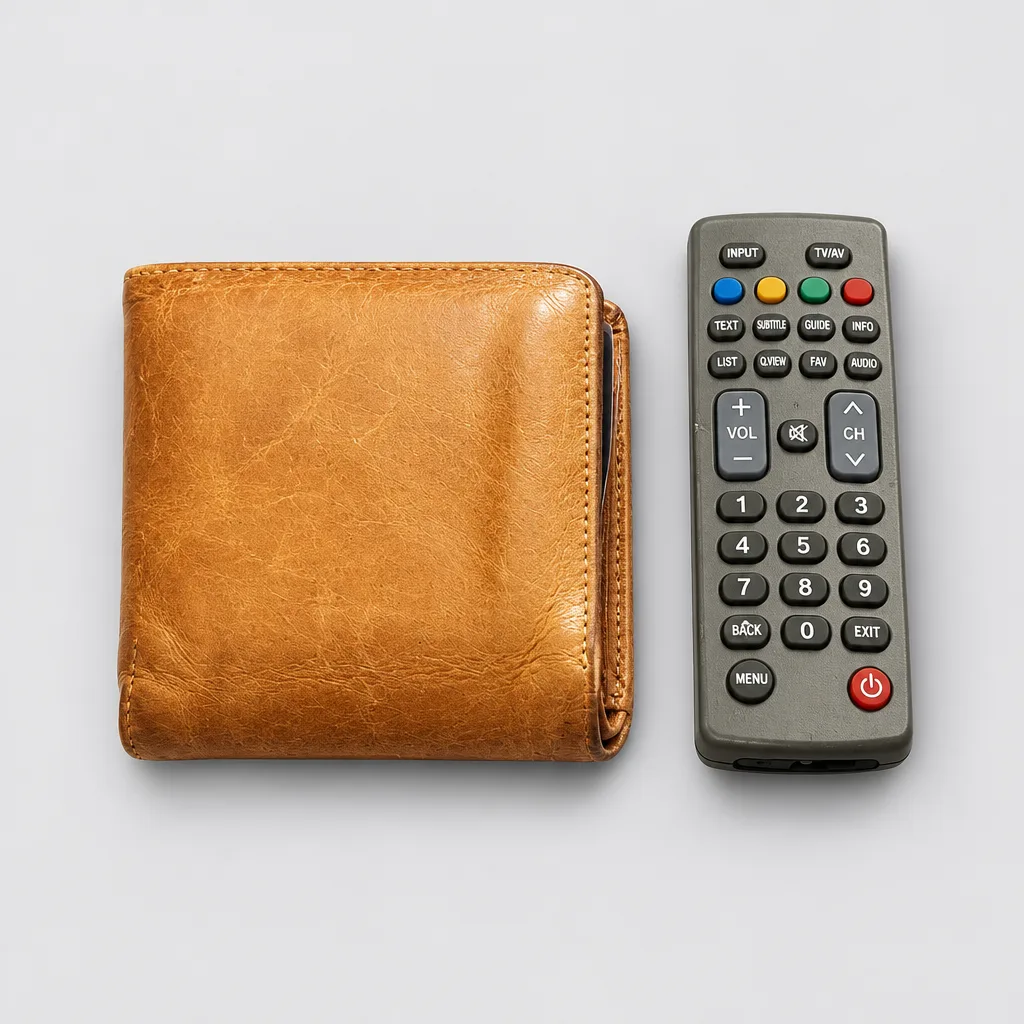
Flare
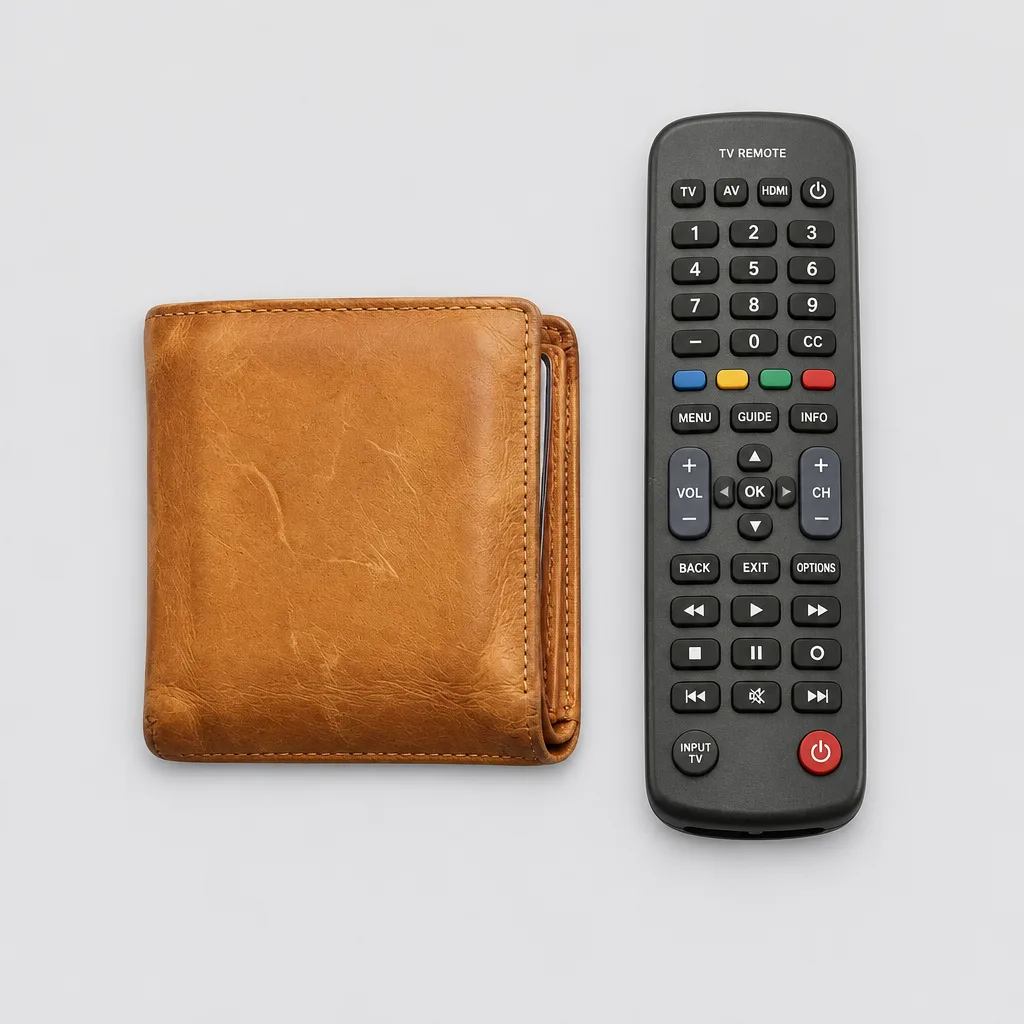
Sunburst
Both kept the remote, and Sunburst redrew it
Neither left out the TV remote lying next to the wallet. Flare's remote resembles the one in the photo. Sunburst drew a longer one with a different button layout and the words TV REMOTE at the top.
Prompt: Overhead Flat Lay on Light Gray
Original
Flare
Sunburst
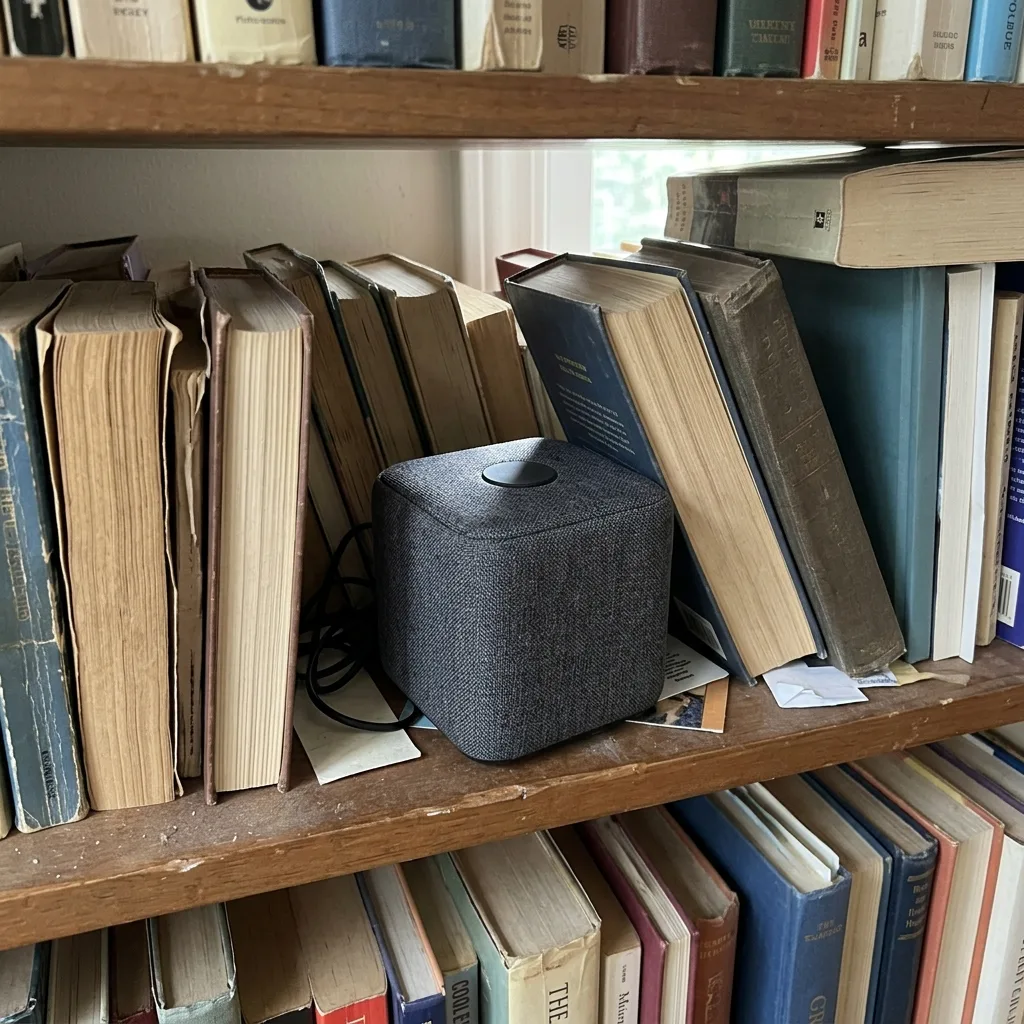
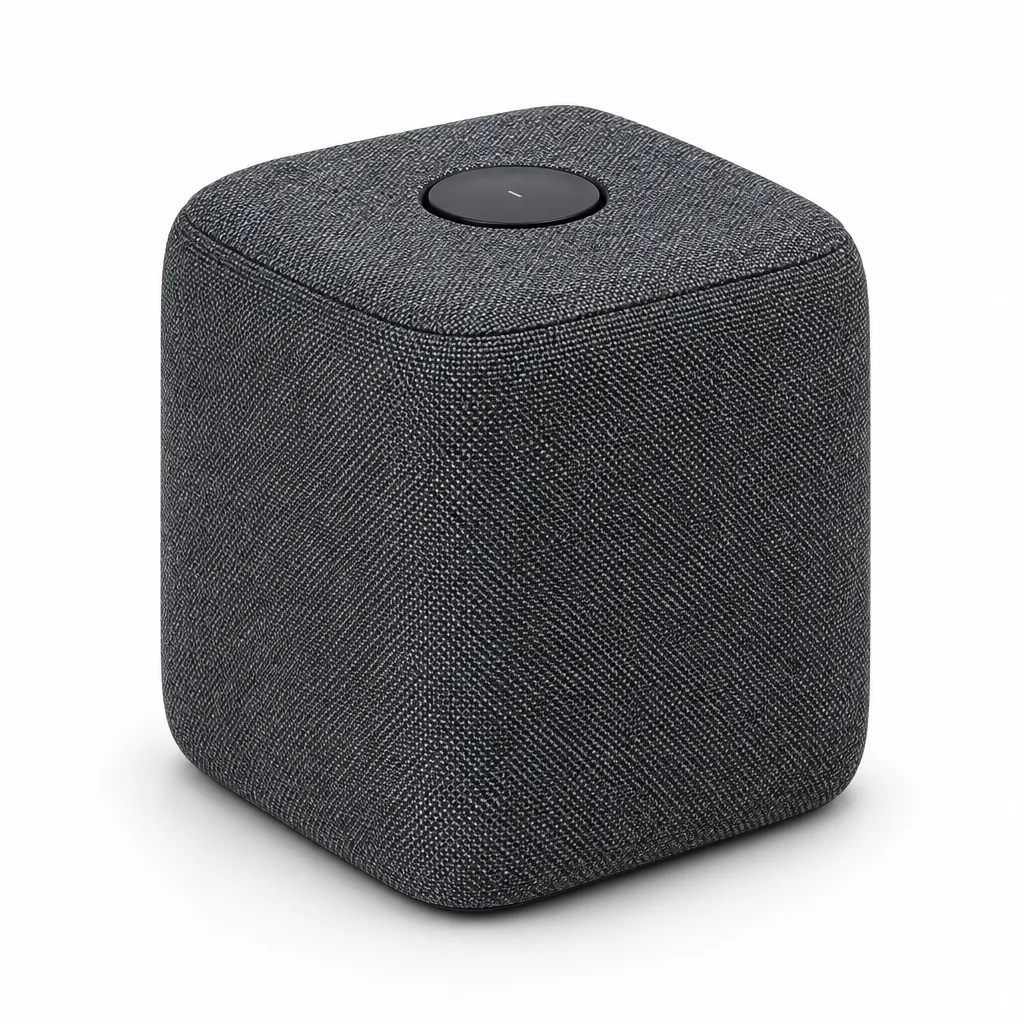
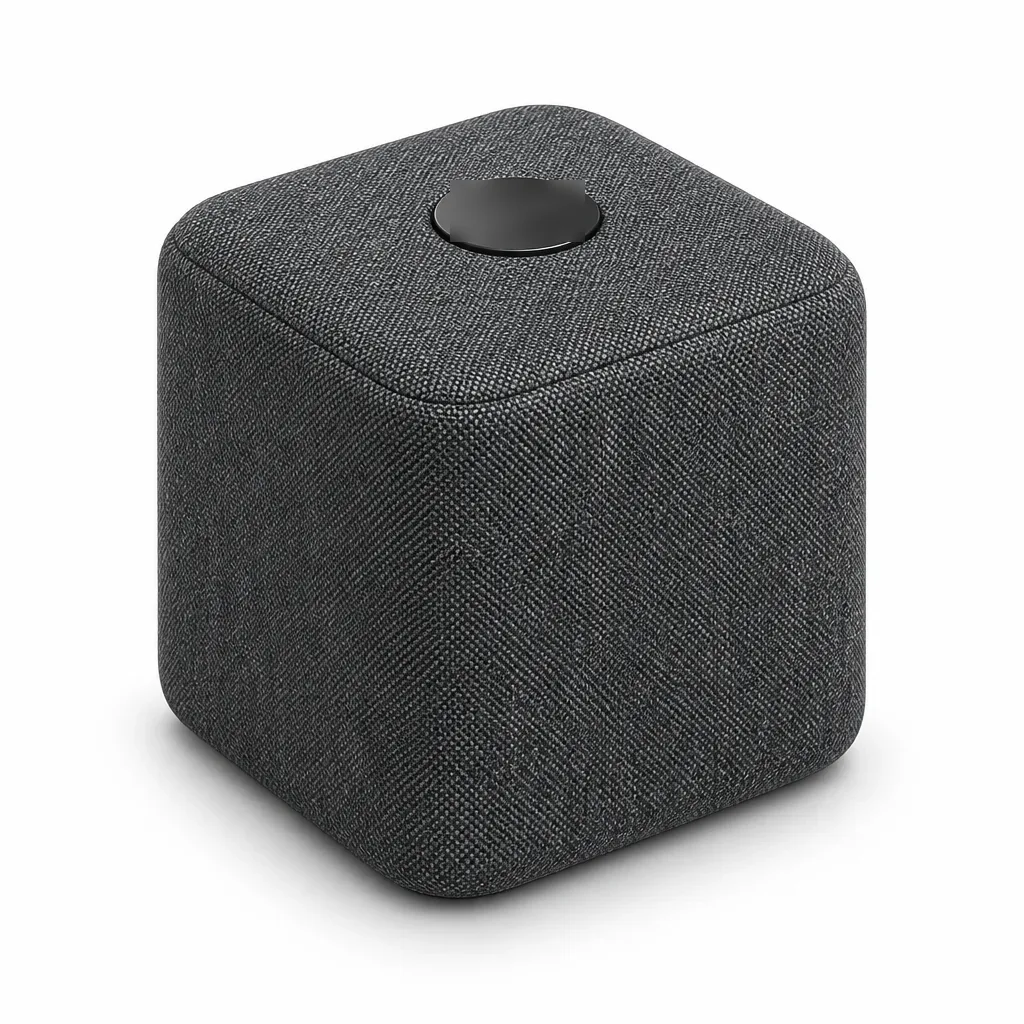
Sunburst printed a real brand name on the speaker
The speaker in the photo has a plain button on top. Sunburst wrote the name of a real audio brand on it (blurred here). Flare left the button blank apart from a small mark. Flare printed real brand names on three other photos in our 48-photo test, so check for names with either model.
Prompt: Three-Quarter Catalog Angle
Original
Flare
Sunburst
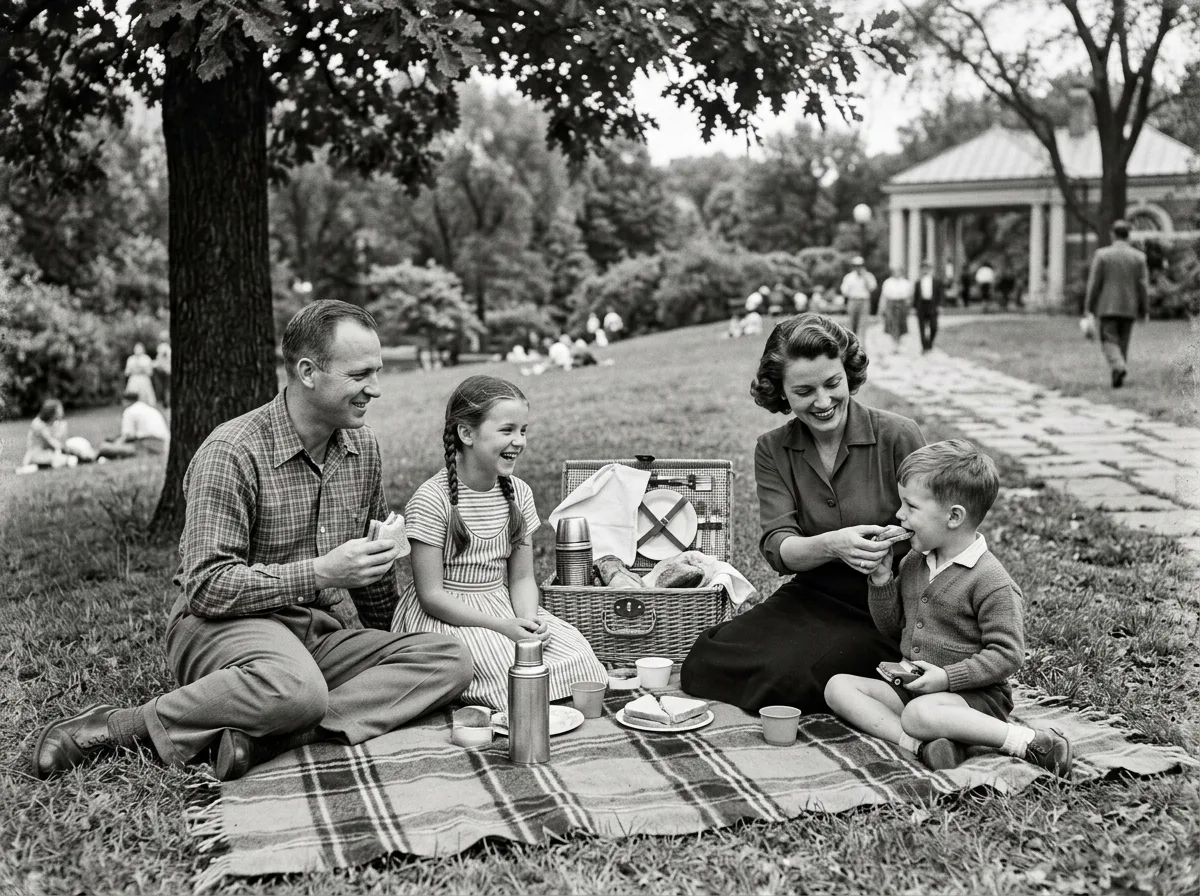
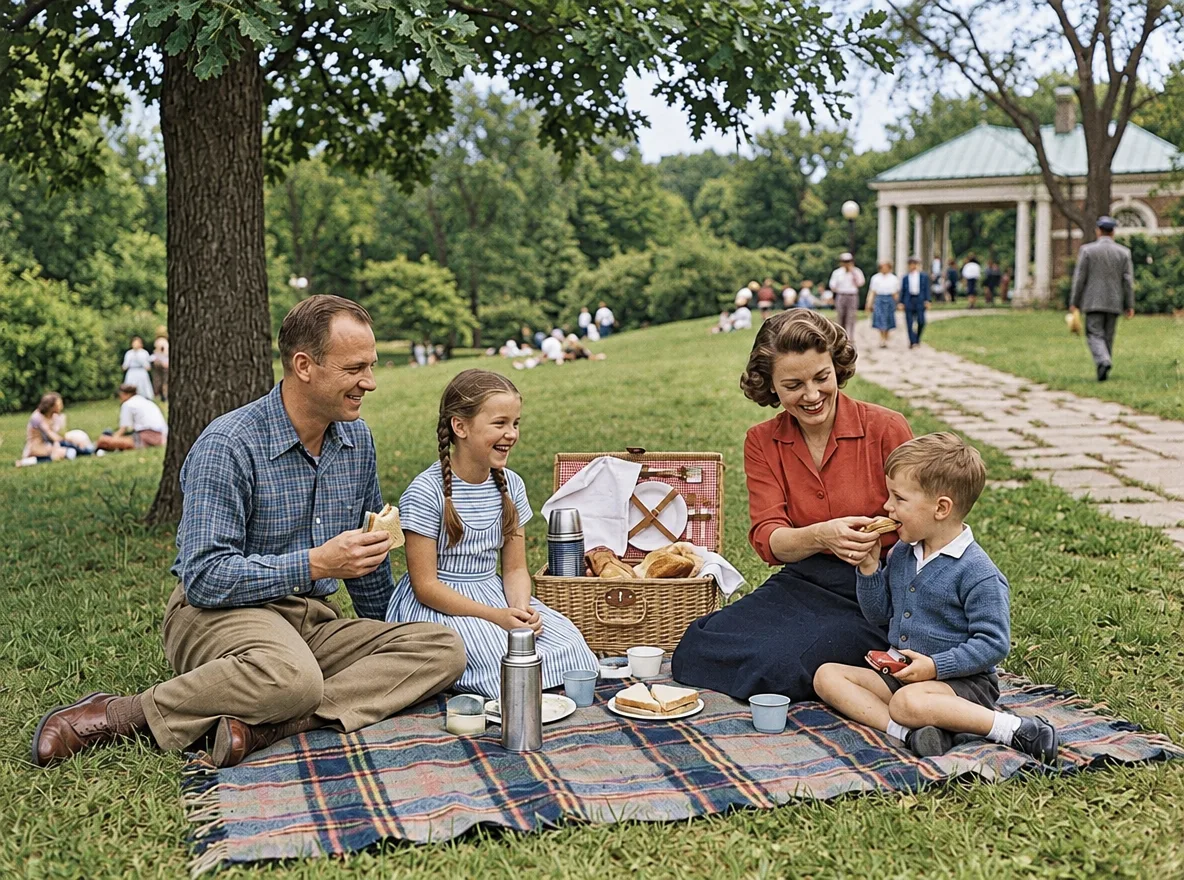
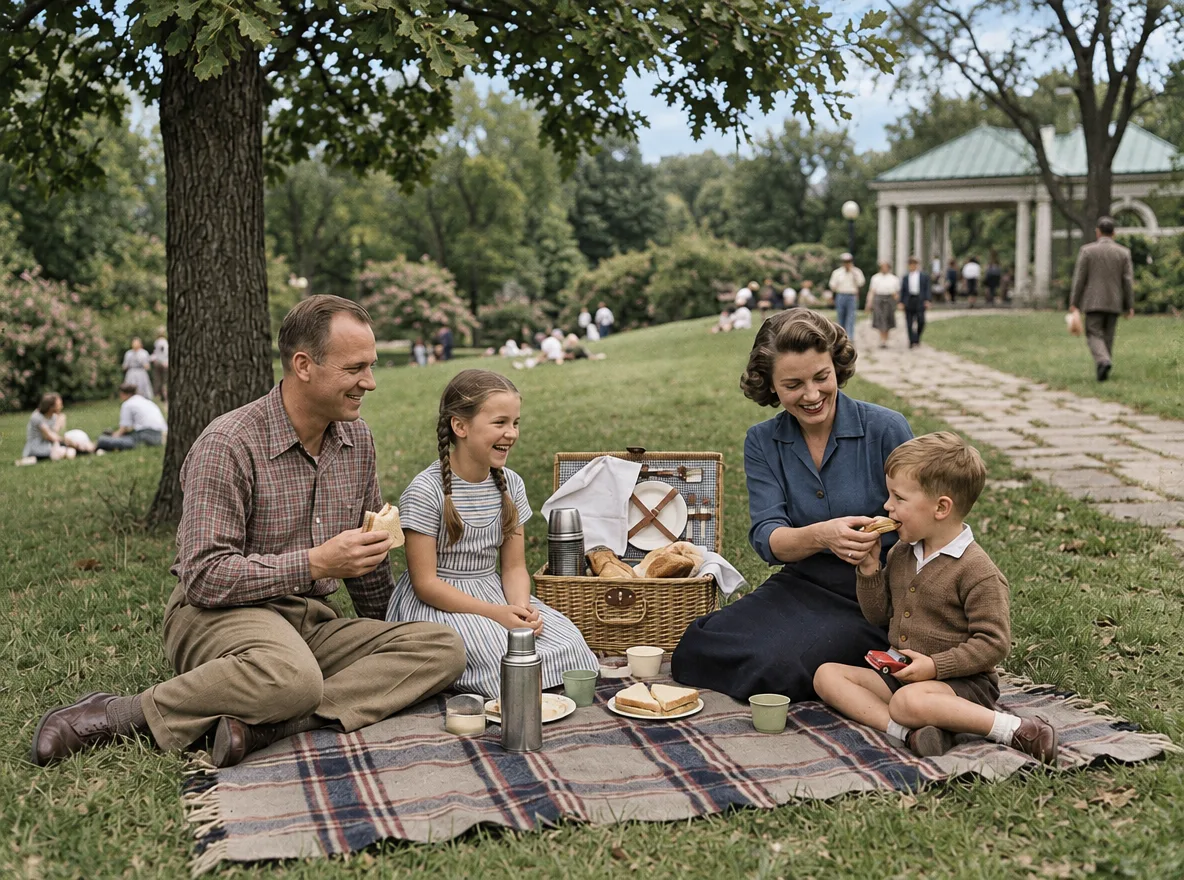
Flare's colors are stronger, Sunburst's are muted
Both kept the scene and the faces. Flare chose saturated colors: a red blouse, a blue checked shirt, bright grass. Sunburst chose a blue blouse, a brown checked shirt and a softer tone overall. Neither is wrong; the photo doesn't say what color the clothes were.
Prompt: Colorize a Black-and-White Photo
Original
Flare
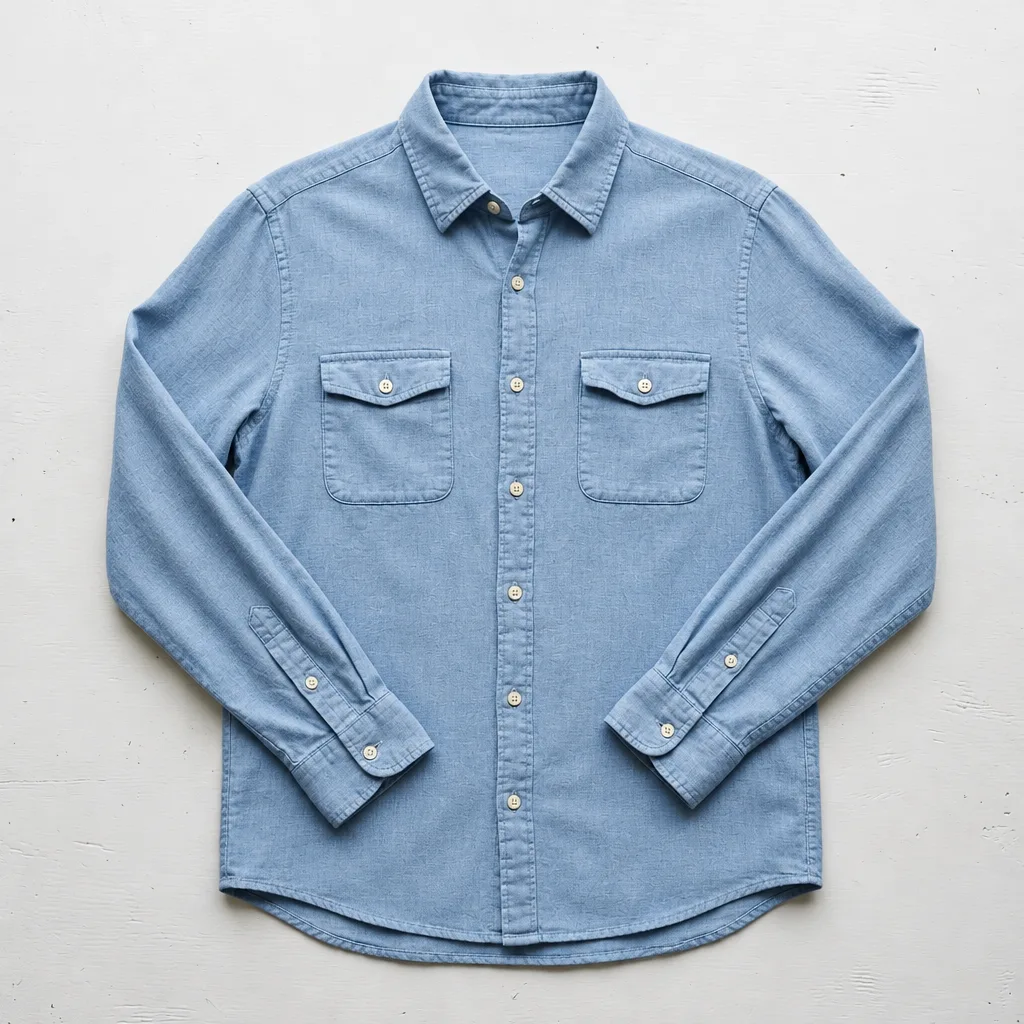
Sunburst
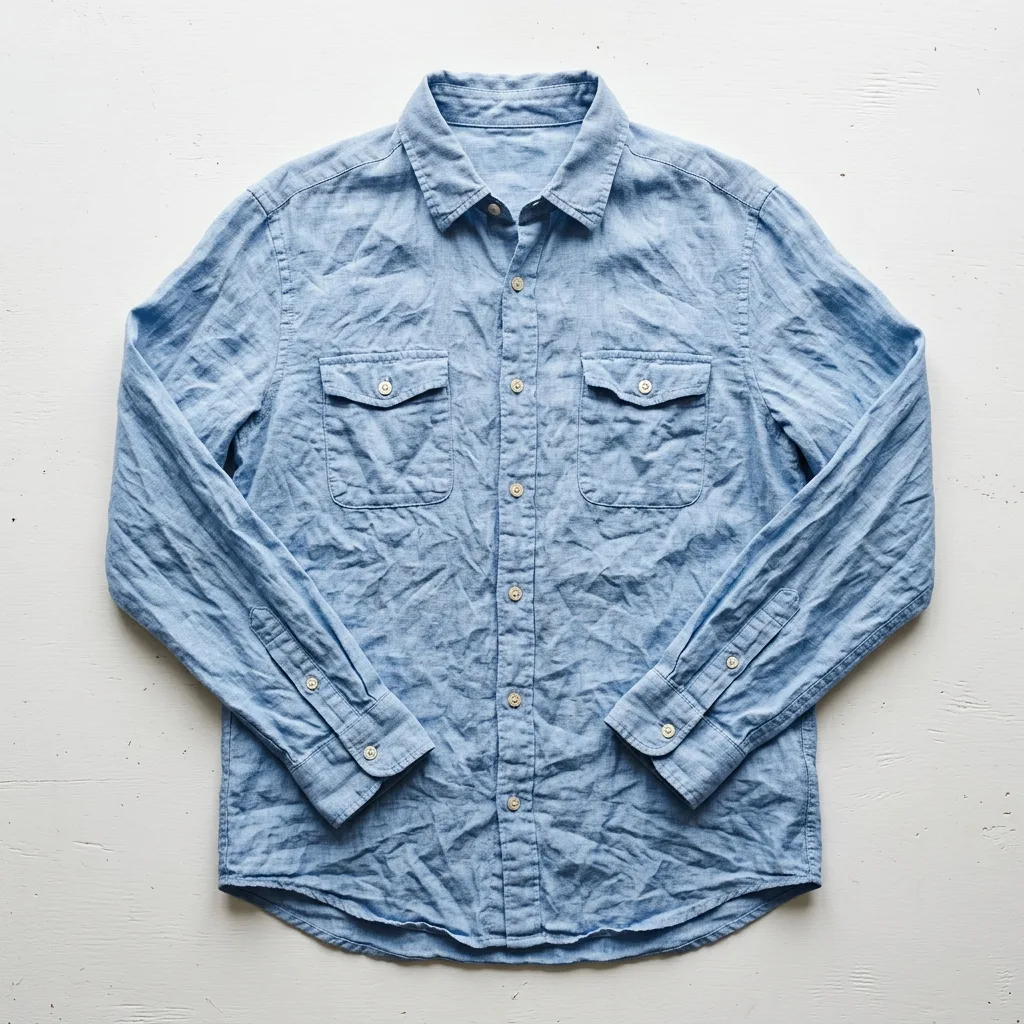
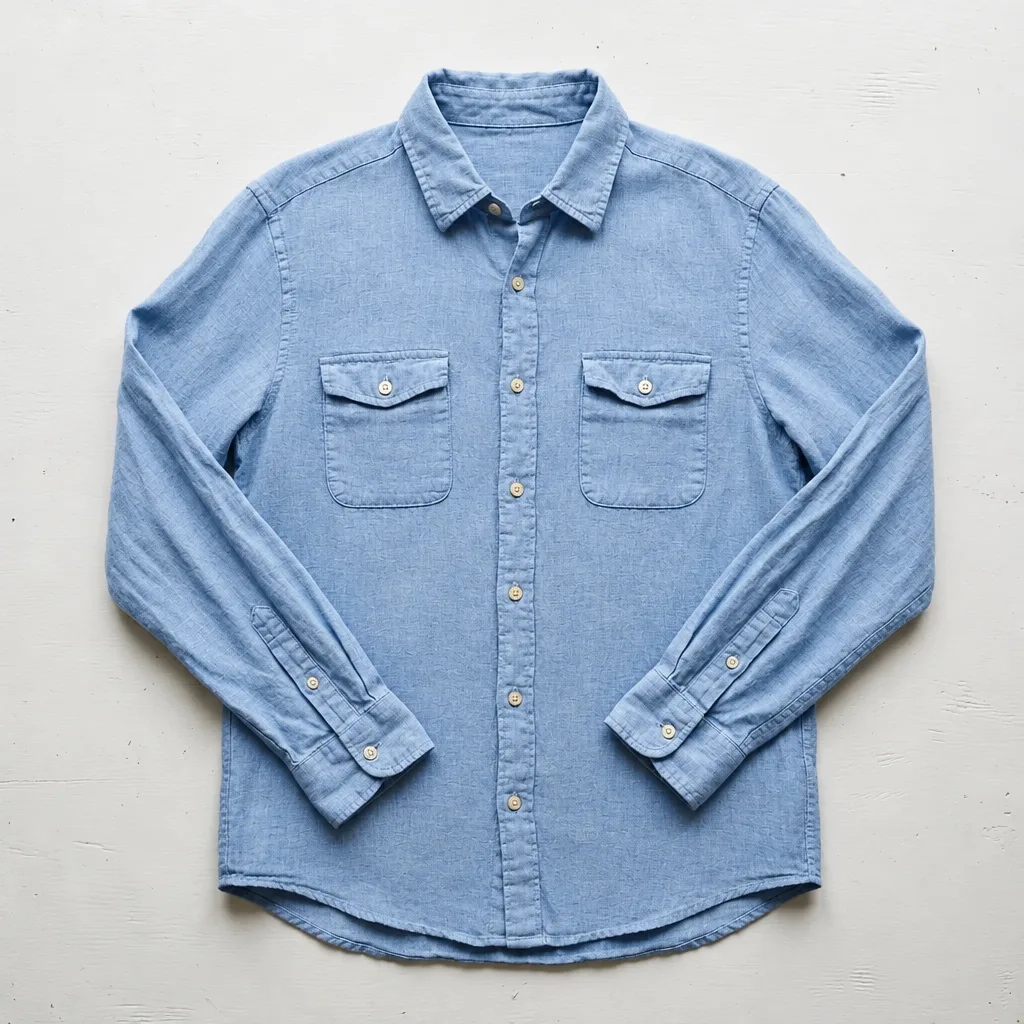
Both ironed the shirt flat
Nearly every crease is gone in both, and both lost some of the linen's texture. Sunburst's fabric came out the smoother of the two.
Prompt: Smooth Out Fabric Wrinkles
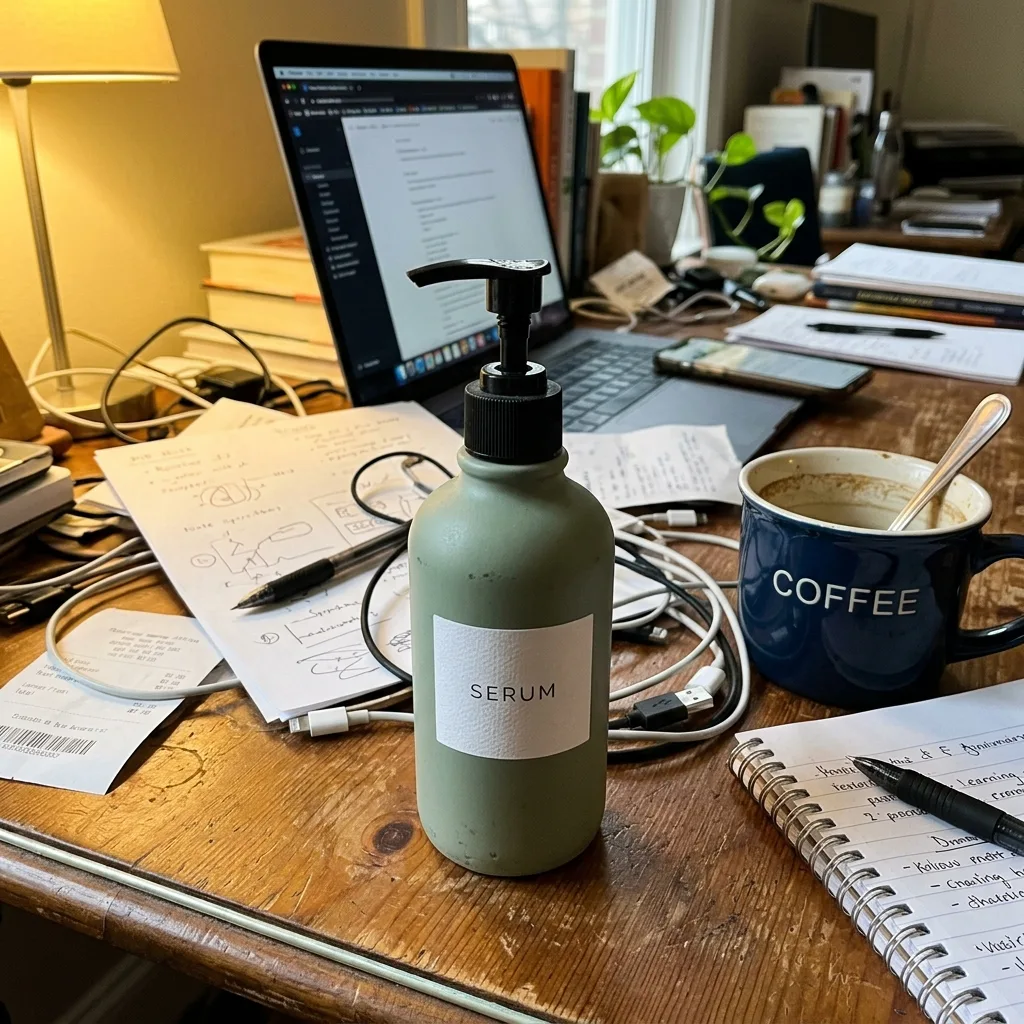
Original
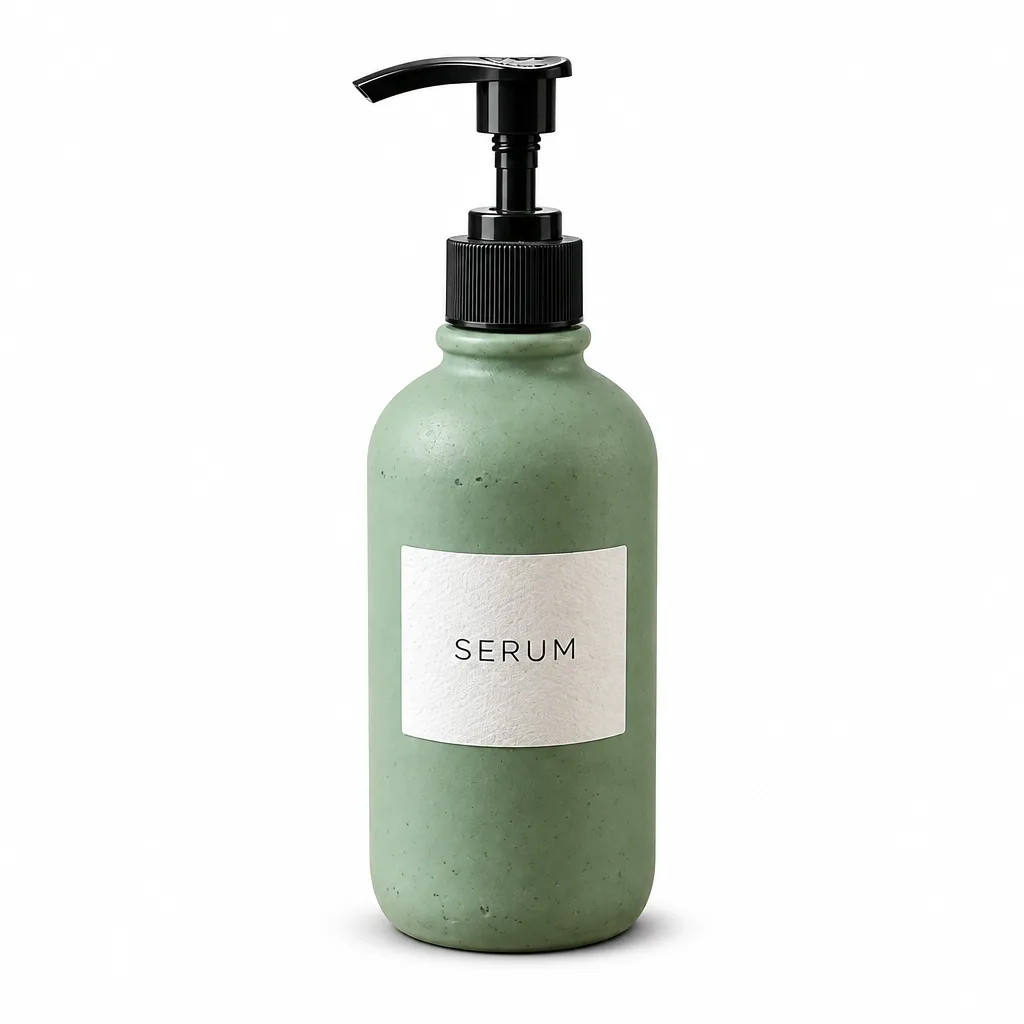
Flare
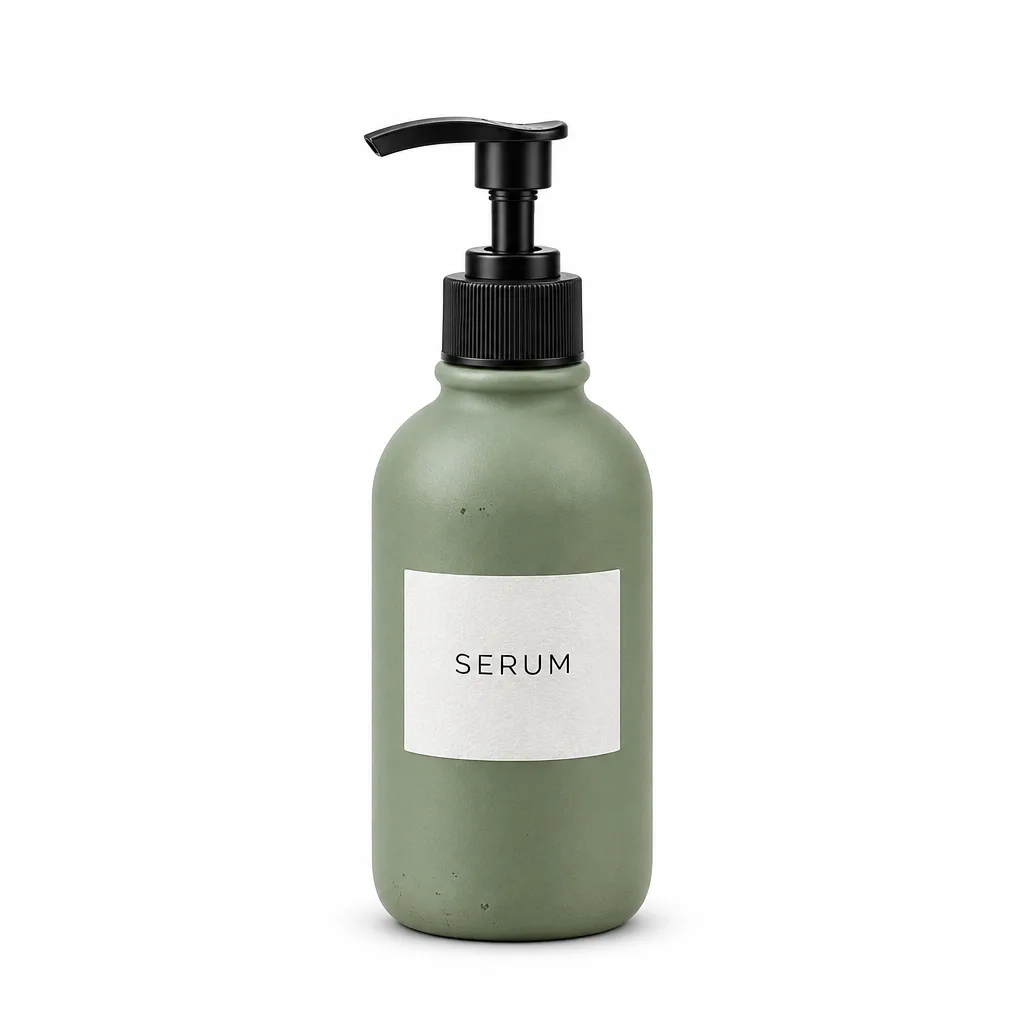
Sunburst
Same packshot, different framing
Both put the bottle on pure white with the label intact. Flare's bottle fills more of the frame; Sunburst left wider margins.
Prompt: Pure White Marketplace Packshot
Original
Flare
Sunburst
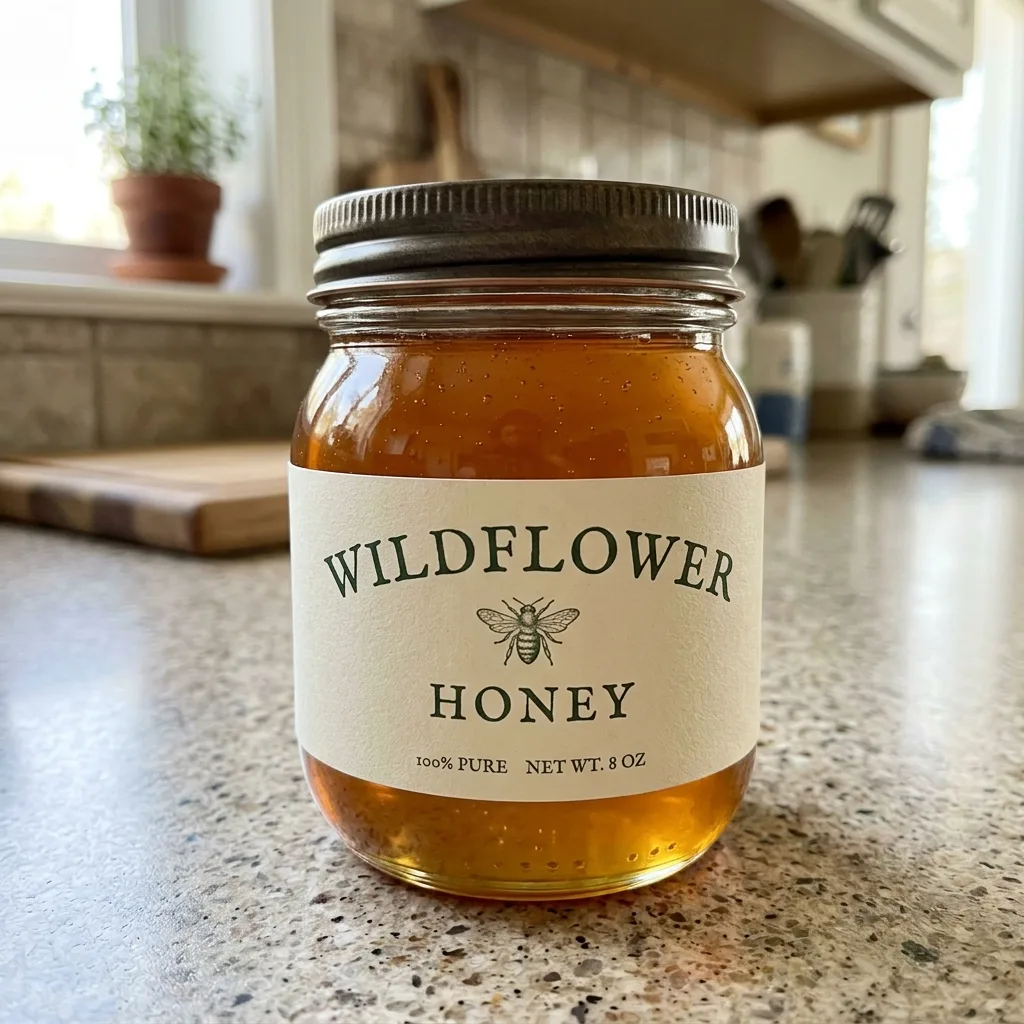
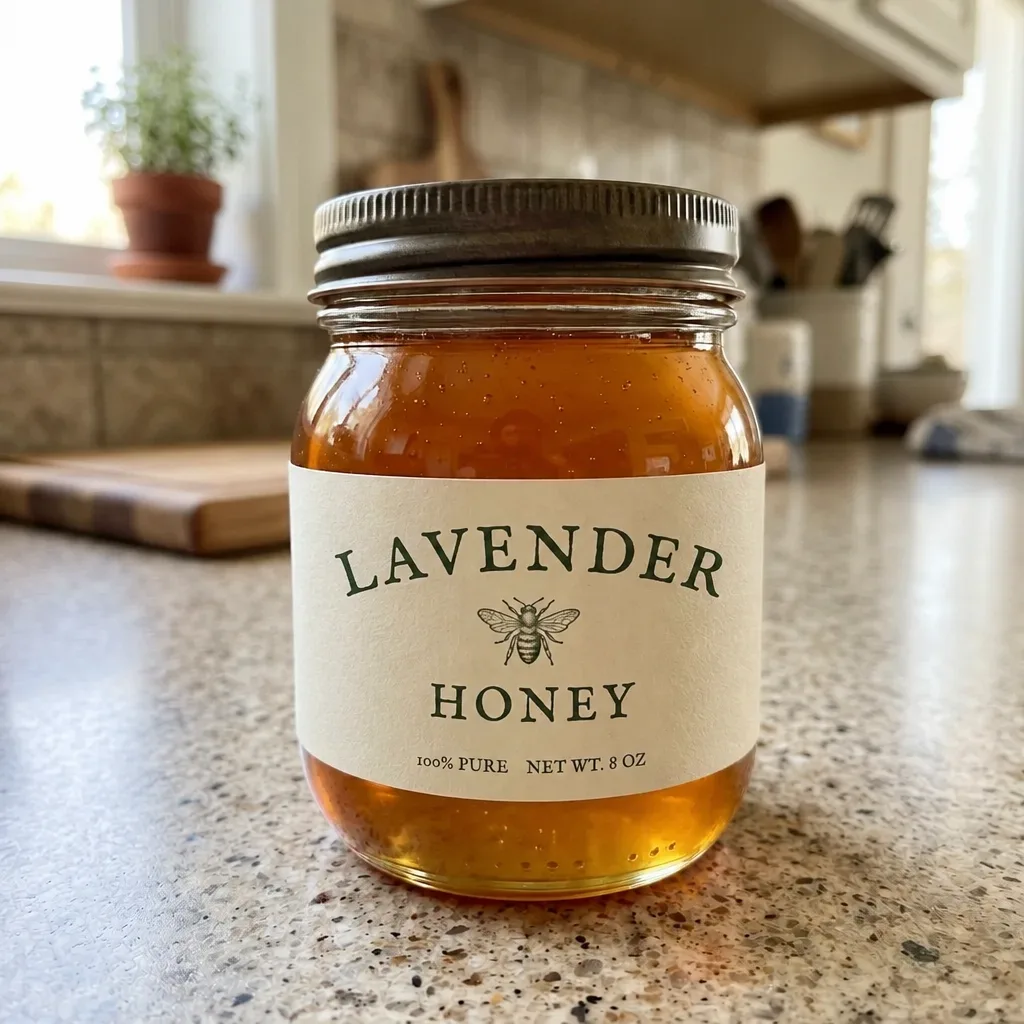
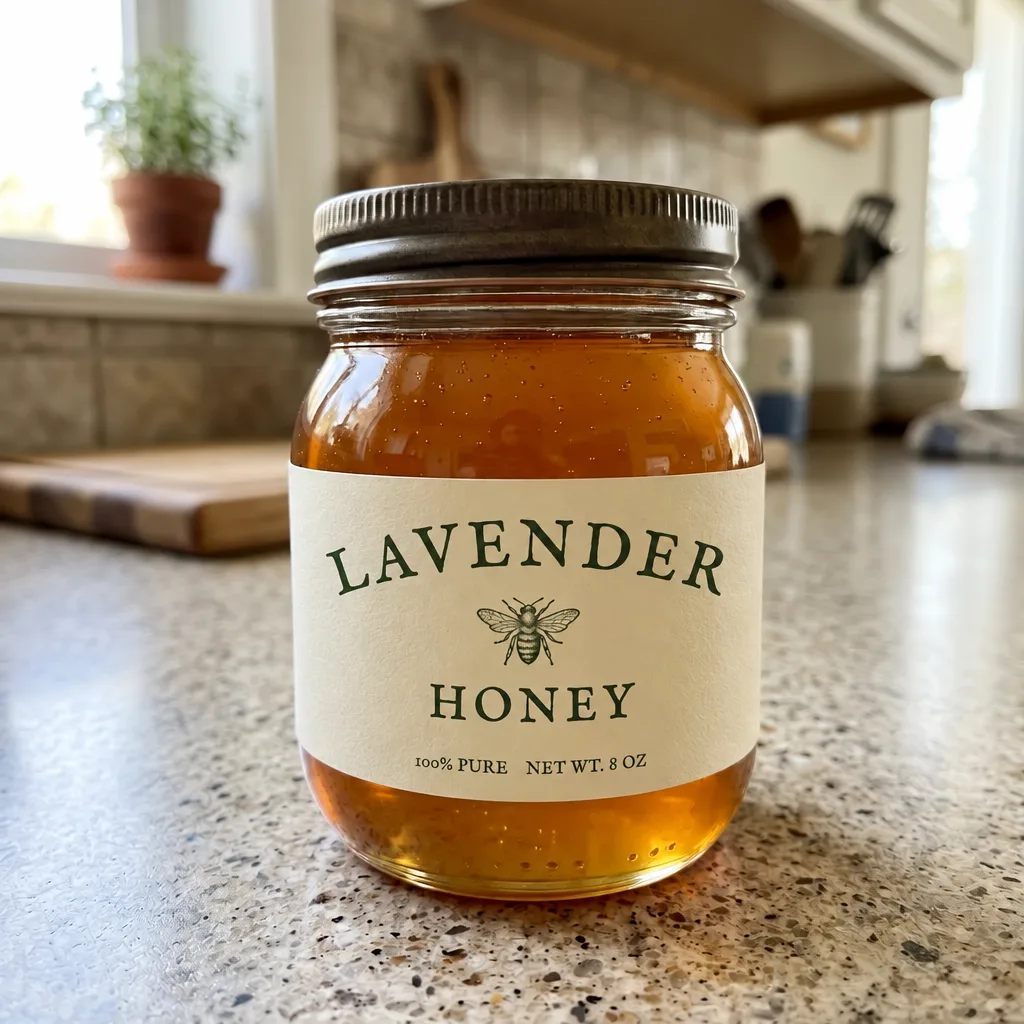
No visible difference on the label
Both changed WILDFLOWER to LAVENDER in matching lettering and left the rest of the jar alone.
Original
Flare
Sunburst
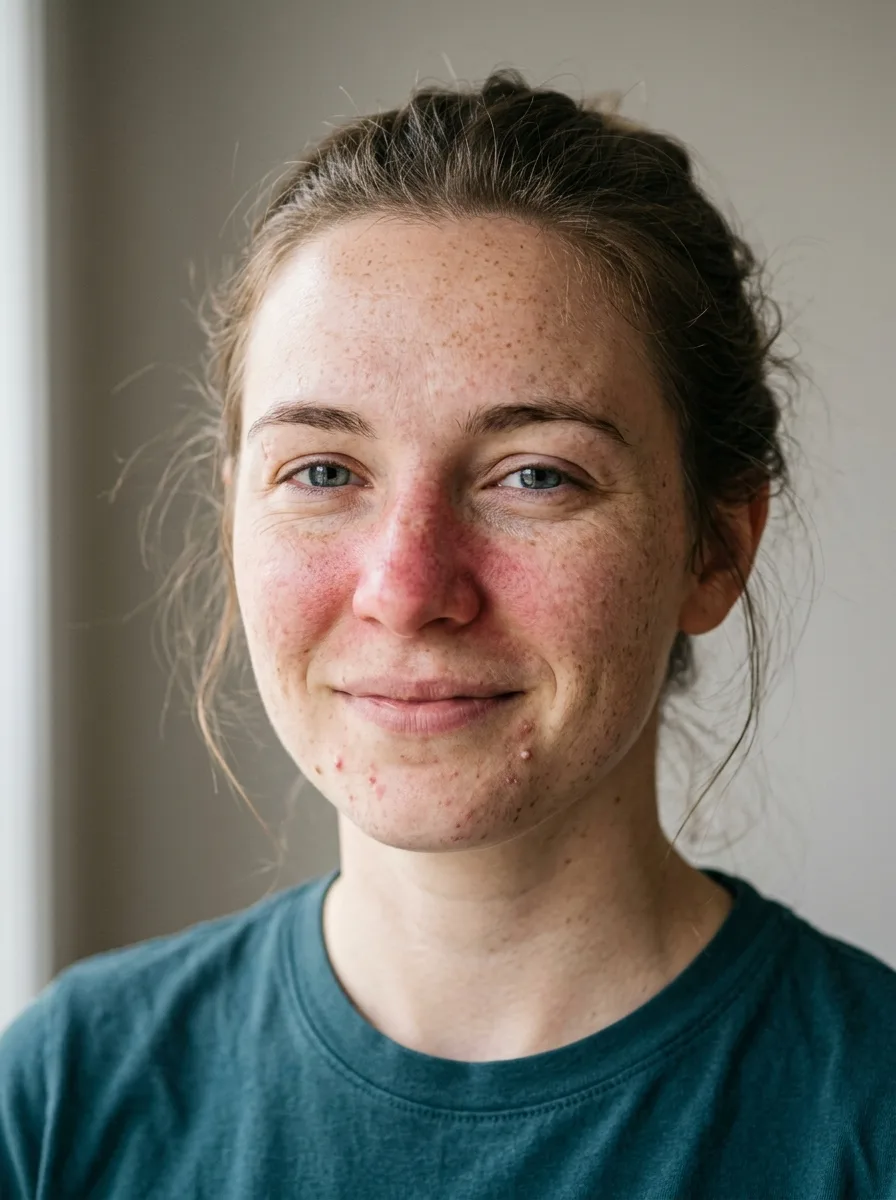
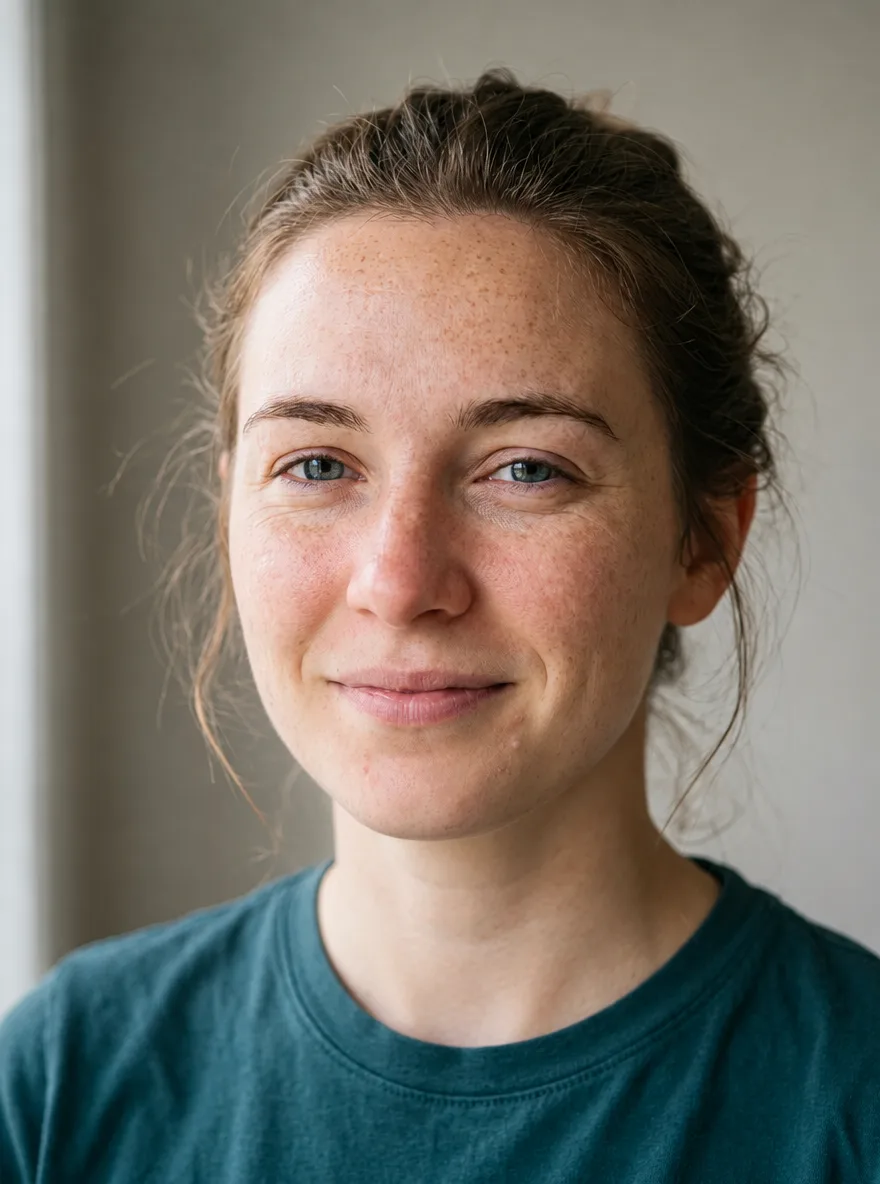
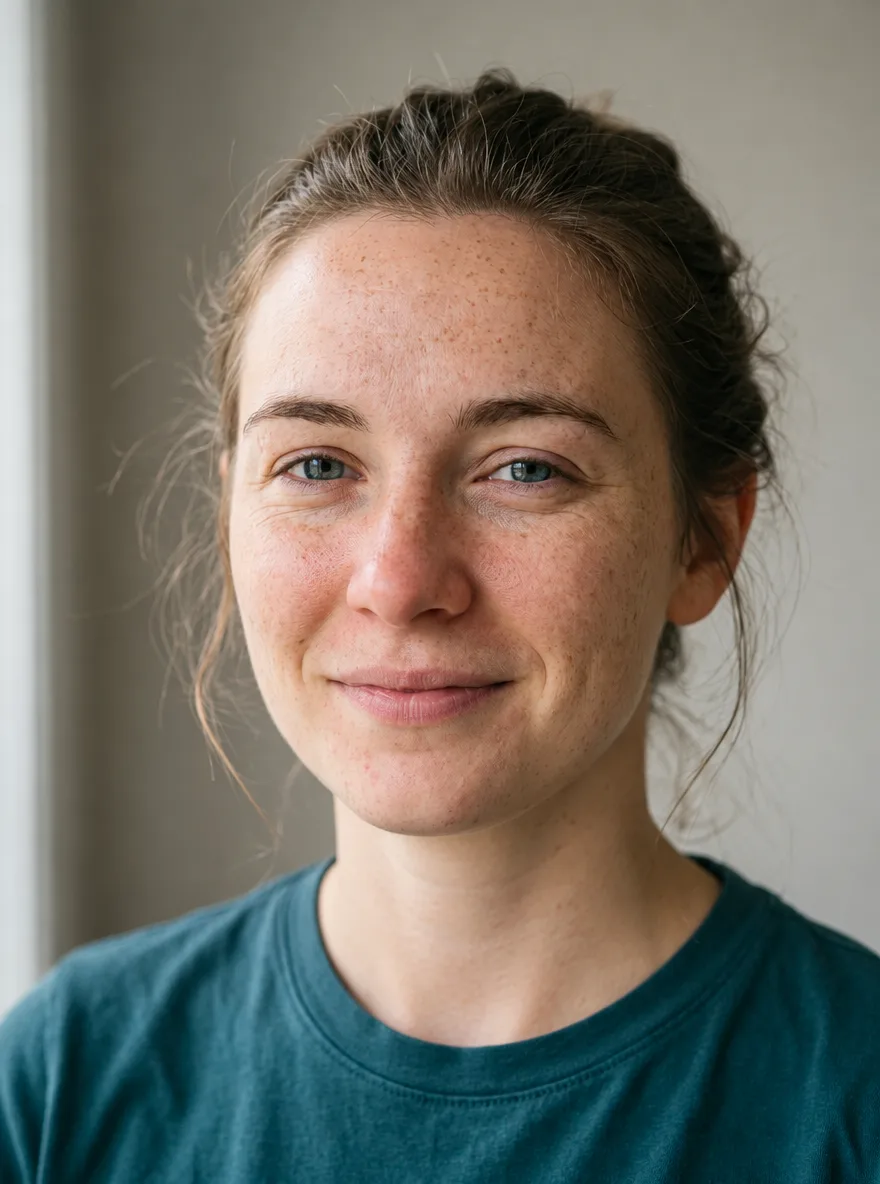
No visible difference on the portrait
Both removed the redness and blemishes and kept the freckles and the skin texture.
Prompt: Natural Skin Retouch
Price
Token rates are the same as GPT Image 2.5: $5 per million text input tokens, $8 per million image input tokens and $30 per million image output tokens. What changed is how many tokens an image takes at each quality setting. CellCog generated the same 1024 × 1024 image on both Flare versions and priced the tokens OpenAI reported:
| Quality | GPT Image 2.5 Flare | GPT Image 2.6 Flare | 2.6 vs 2.5 |
|---|---|---|---|
| low | $0.0061 | $0.0250 | 4.2× the tokens |
| medium | $0.0134 | $0.0437 | 3.3× the tokens |
| high | $0.0529 | $0.0530 | Same |
| xhigh | $0.0939 | $0.0939 | Same |
| max | $0.2110 | $0.2110 | Same |
These are output costs for one image made from a short prompt. An edit also pays for the photo you send in, and a bigger image takes more tokens. If you ran 2.5 at low or medium to keep costs down, expect 2.6 to cost three to four times as much for the same image.
What a GIF costs: our test
We turned the same dog photo into a 9-frame looping GIF on fal.ai's GPT Image 2.6 Flare edit endpoint, once per setting, and read each cost from fal's billing. A bigger frame cost less extra than its size suggests, and setting the reasoning effort to low saved time (14 s) but not money.
| Setting | Cost per GIF | Time |
|---|---|---|
| Low quality, 576 × 432 | $0.035 | 19 s |
| Medium quality, 576 × 432 | $0.054 | 17 s |
| High quality, 576 × 432 | $0.064 | 19 s |
| Medium quality, 768 × 576 | $0.073 | 18 s |
GPT Image 2.6 vs 2.5
- Speed
- Flare is the clear gain: CellCog found 2.6 Flare faster on every prompt it tried, and at high quality it took about half as long (6.8 against 13.8 seconds, 8.0 against 15.1). Sunburst was not faster: 2.6 Sunburst took 17% to 53% longer on three of the four prompts.
- Price
- Same token rates. At high quality and above, CellCog counted exactly the same output tokens on both versions, so an image costs the same. At low and medium, 2.6 used 4.2 and 3.3 times the tokens, so the cheap settings are no longer cheap.
- Edits
- In CellCog's three-step edit chain, both versions kept the character; 2.6 held a small detail slightly better. Its markup edit cost $0.052 on 2.6 against $0.022 on 2.5.
- New outputs
- GIF and SVG output are new in 2.6. On OpenAI's own API neither works on the edit endpoint; fal.ai's 2.6 edit endpoint does return GIFs from a photo.
- Rankings
- On Arena's preliminary launch-day leaderboard, Sunburst placed second for text-to-image and third for single-image editing; Flare placed fourth and fifth. Early votes move, so treat these as a first read.
Turn a photo into a GIF on YepShot
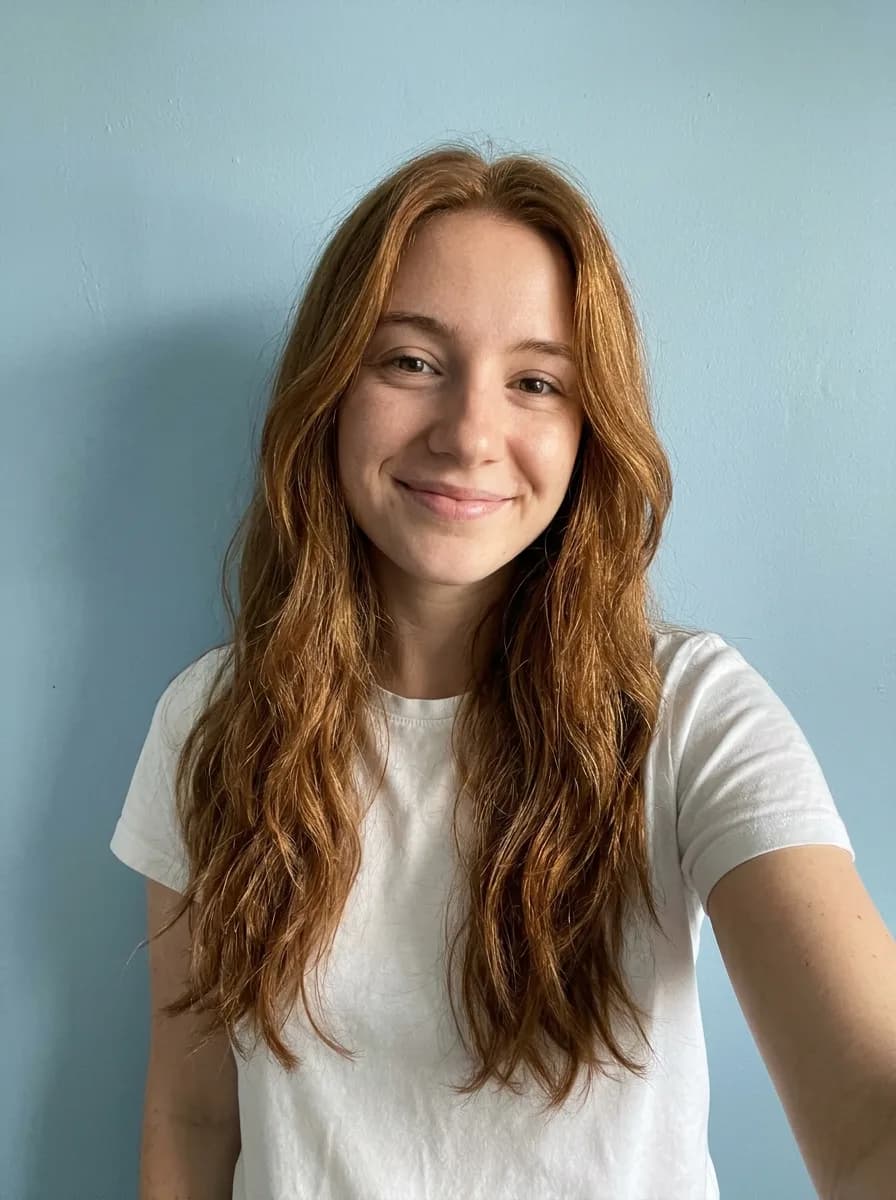
YepShot runs GPT Image 2.6 for GIFs: upload a photo, say what should move, and get a 9-frame loop (1.8 seconds, medium quality, about 512 × 512 pixels per frame) for 7 credits. New accounts get 18 free credits. Each example below was made on YepShot with GPT Image 2.6 from the photo on the left, using the prompt on its card; the source photos are AI-generated.
Before 
GPT Image 2.6 GIF Selfie to Sunglasses Reaction GIF
Turn this photo into a looping reaction GIF: the person puts on a pair of black sunglasses, nods once with a confident smirk, then takes them off again. Keep the face, hair, clothes and background exactly as in the photo, and keep the camera still.
Before 
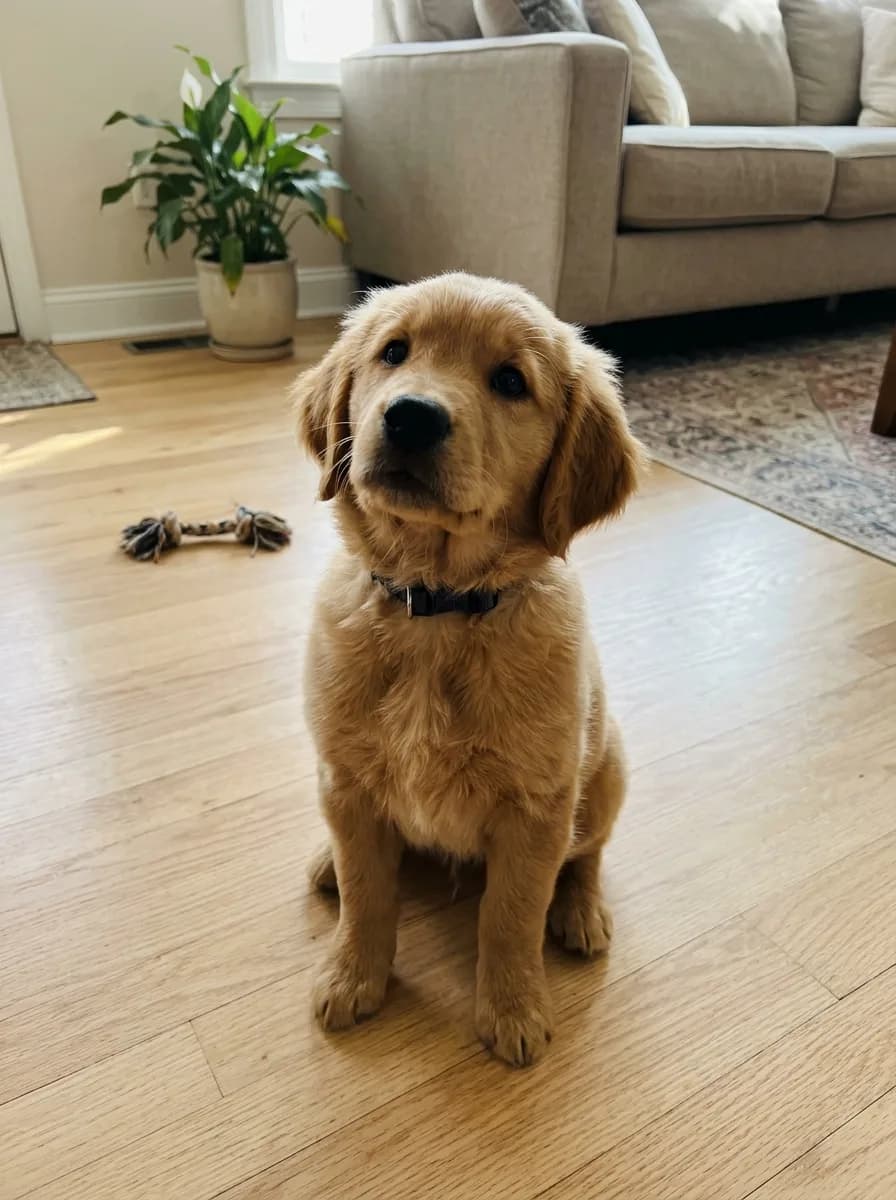
GPT Image 2.6 GIF Pet Photo to Head-Tilt GIF
Turn this photo into a looping animated GIF: the pet tilts its head to one side, blinks once, then tilts back to where it started. Keep its fur, collar, pose and the background exactly as in the photo, and keep the camera still.
Before 
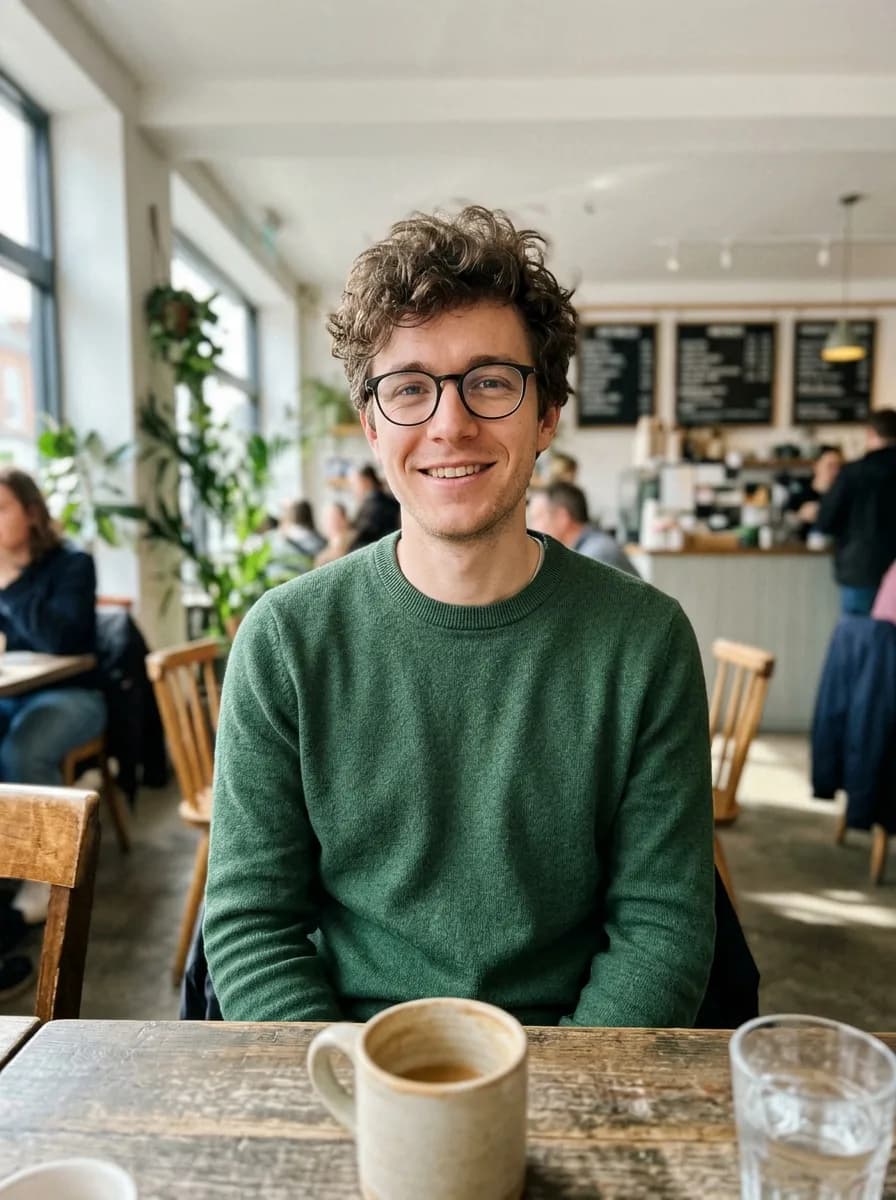
GPT Image 2.6 GIF Photo to Waving Chibi Sticker GIF
Turn the person in this photo into a cute chibi cartoon sticker with a thick white die-cut border on a plain light grey background, and animate it as a looping GIF: the character waves hello, gives a thumbs up, then returns to the first pose. Keep their hairstyle, glasses and outfit colors recognizable in every frame.
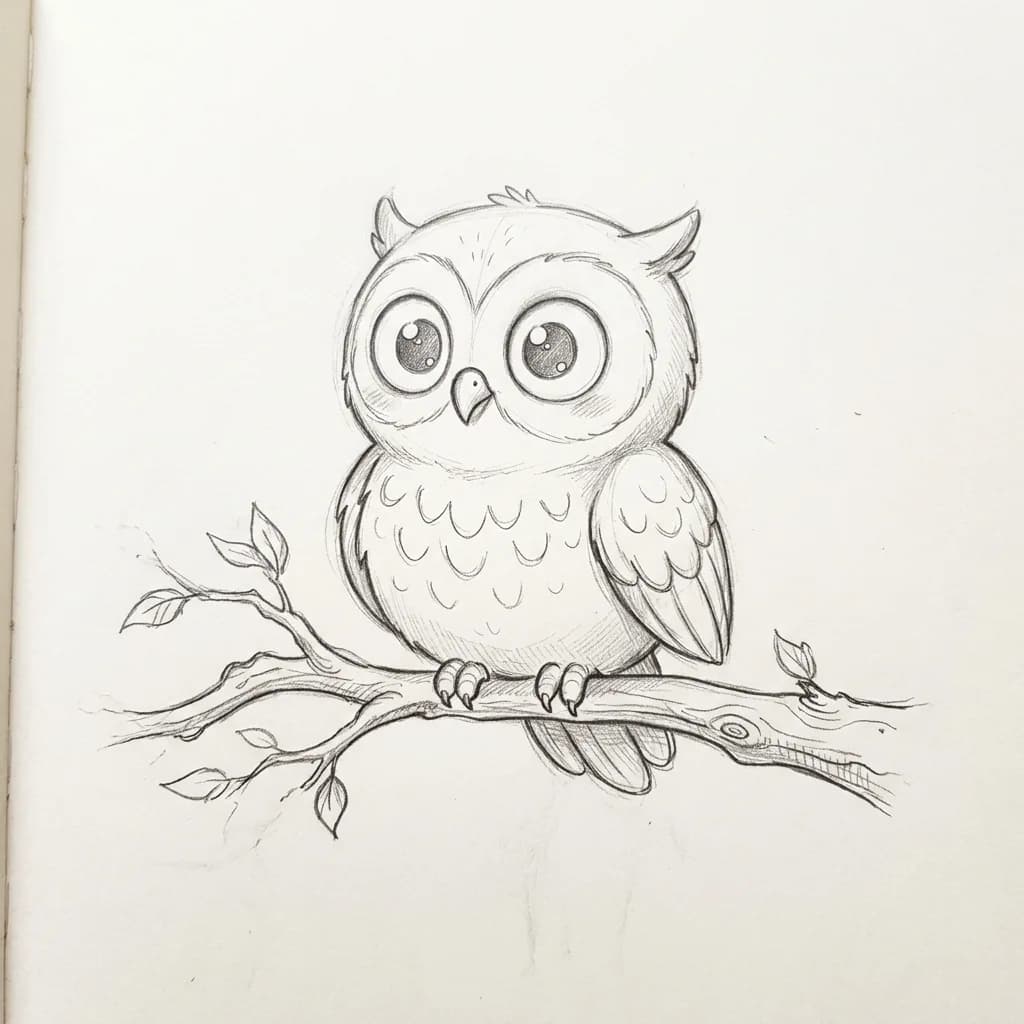
Before 
GPT Image 2.6 GIF Drawing Comes to Life GIF
Bring this drawing to life as a looping animated GIF: the character blinks, makes one small friendly move such as a wave or a flap, and settles back into its starting pose. Keep the drawing style, line weight and paper texture exactly as they are, and don't add color.
Still photo edits run on GPT Image 2.6 too: 6 credits for a 1K image at standard quality, against 3 for GPT Image 2.5 and 6 for Nano Banana 2.1. 2.6 costs more than 2.5 at standard because its medium quality uses more tokens; at high and max the two cost the same. We ran the same 48 photos through Nano Banana 2.1 and 2.5 if you want to see how those differ, and the same 48 photos through 2.6 to see what its stills look like.
Frequently asked questions
Is GPT Image 2.6 free?
In ChatGPT, OpenAI says Images 2.6 is on every plan, on web, desktop and mobile; image requests count toward your plan's usage limits. In the API it is billed per token, at the same rates as GPT Image 2.5.
What are the API model names?
gpt-image-2.6-flare and gpt-image-2.6-sunburst. On fal.ai they are openai/gpt-image-2.6/flare and openai/gpt-image-2.6/sunburst, each with an edit and a text-to-image endpoint.
Can GPT Image 2.6 turn my photo into a GIF?
In ChatGPT, yes: upload the photo and ask for an animated GIF. On OpenAI's own API, not in one step: its image guide says GIF output is only on the generation endpoint, and the edit endpoint, which takes your photo, does not return GIFs. fal.ai's GPT Image 2.6 edit endpoint does: we sent it a photo and got a 9-frame looping GIF back in about 17 seconds.
How much does a GIF cost in the API?
OpenAI lists no separate GIF price; GIFs are billed as image output tokens at $30 per million. In our test on fal.ai, a 9-frame GIF at 576 × 432 from one photo cost $0.035 at low quality, $0.054 at medium and $0.064 at high.
Should I use Flare or Sunburst?
Flare when you want results fast or need many variations; in launch-night tests it took 5.6 to 8.0 seconds. Sunburst when the image is final or you edit the same picture several times and details must hold; it took 14.5 to 25.4 seconds. Both have the same token prices. In our own test of 10 photo edits on fal.ai, Sunburst took 28 to 42 seconds against a median of 20 for Flare, and followed the prompt more literally in three of the ten: it kept an old print's full frame where Flare cropped it, left a brand name untranslated as asked, and made a plainer sale poster.
Is GPT Image 2.6 better than Nano Banana 2.1?
No head-to-head test exists yet. On Arena's preliminary leaderboard Sunburst placed second for text-to-image. We ran the same 48 photos and prompts through both Nano Banana 2.1 and GPT Image 2.6 Flare, and neither won across the board: 2.6 followed some briefs further, and also did more than we asked in others. The side-by-side results are in our Nano Banana 2.1 vs GPT Image 2.6 test.
Is GPT Image 2.5 still available?
Yes. On November 5, 2026, OpenAI's image guide still listed both GPT Image 2.5 models and their prices, fal.ai still offered them, and we found no shutdown date.
Does YepShot use GPT Image 2.6?
Yes, for both. GPT Image 2.6 GIF turns a photo into a 9-frame looping GIF for 7 credits. For still photo edits, GPT Image 2.6 costs 6 credits for a 1K image at standard quality, the same as Nano Banana 2.1 (6) and more than GPT Image 2.5 (3). Its high and max quality levels cost the same as on 2.5.