How to change the color of something in a photo
Upload and brush
Brush over the thing you want to recolor and cover all of it, both sleeves included. To repaint a whole room, brush every wall, not just the one behind the sofa.
Name the color
Change "navy blue" in the prompt to your color, or to a hex code like #C8553D. If your brush also covers other things, name the object: "the car in the marked area".
Generate and check
With Nano Banana 2.1 that took 13 to 25 seconds and costs 6 credits at 1K. If the shade is off, click Continue editing and ask for it lighter, darker or warmer. Downloads have no watermark.
Five photos, two models
We made five photos using AI: a car, a sweater, a house, a living room and a water bottle. Each one was brushed and given to Nano Banana 2.1 and GPT Image 2.6 on YepShot with the prompt shown, at 1K, and each result is the first and only run. The brushed areas are rough rectangles, the way most people brush, so each prompt names the thing to recolor. Click an image to see it full size.
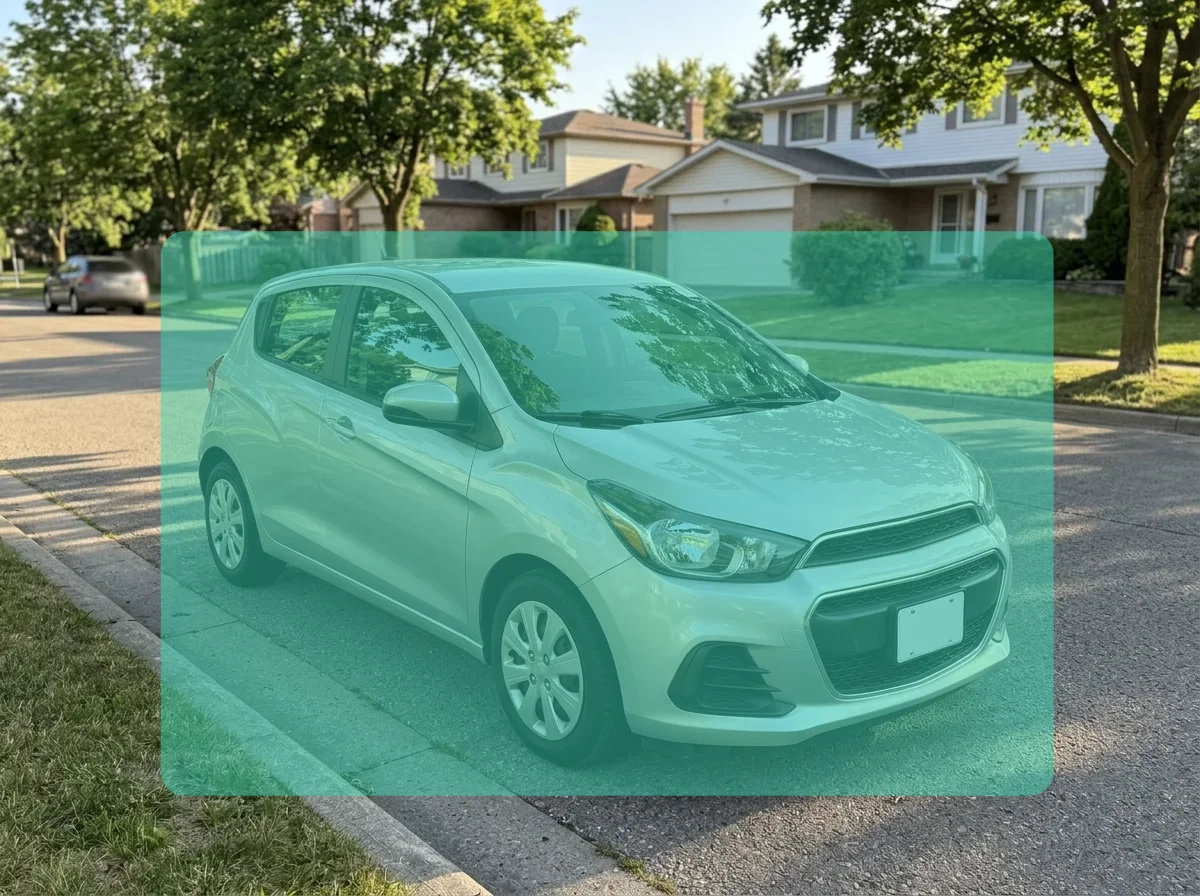
Original, brushed area in green
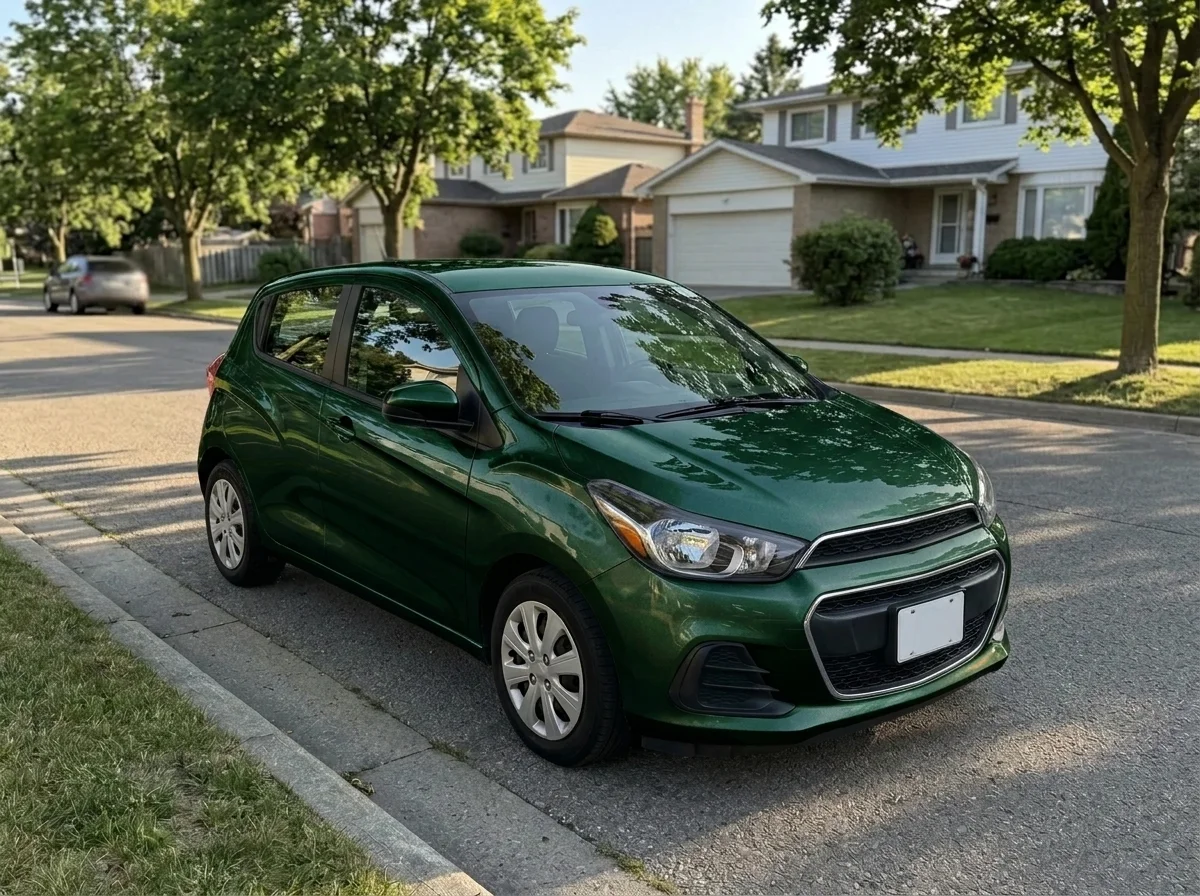
Nano Banana 2.1
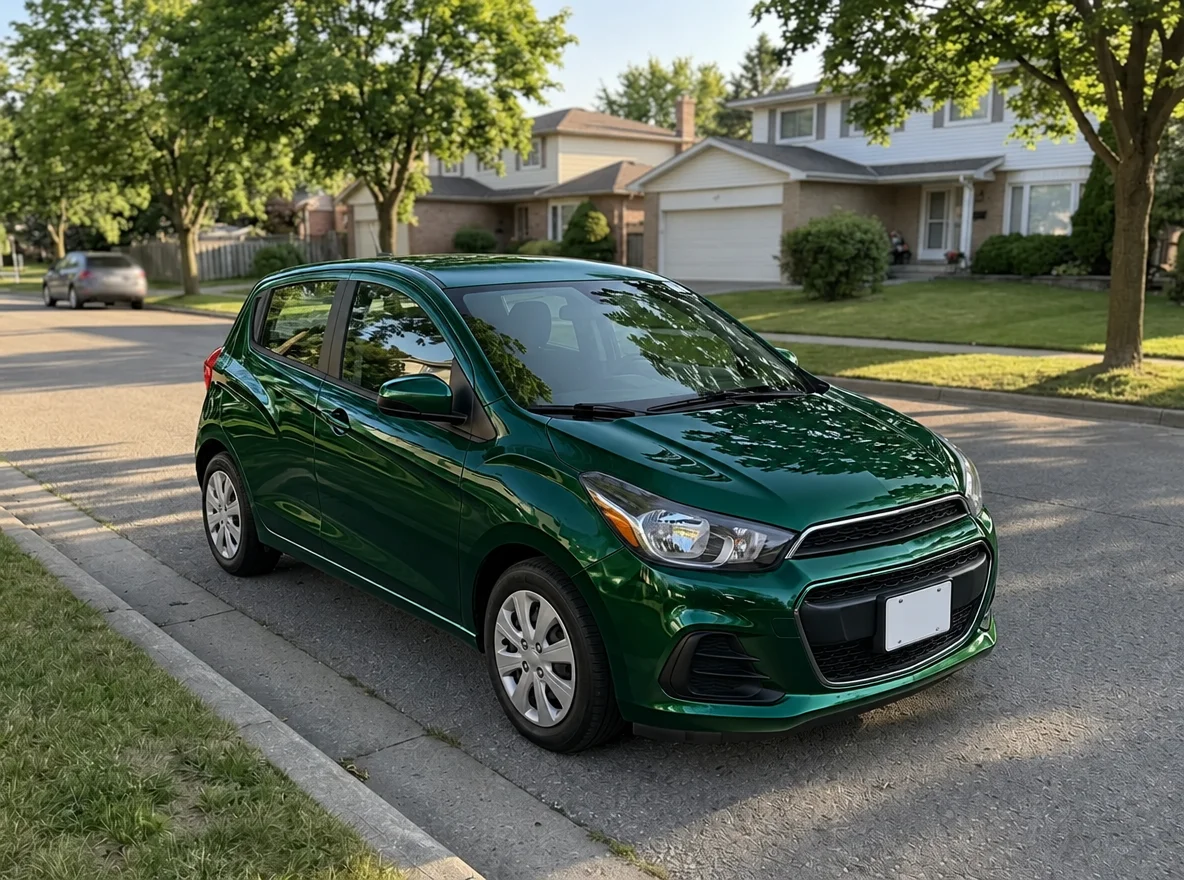
GPT Image 2.6
Silver car to forest green
Prompt: Change the color of the car in the marked area to deep forest green metallic paint. Keep the windows, tires, lights, trim and reflections exactly as they are. Keep everything outside the marked area unchanged.
Both painted the body dark green and kept the windows, wheels, headlights and the reflections of the trees on the hood. The car parked down the street, outside the brush, stayed silver.
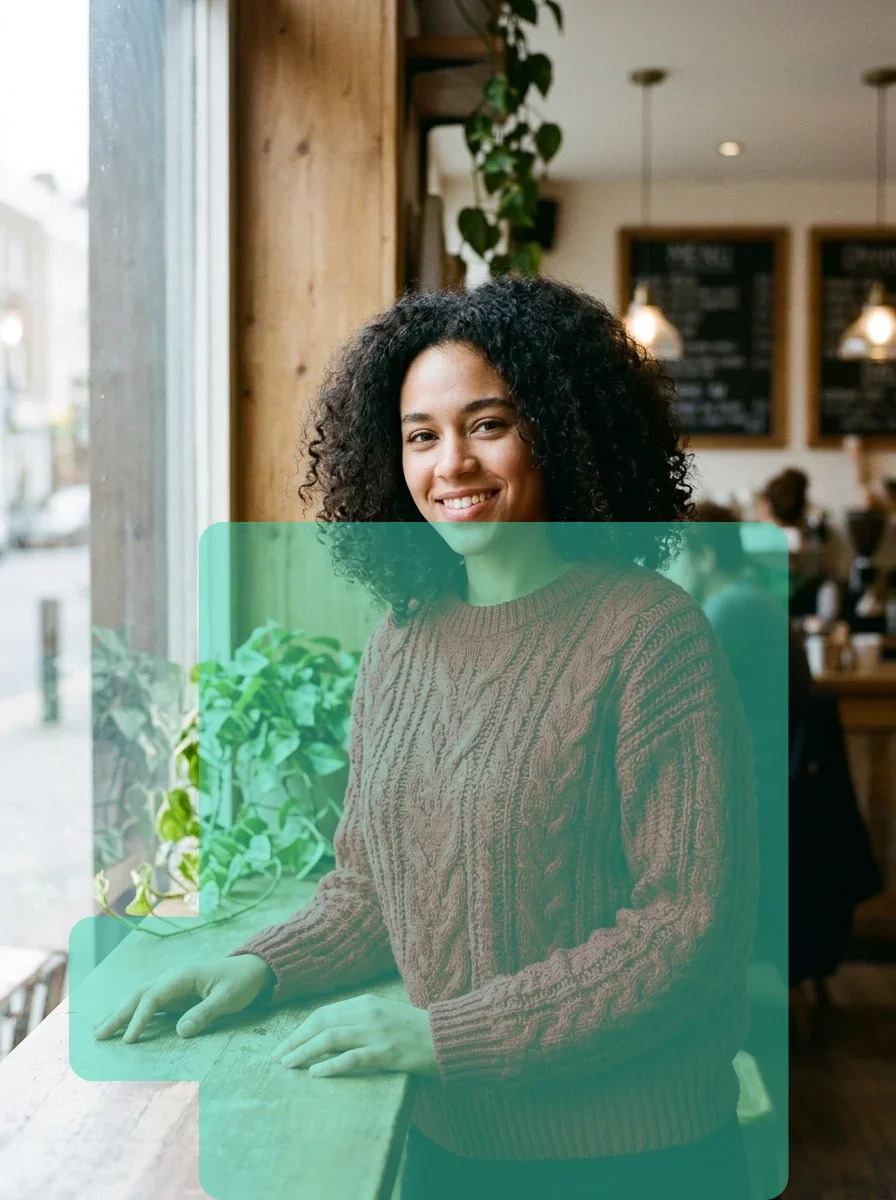
Original, brushed area in green
Nano Banana 2.1
GPT Image 2.6
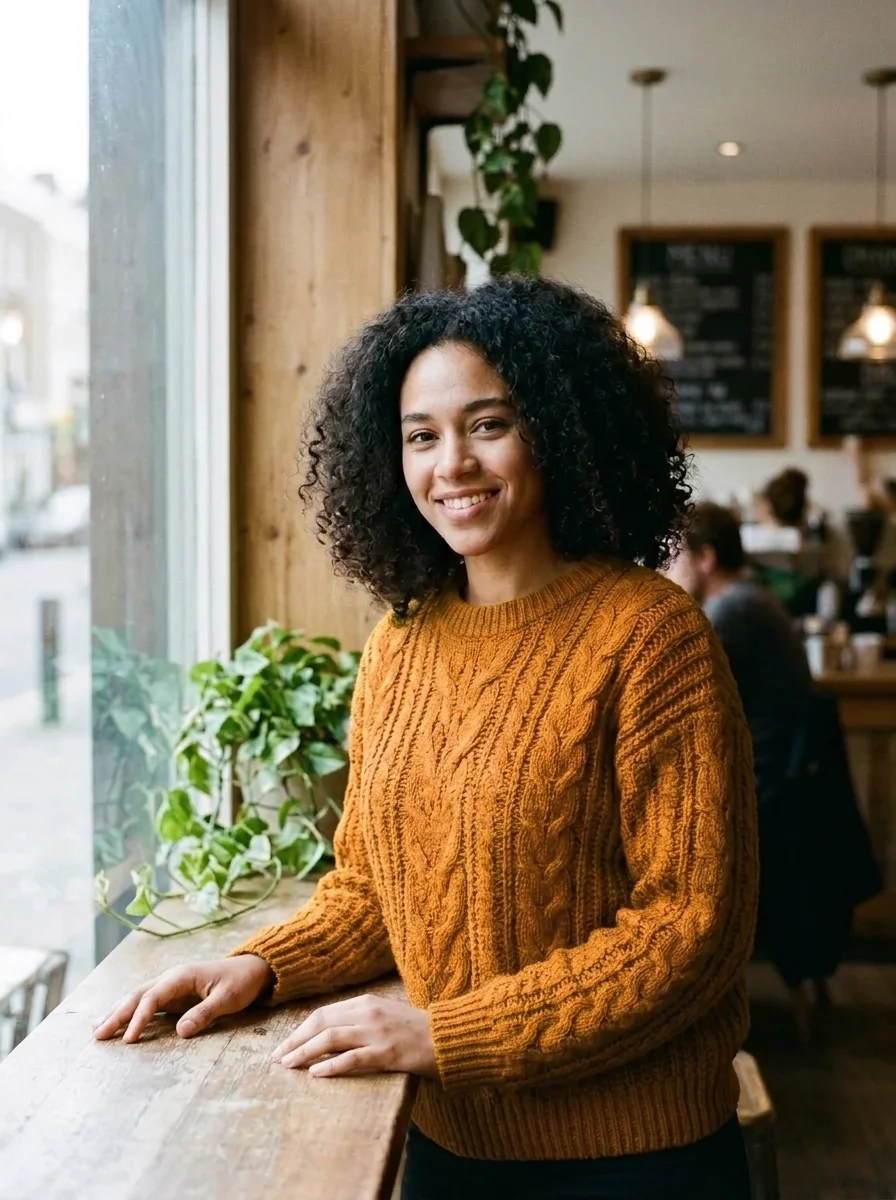
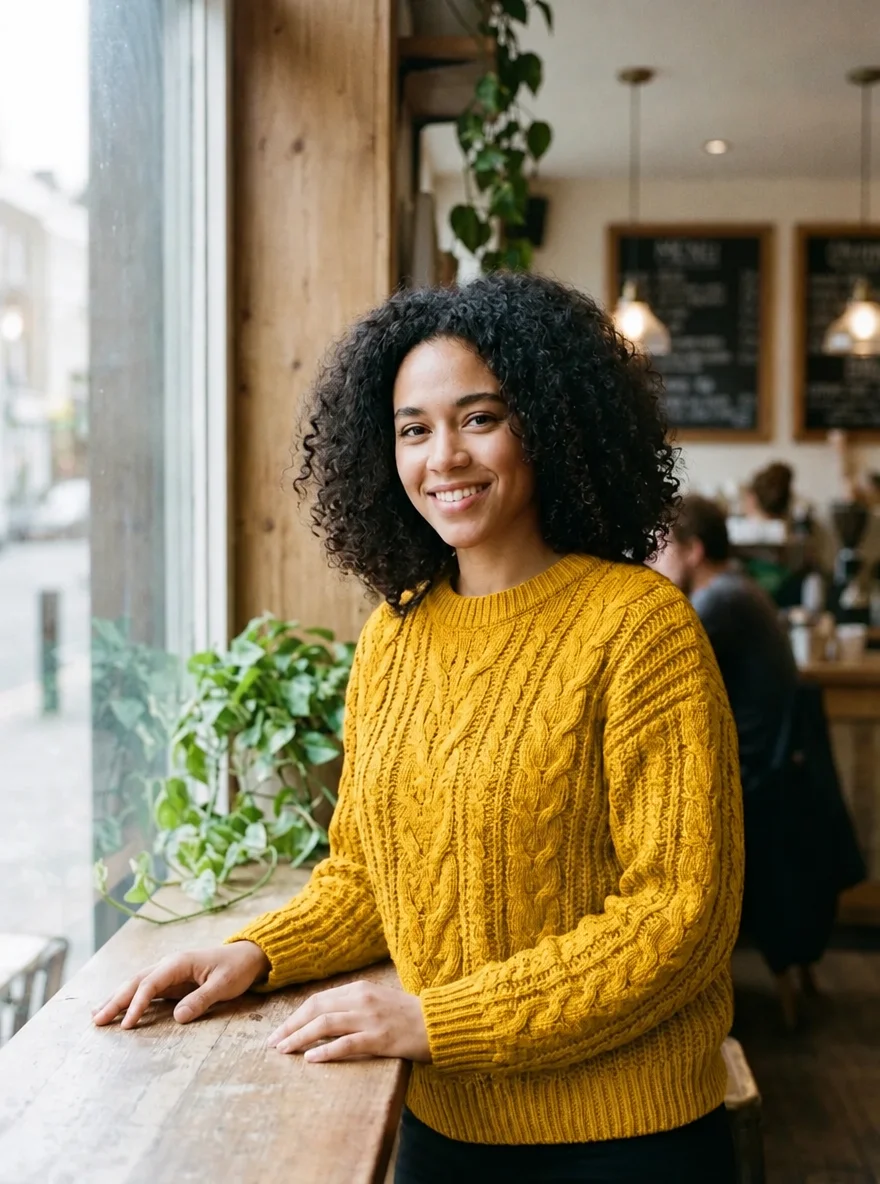
Red sweater to mustard yellow
Prompt: Change the color of the sweater in the marked area to mustard yellow. Keep the knit texture, folds, shadows and highlights exactly as they are. Keep her face, hair and everything outside the marked area unchanged.
Her face is unchanged in both; GPT Image 2.6 slightly redrew her curls. The cable knit and folds came through, but the shade differs: Nano Banana 2.1 made a burnt ochre that leans orange, GPT Image 2.6 a brighter mustard.
Original, brushed area in green
Nano Banana 2.1
GPT Image 2.6
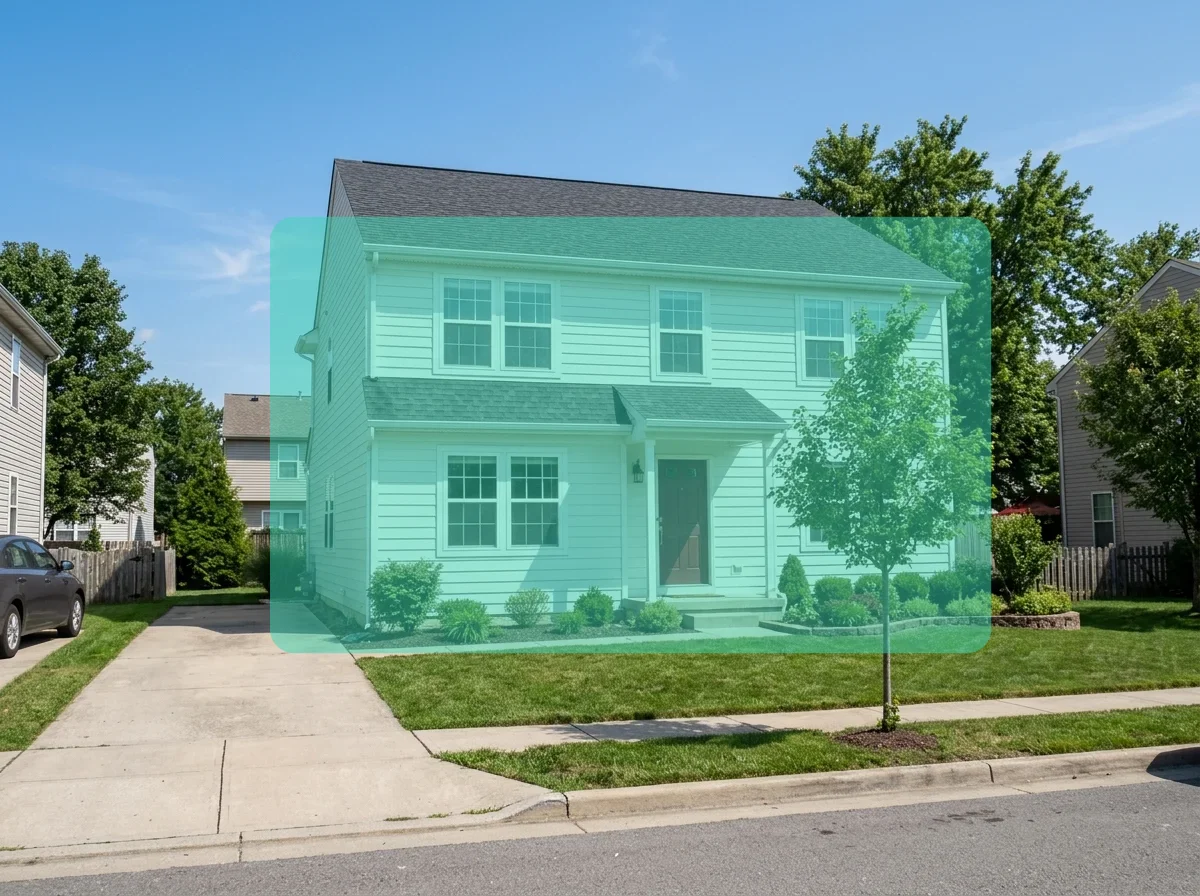
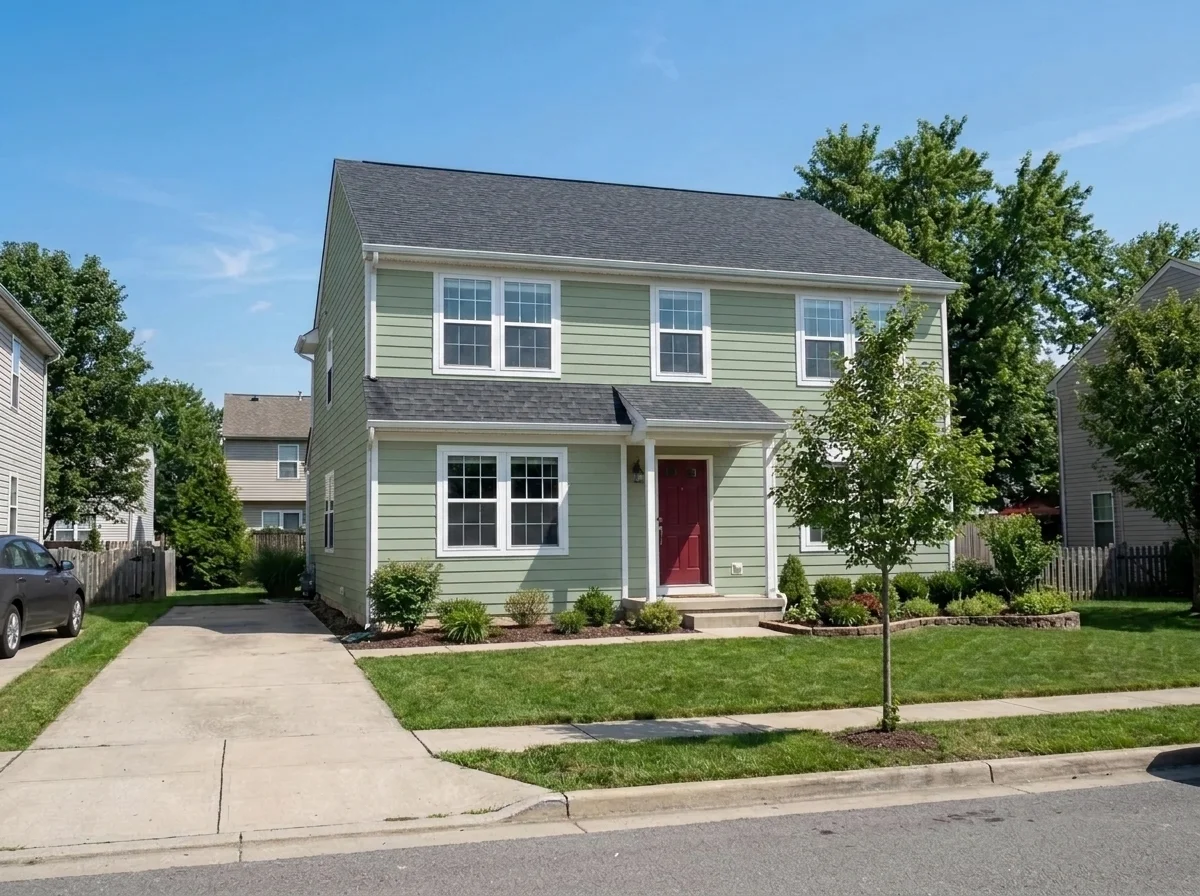
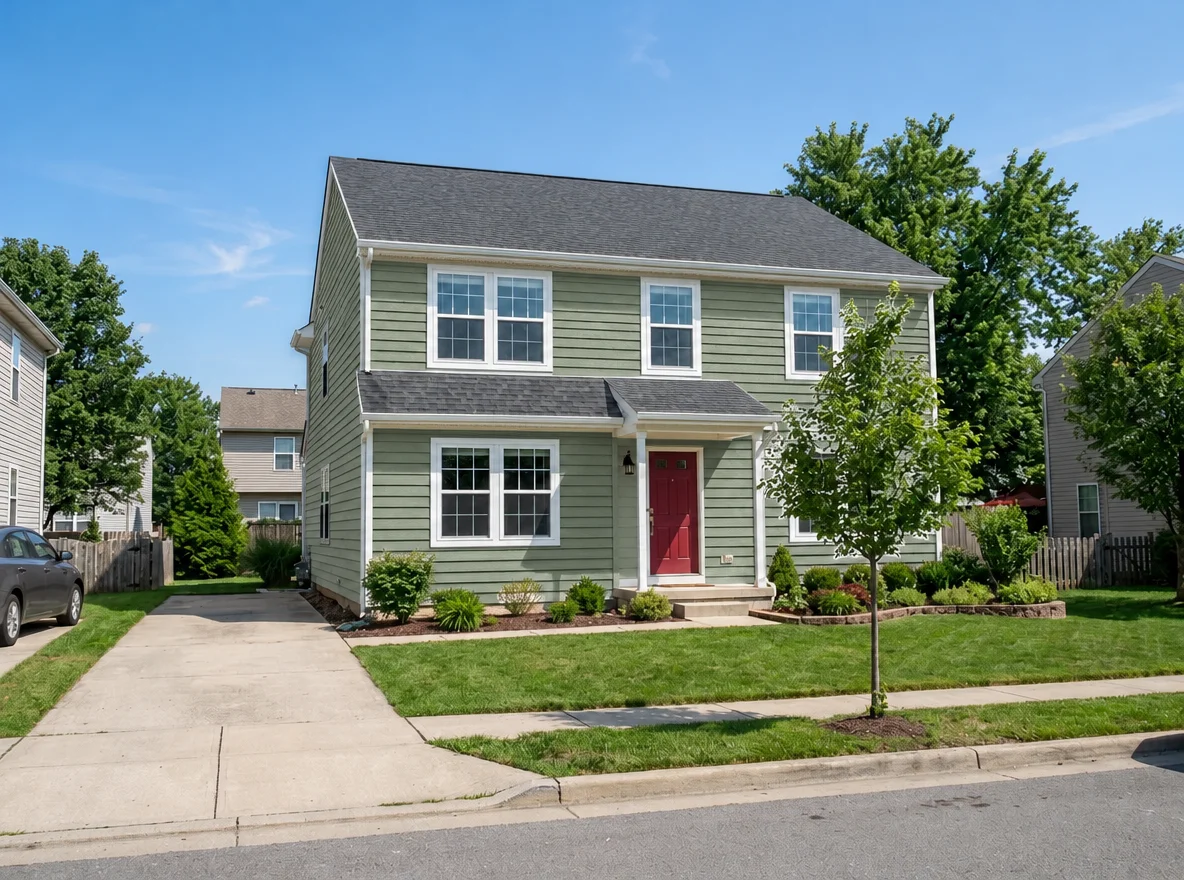
White house siding to sage green
Prompt: Paint the siding of the house in the marked area sage green. Keep the white trim, windows, red door, roof and the siding's texture and shadows exactly as they are. Keep everything outside the marked area unchanged.
Both painted only the siding and left the white trim, windows, red door, roof and the young tree in front of the house as they were. Nano Banana 2.1 took 15 seconds, GPT Image 2.6 took 66.
Original, brushed area in green
Nano Banana 2.1
GPT Image 2.6
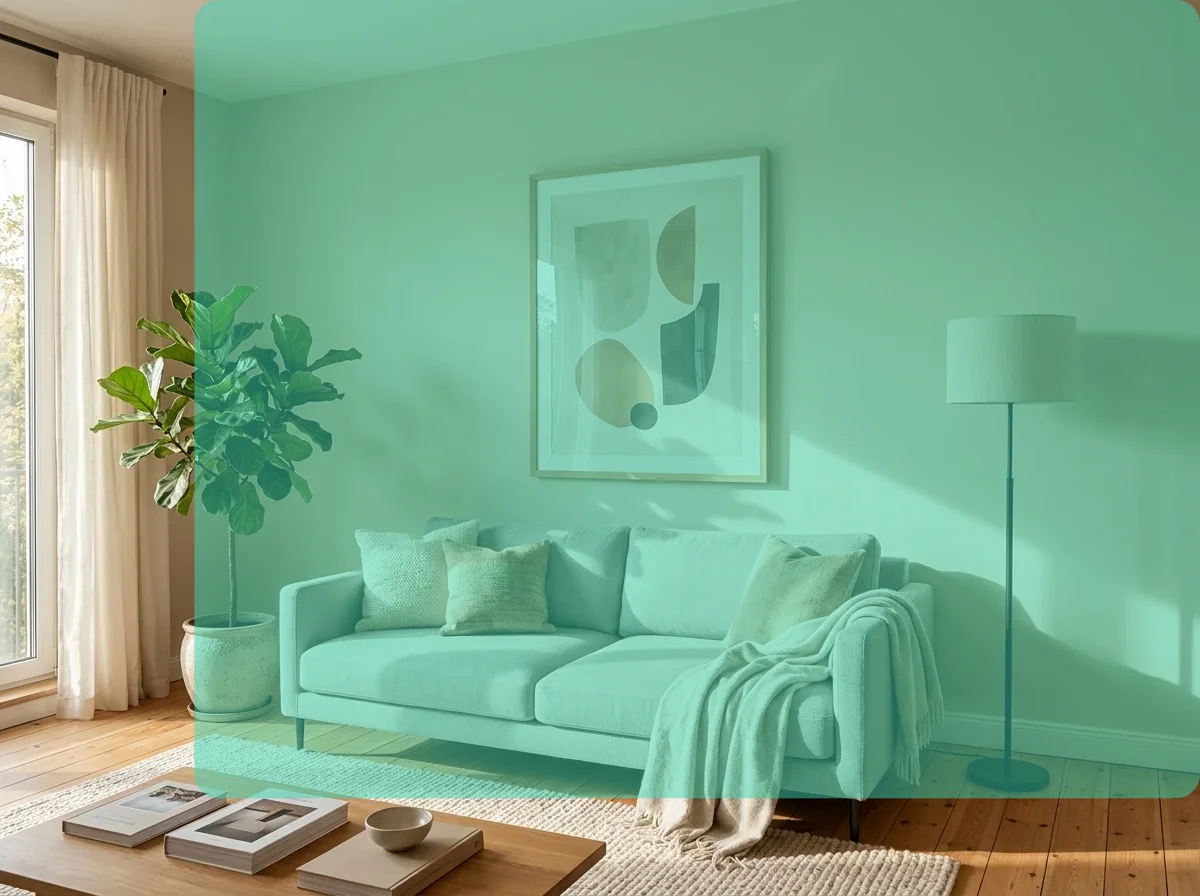
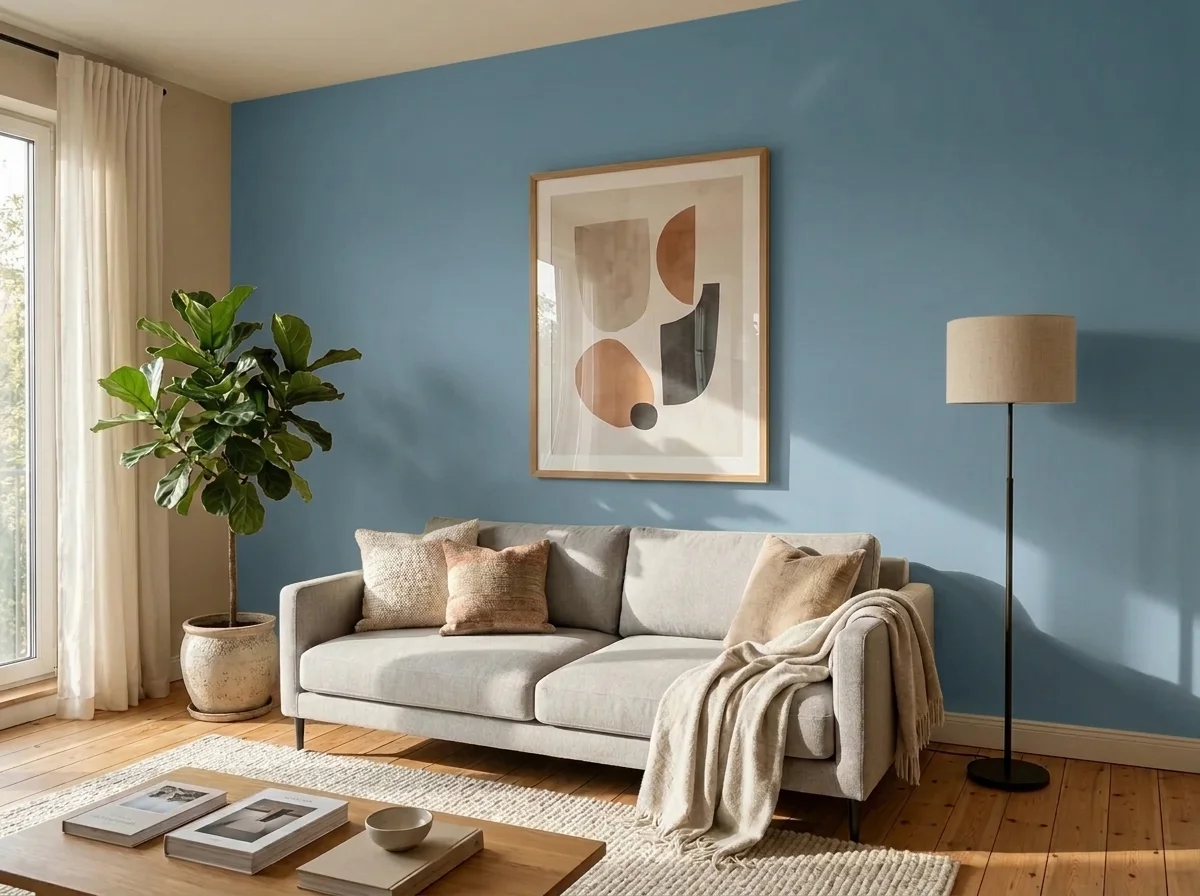
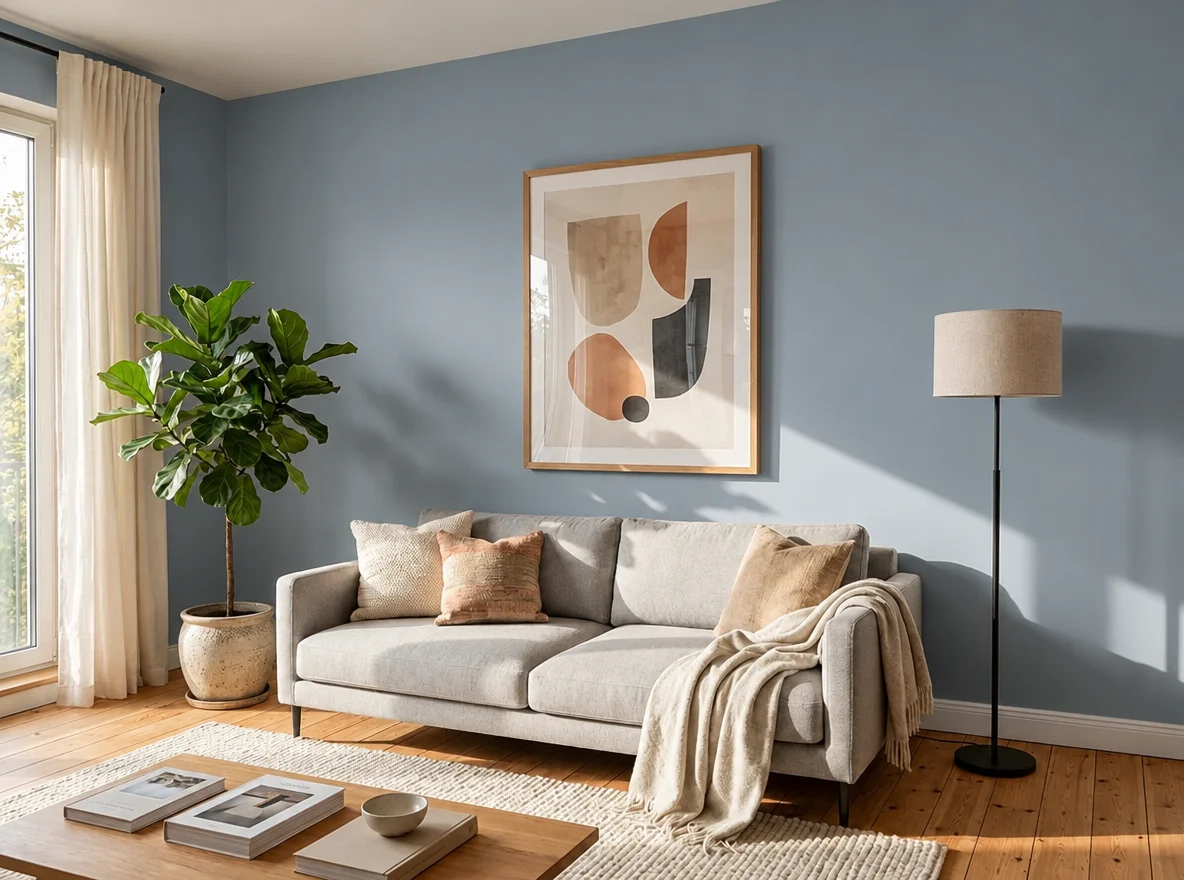
Beige living room walls to dusty blue
Prompt: Paint the walls in the marked area dusty blue. Keep the sofa, the framed print, the lamp, the plant and the light and shadows on the wall exactly as they are. Keep everything outside the marked area unchanged.
Nano Banana 2.1 painted the back wall a clear blue and stopped at the corner, so the side wall by the window, mostly outside the brush, stayed beige. GPT Image 2.6 chose a grayer blue and painted the side wall too, past the brushed area. The sofa, print, lamp and plant are unchanged in both.
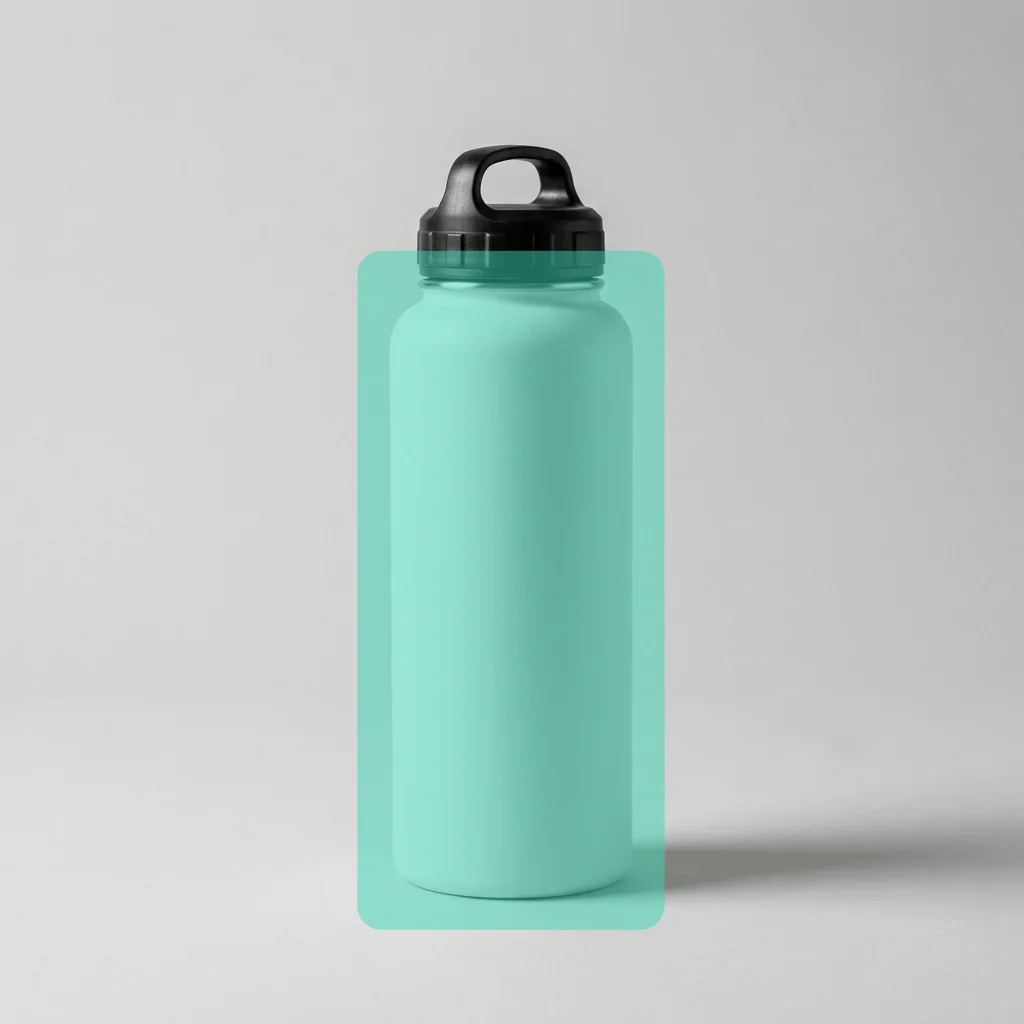
Original, brushed area in green
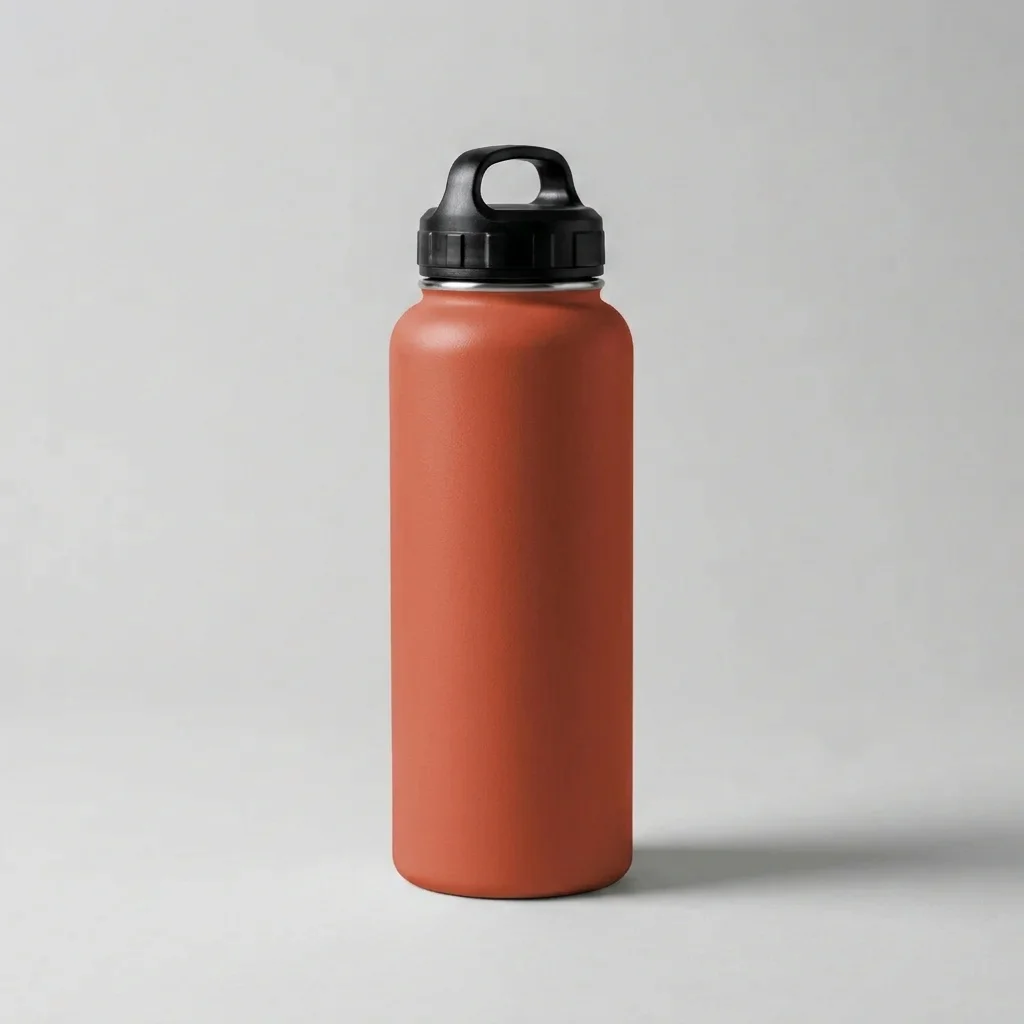
Nano Banana 2.1
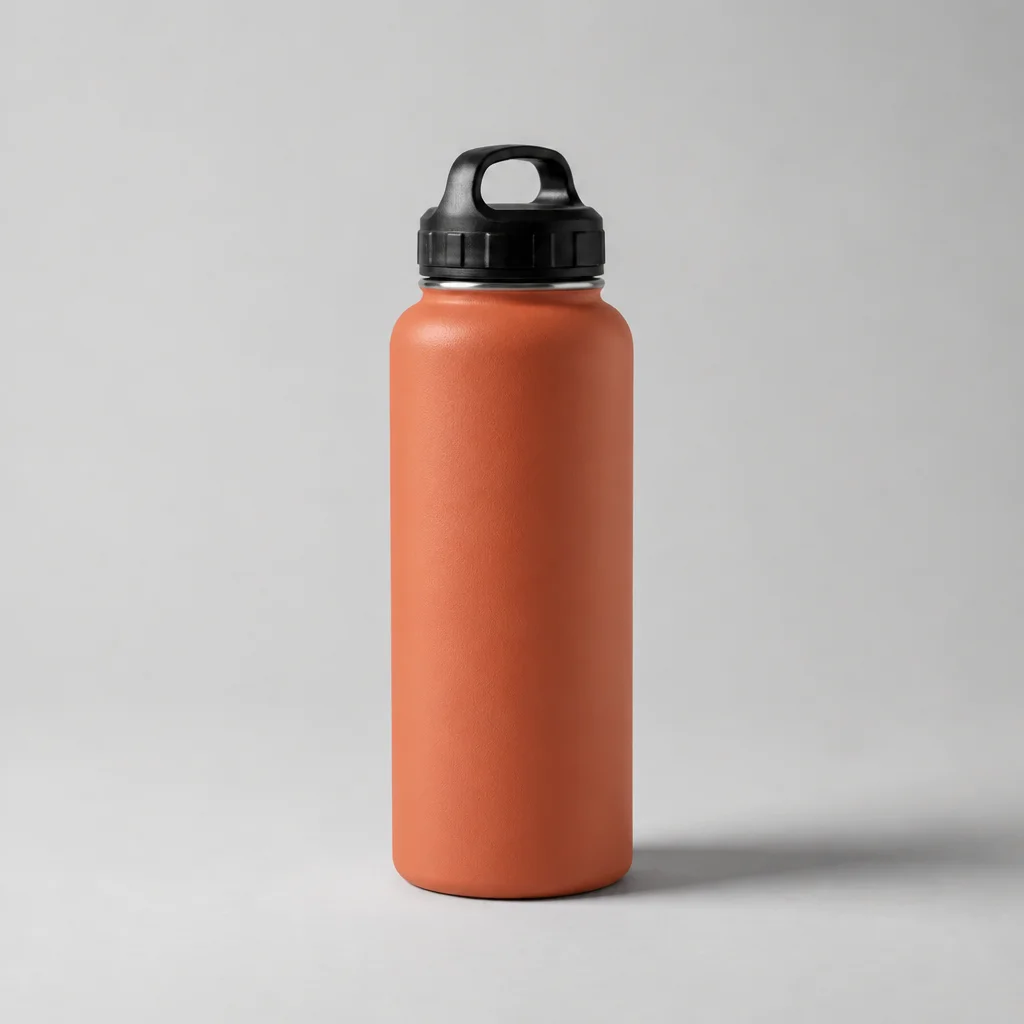
GPT Image 2.6
White bottle to hex #C8553D
Prompt: Change the color of the bottle body in the marked area to #C8553D. Keep the black cap, the matte finish, the shape, highlights and shadow exactly as they are. Keep everything outside the marked area unchanged.
Both read the hex code and made the bottle terracotta red, with the black cap untouched. Over the recolored pixels, the median color came out #99412C on Nano Banana 2.1 and #AB573C on GPT Image 2.6, against the #C8553D we asked for. The shaded side pulls the median darker; GPT Image 2.6 came closer.
What we saw
- The right thing changed color
- In all ten results, five photos on two models, the brushed object took the new color and kept its texture, shading and reflections: the cable knit, the metallic paint, the grooves in the siding.
- The face stayed the same
- On the sweater photo, the brush came up to her chin and covered both hands. Neither model changed her face; GPT Image 2.6 redrew her curls slightly.
- The shade is the model's reading of the name
- Asked for "mustard yellow", Nano Banana 2.1 leaned orange; asked for "dusty blue", it chose a clearer blue than GPT Image 2.6. With a hex code, both landed near the color but darker, and GPT Image 2.6 came closer.
- Nano Banana 2.1 keeps to the brush
- With Nano Banana 2.1, 0% to 0.5% of the pixels outside the brushed area changed (by more than 30 of 255 levels, compared at 600 pixels wide). GPT Image 2.6 returns a slightly smaller image, so we couldn't compare it pixel by pixel; on the living room it painted a wall outside the brush.
- Speed
- At 1K, Nano Banana 2.1 took 13 to 25 seconds per photo and GPT Image 2.6 took 17 to 66 seconds. Both cost 6 credits.
When another tool is better
- Logos, icons and flat graphics
- If you need one exact hex value swapped for another in a logo or an icon, a color replace tool that swaps pixels is exact and free. The model repaints the area, so the shade comes out close but not exact, as the bottle test shows.
- A filter over the whole photo
- Black and white, sepia or a warmer tone for the whole photo is a filter in any photo app. To go the other way, from black and white to color, use our colorize page.
- Product colors you don't have
- A recolored product photo is fine for planning colorways, but don't list a color you sell from this image alone: the real dye or paint will look different. Photograph the real item.
Frequently asked questions
Is it free to change the color of an image?
New accounts get 18 free credits, and each recolor at 1K costs 6 credits, so the free credits cover three photos. Results have no watermark.
Can ChatGPT change colors in a photo?
Yes. ChatGPT's image feature runs on GPT Image 2.6, the right-hand column in our test above. It recolored all five photos and came closer on the exact shade, but it took 17 to 66 seconds and once painted past the brushed area. You can run both here.
Can I use a hex code?
Yes. Both models understood #C8553D and made the bottle terracotta red, but not that exact value: the median color over the bottle was darker on both. If you need an exact value in a flat graphic, use a color replace tool instead.
Can I preview a new color for my car, house or walls?
Yes, three of the tests above are exactly that. Treat the result as a preview: real paint under real light will look different, so check a sample before you buy.
How do I change hair color in a photo?
Brush over the hair and use our hair color prompt, linked below. It names the hairstyle, strands and hairline to keep, and tells the model to leave the face alone.
Do I need to brush the area?
Yes. The brush tells the model which thing to recolor, and Nano Banana 2.1 stays inside it. Brush all of the object; a part you miss, like a sleeve or a side wall, may keep its old color.
Which model should I use?
Start with Nano Banana 2.1, which is preselected: it kept to the brushed area and took 13 to 25 seconds. If the shade isn't what you meant, try GPT Image 2.6, which came closer on the named colors and the hex code. Both cost 6 credits at 1K.
Hair color promptRecolor a garment for a colorway setColorize a black and white photoWhen the brush matters: 72 test edits
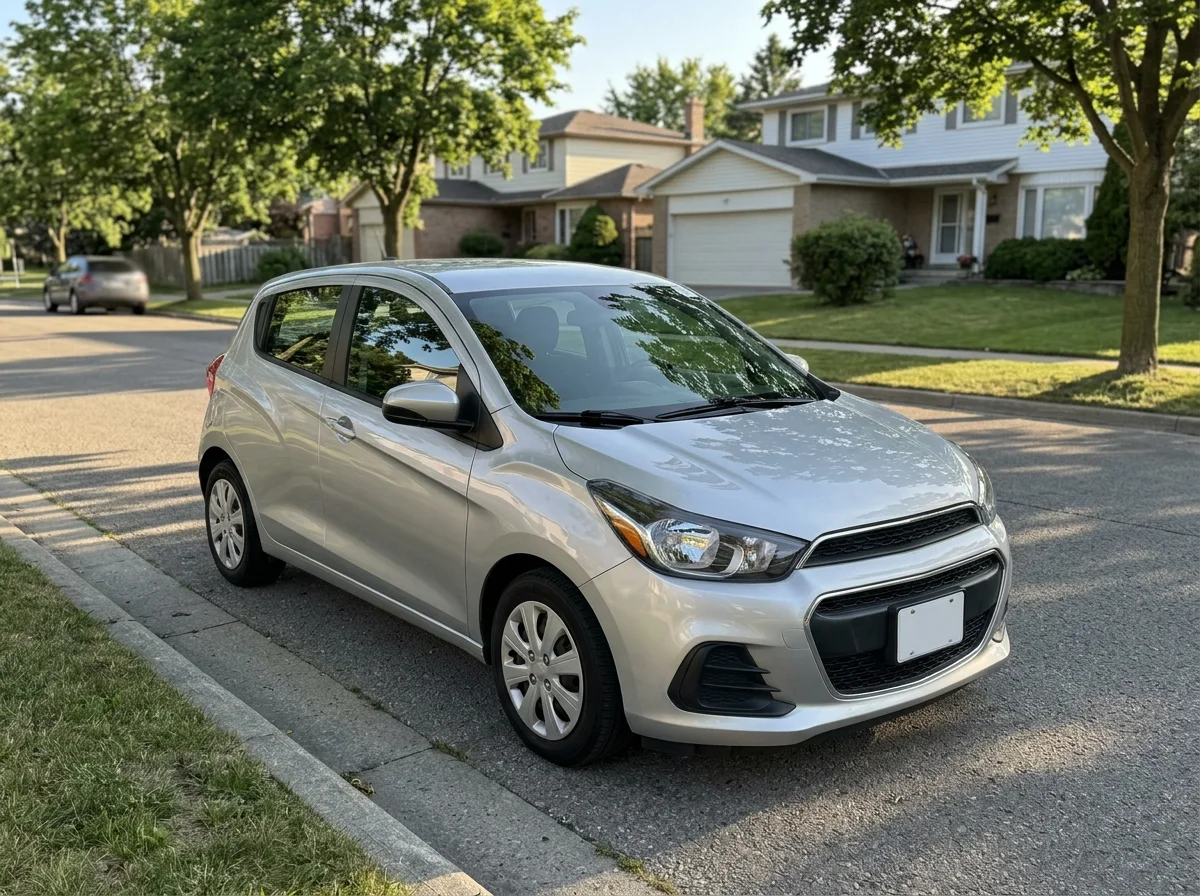
Recolor something in your own photo
Brush over it and type the color you want. 6 credits per edit with Nano Banana 2.1 at 1K, no watermark. New accounts get 18 free credits.
Change a color