How to colorize a photo
Upload the photo
A scan or a phone photo of the print. Crop out the album page and the scanner lid so the model only sees the picture.
Generate
The prompt adds color and nothing else. A 1K result takes about 15 seconds with Nano Banana 2.1 and costs 6 credits.
Check the faces and the colors
Put it next to the original. If you know a color, like a red car or a yellow dress, write it into the prompt and run it again. Downloads have no watermark.
The same five photos, colorized by two models
We made five black-and-white photos with AI (none of the people are real) and gave each one to Nano Banana 2.1 and GPT Image 2.6 on YepShot, with the prompt below, at 1K. Each result is the first and only run. Click an image to see it full size.
Prompt: Colorize this black-and-white photo with natural, period-accurate colors: realistic skin tones, clothing and surroundings. Keep every detail, the grain structure and the composition exactly as they are; only add color. Avoid oversaturated or uniform tints.
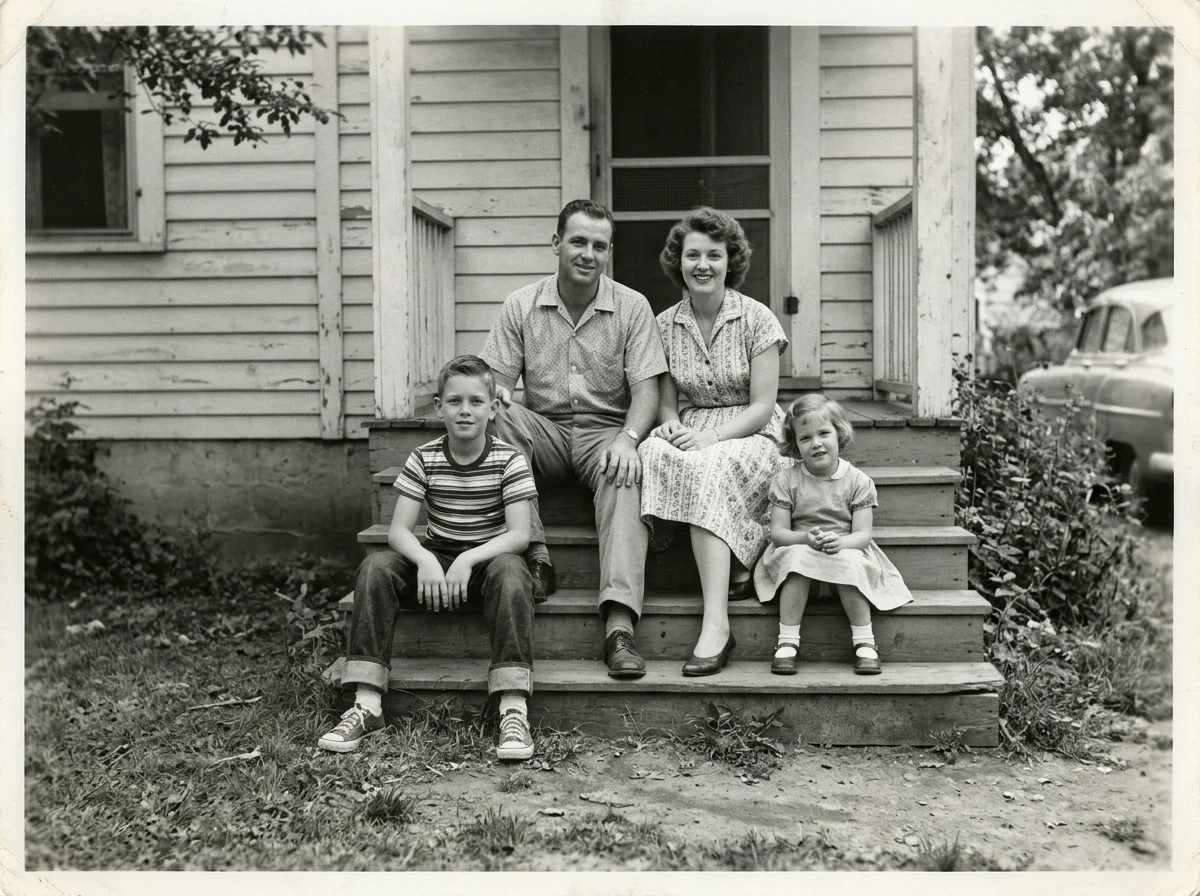
Original
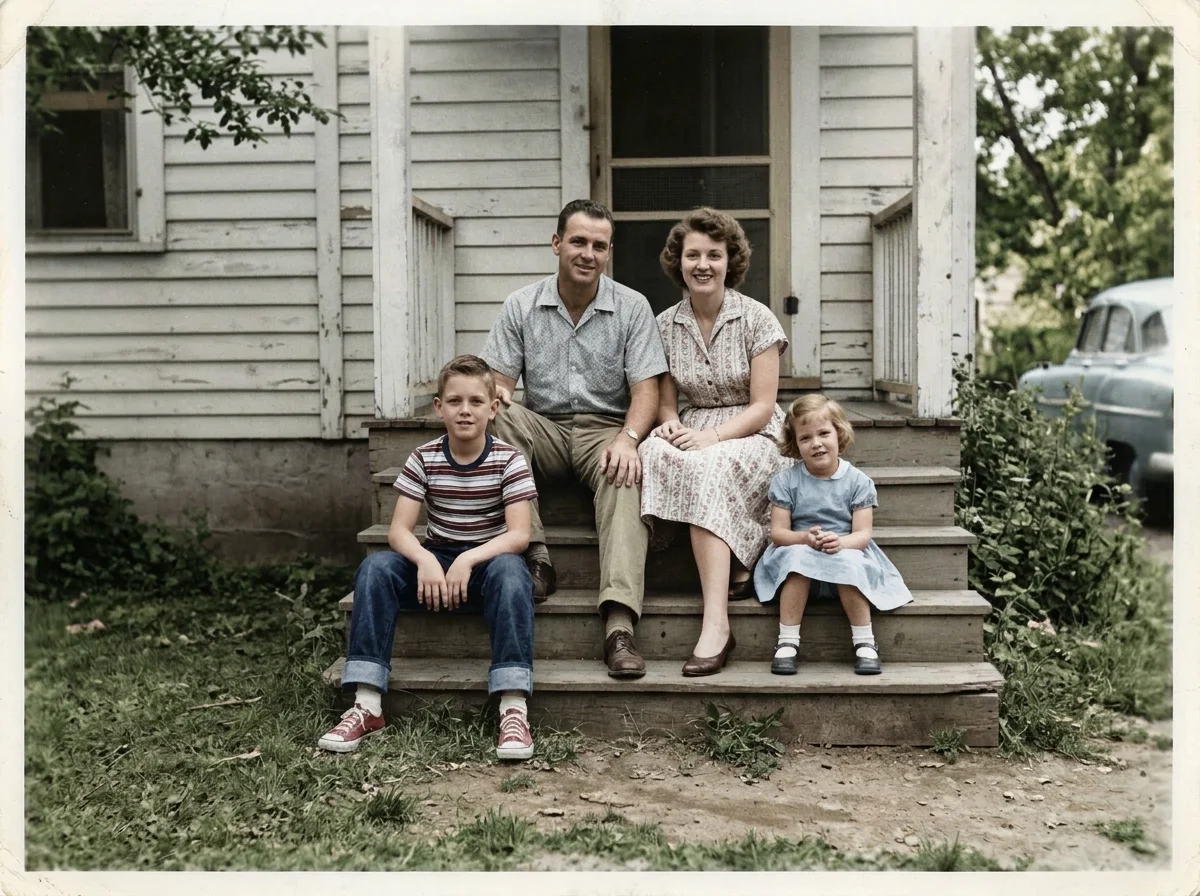
Nano Banana 2.1
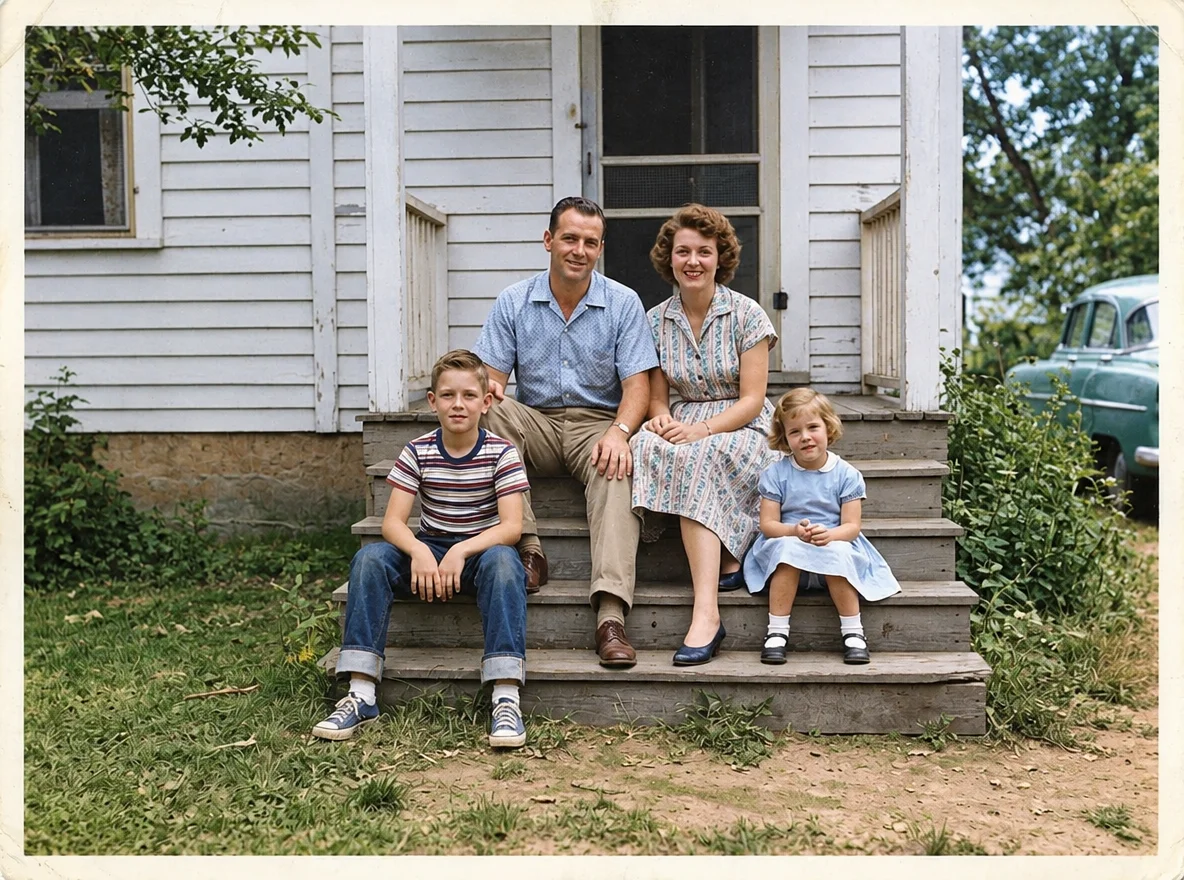
GPT Image 2.6
1950s family on a porch
Both models gave the father a pale blue shirt and the little girl a light blue dress, and both kept the cream border of the print. Nano Banana 2.1 stayed soft and slightly faded, like a print from the period. GPT Image 2.6 came out brighter and sharper, with greener grass and a teal car.
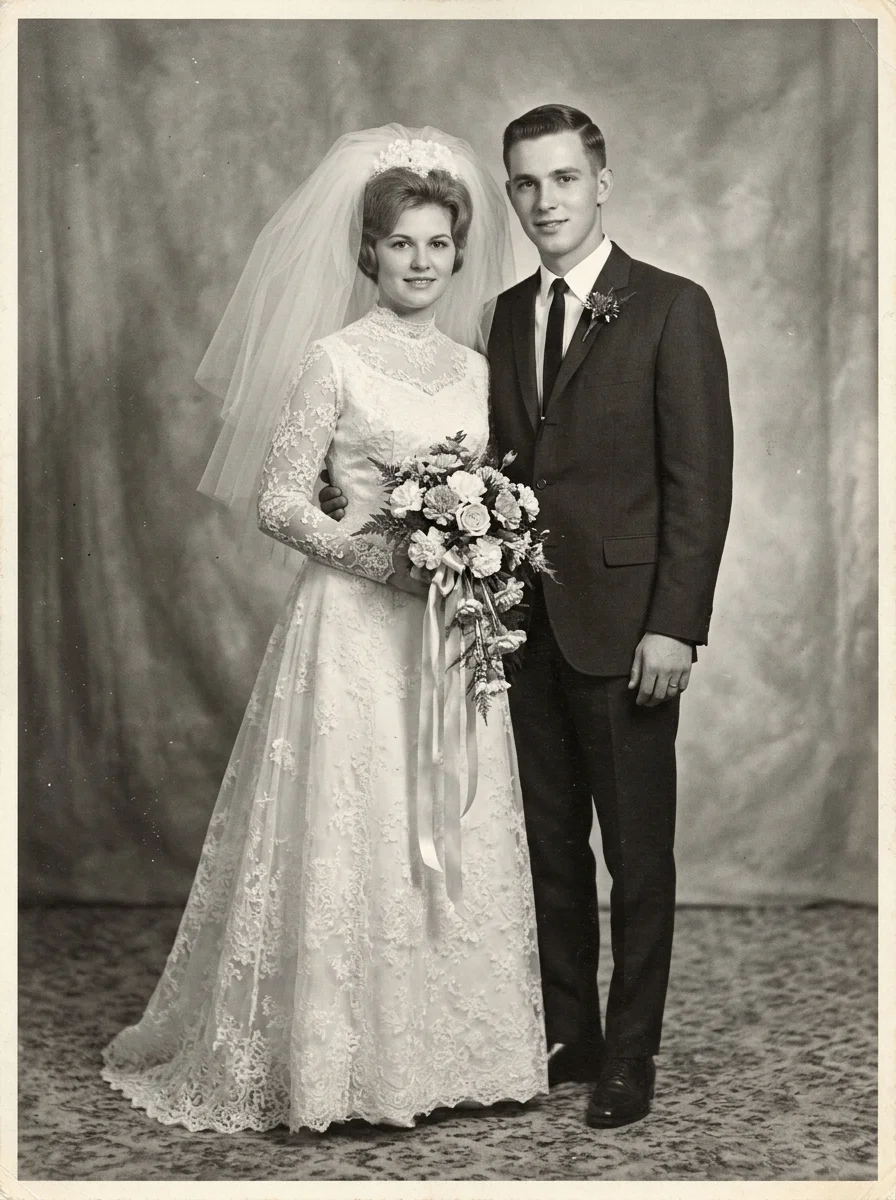
Original
Nano Banana 2.1
GPT Image 2.6
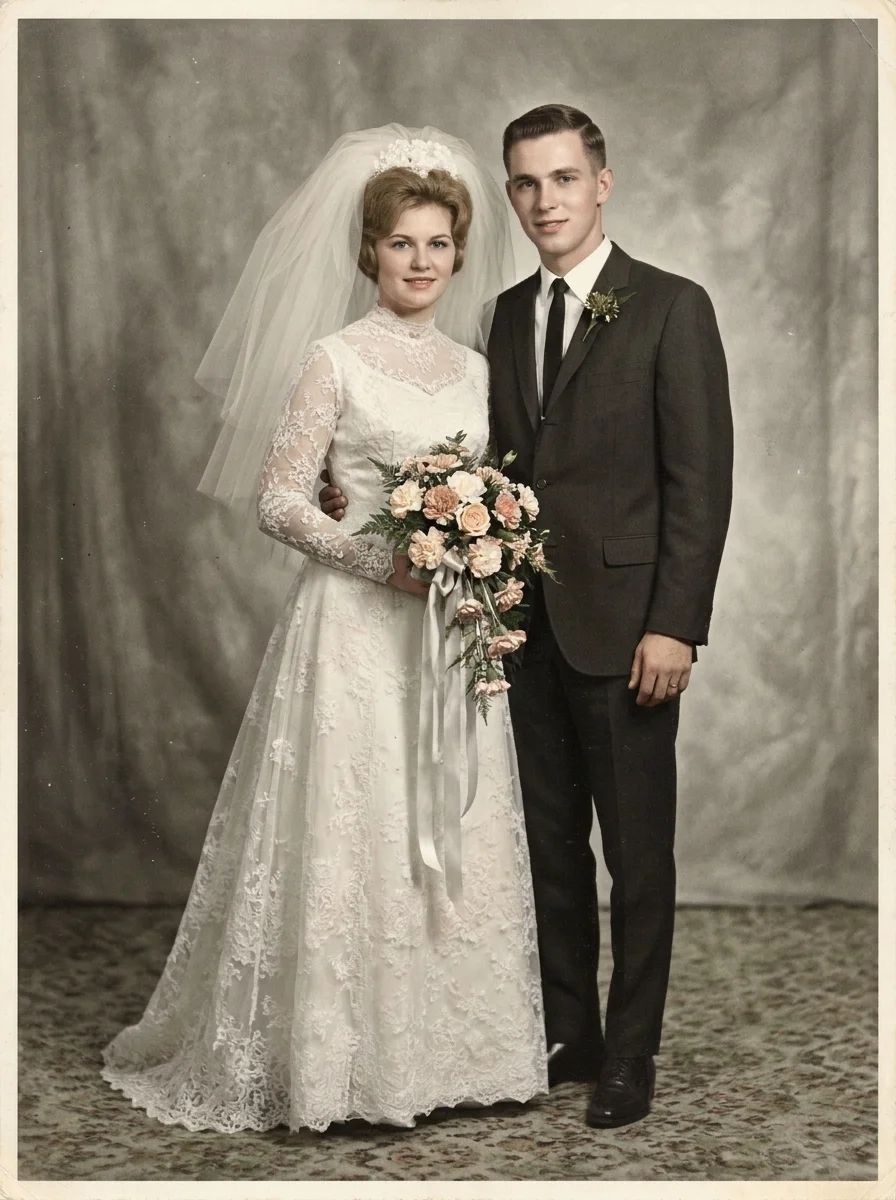
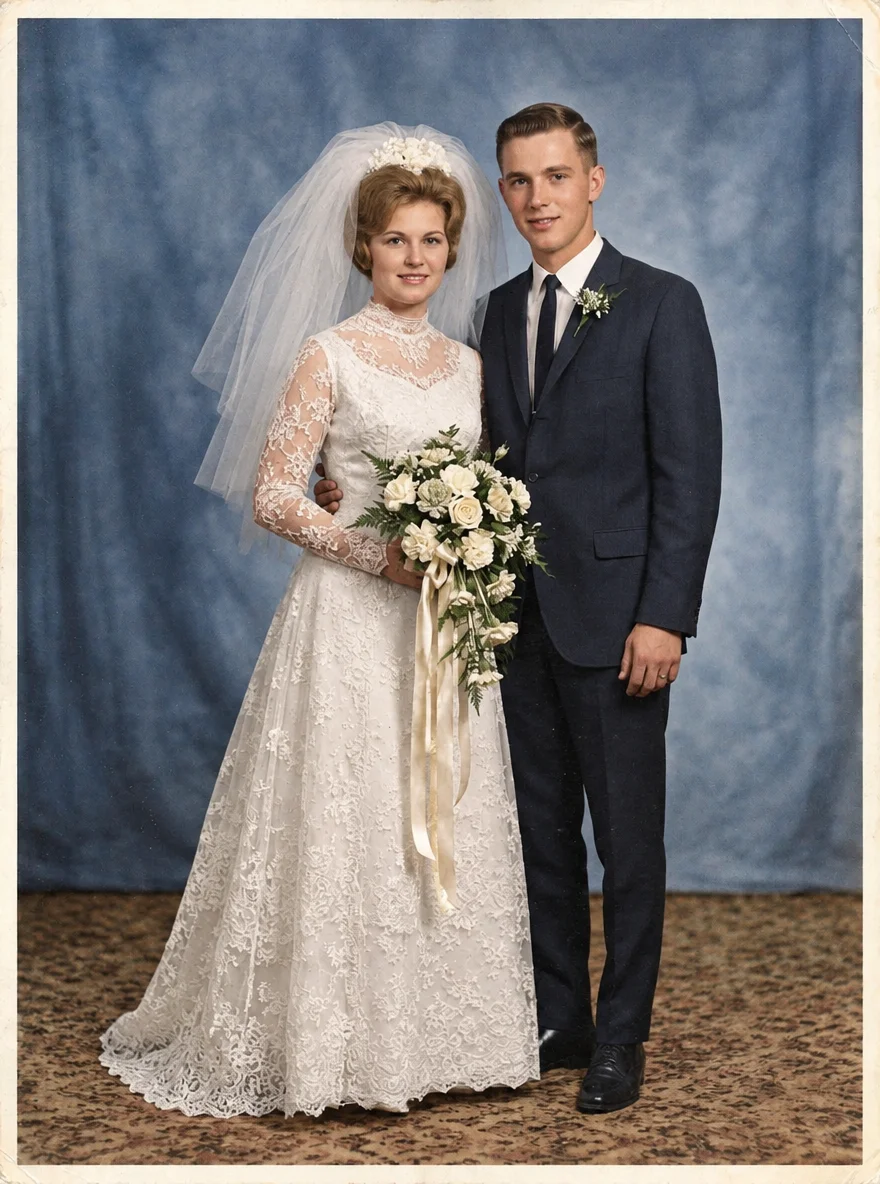
1960s wedding portrait
Both faces are unchanged in both results. Nano Banana 2.1 kept the gray studio backdrop and a charcoal suit. GPT Image 2.6 painted the backdrop blue and the suit navy, which looks good but is a guess about the studio, not just the people.
Original
Nano Banana 2.1
GPT Image 2.6
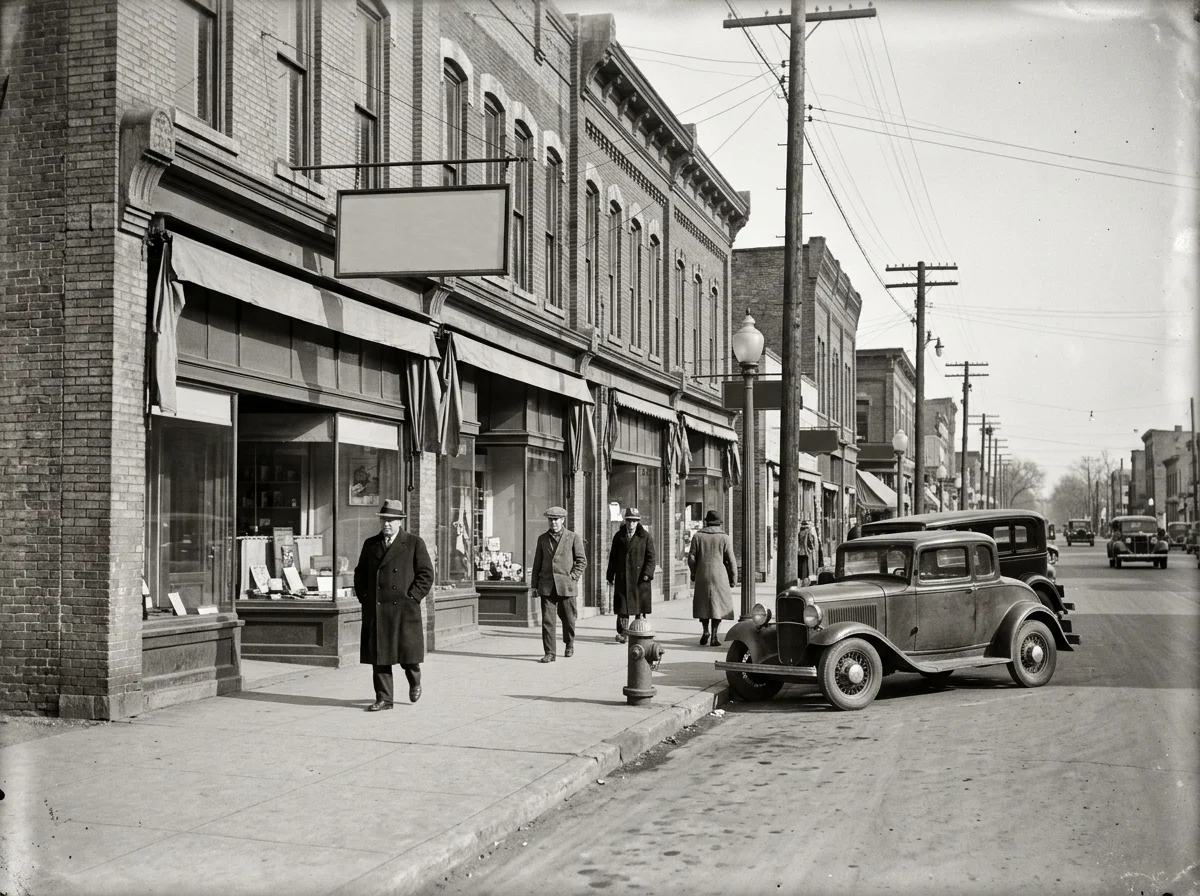
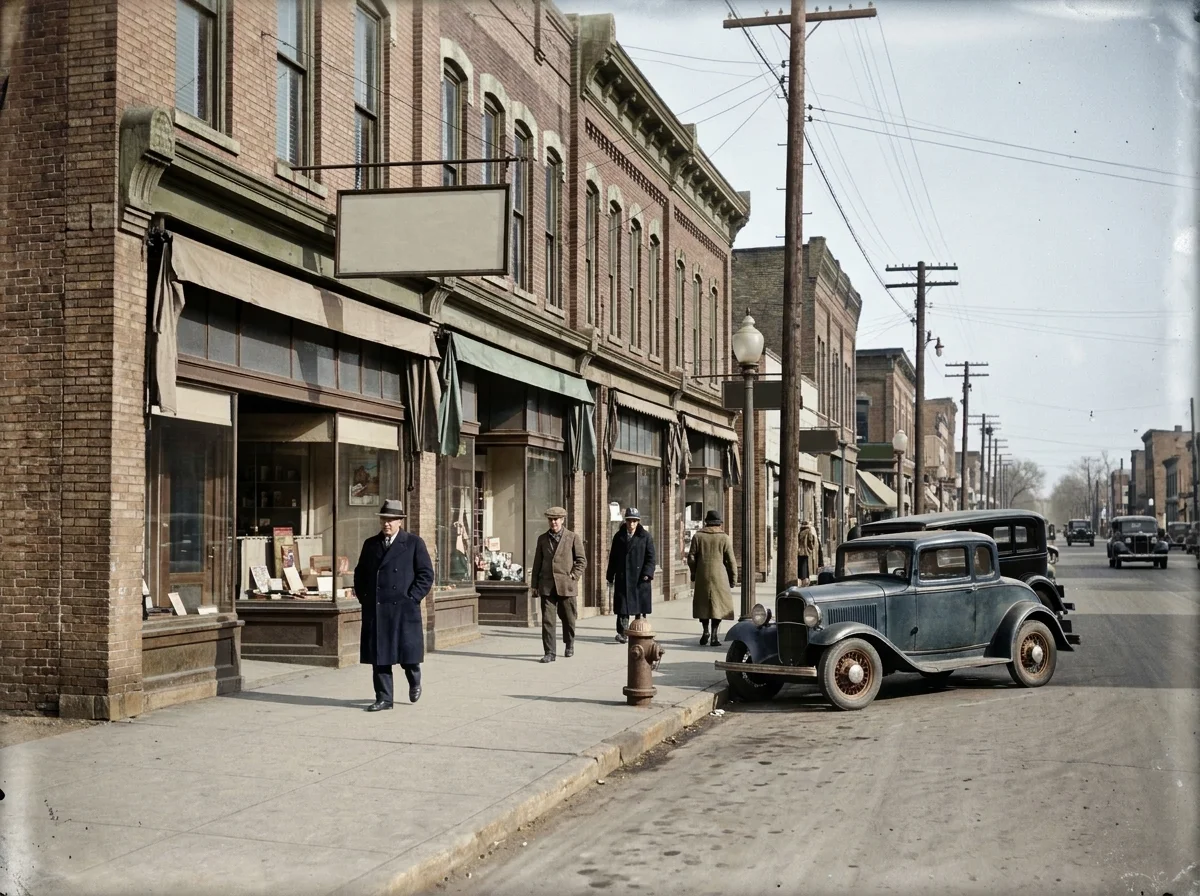
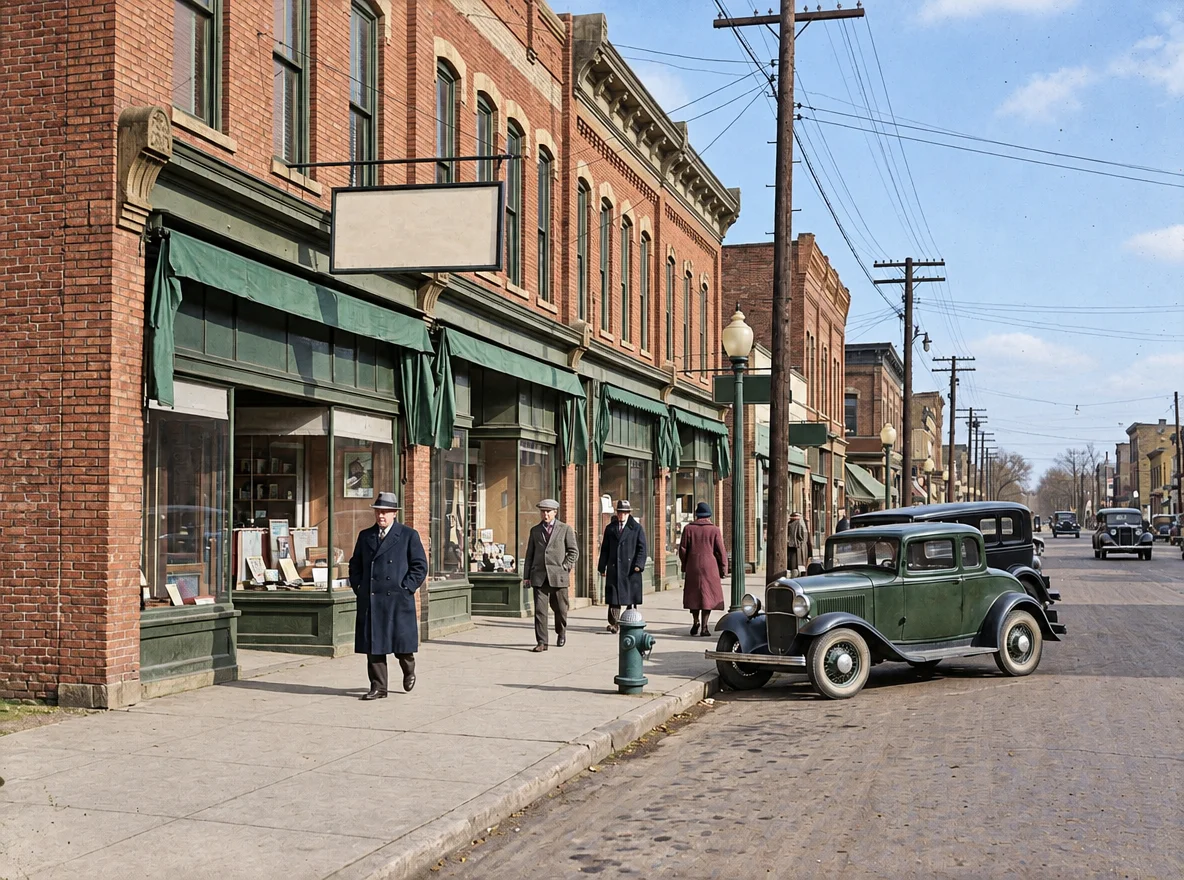
1930s town street
The sky in the original is blank white. Nano Banana 2.1 left it pale; GPT Image 2.6 drew a blue sky with clouds. Both made the brick red and the cars dark green or teal, and both left the empty sign above the shop blank.
Original
Nano Banana 2.1
GPT Image 2.6
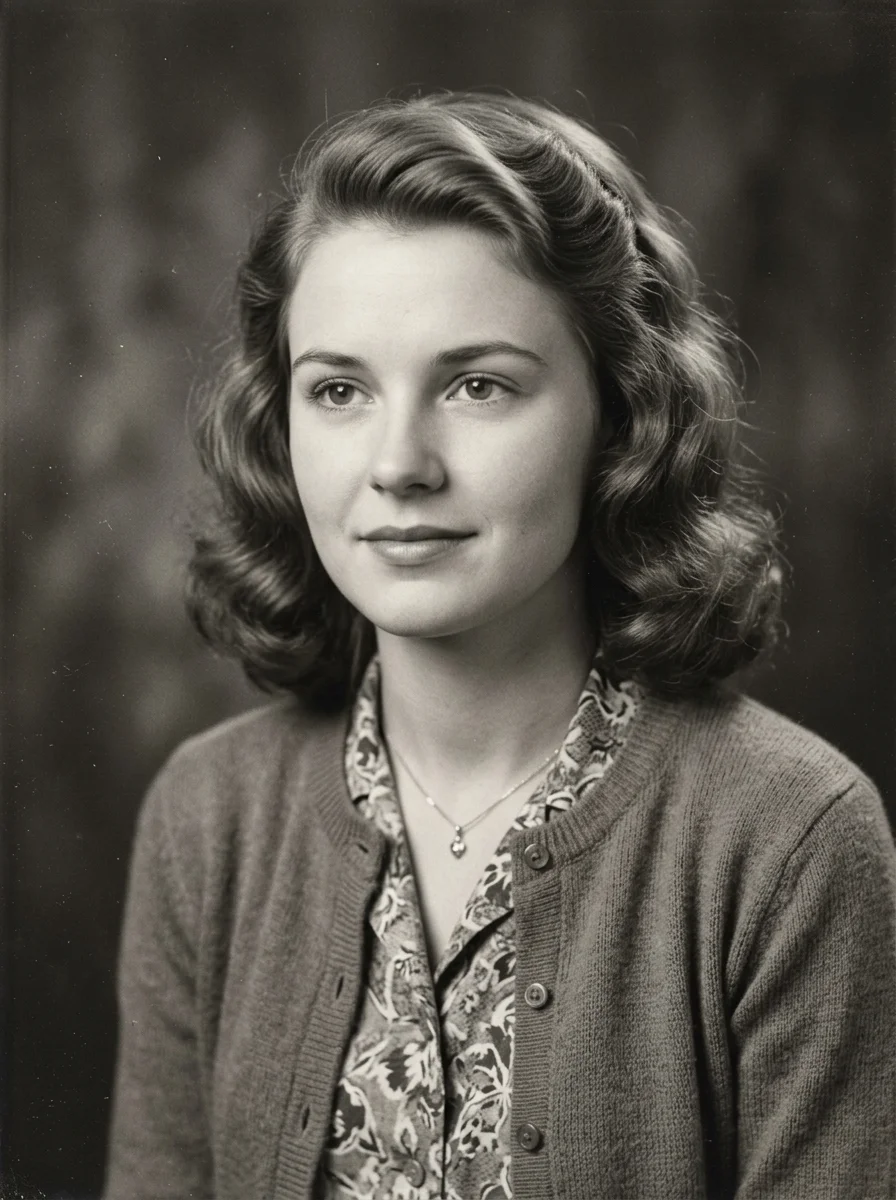
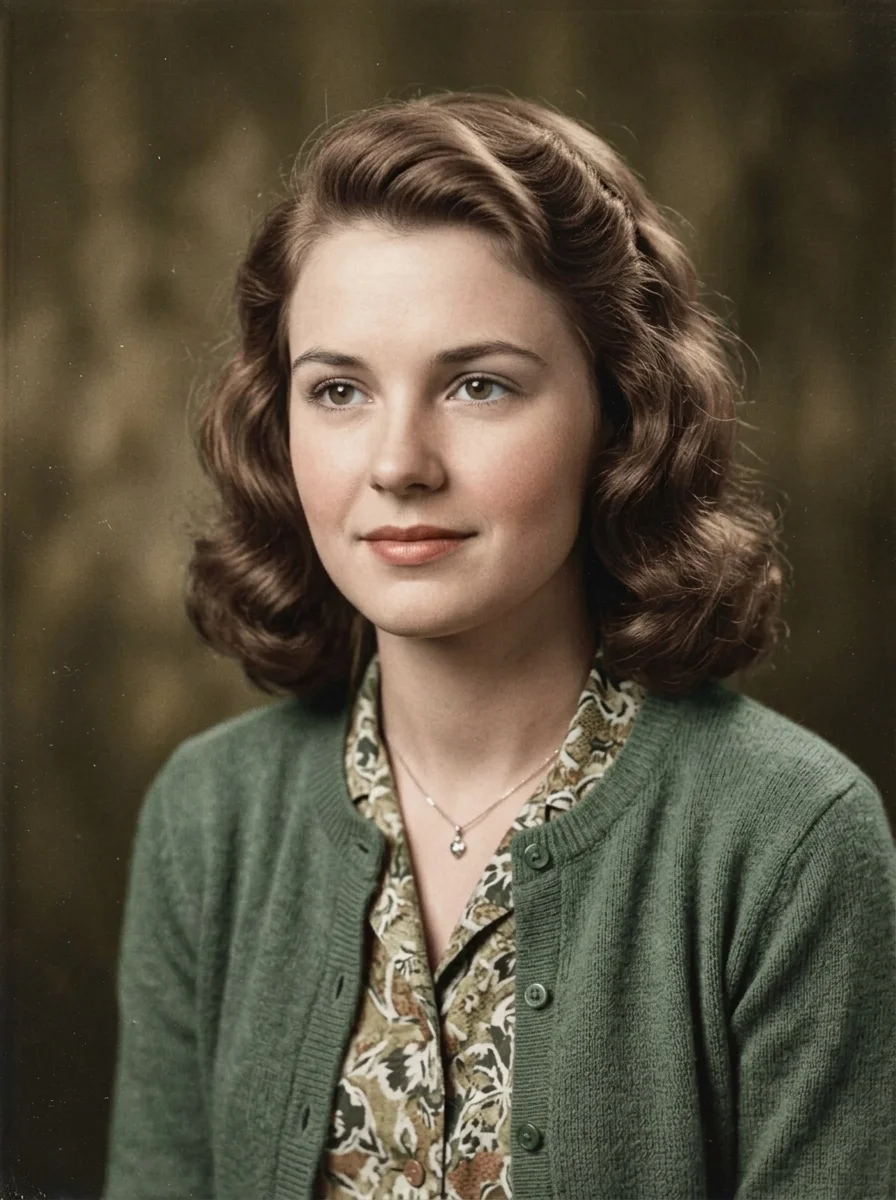
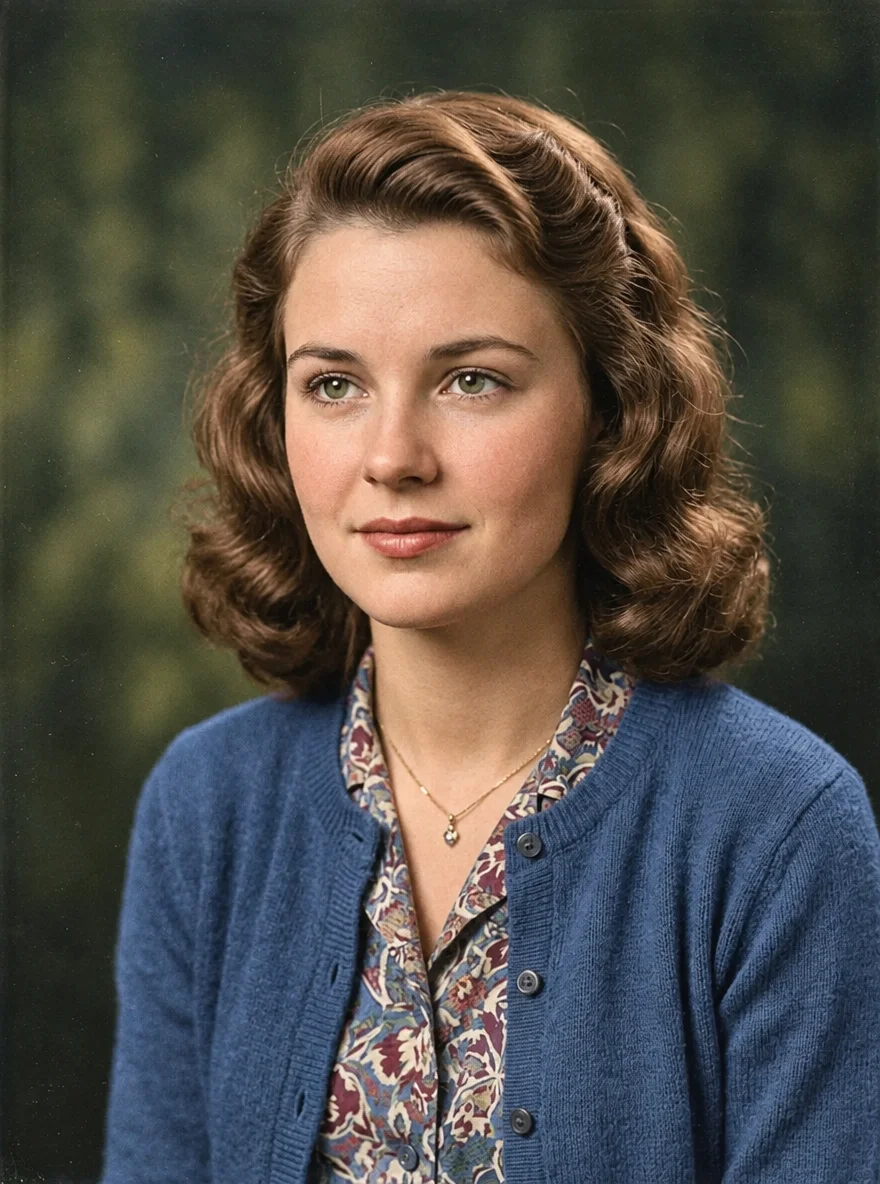
1940s studio portrait
This is where the two disagreed most: Nano Banana 2.1 gave her a green cardigan and brown eyes, GPT Image 2.6 a blue cardigan and green-gray eyes with smoother skin. Both are recognizably the same woman. Only someone who knew her can say which is right.
Original
Nano Banana 2.1
GPT Image 2.6
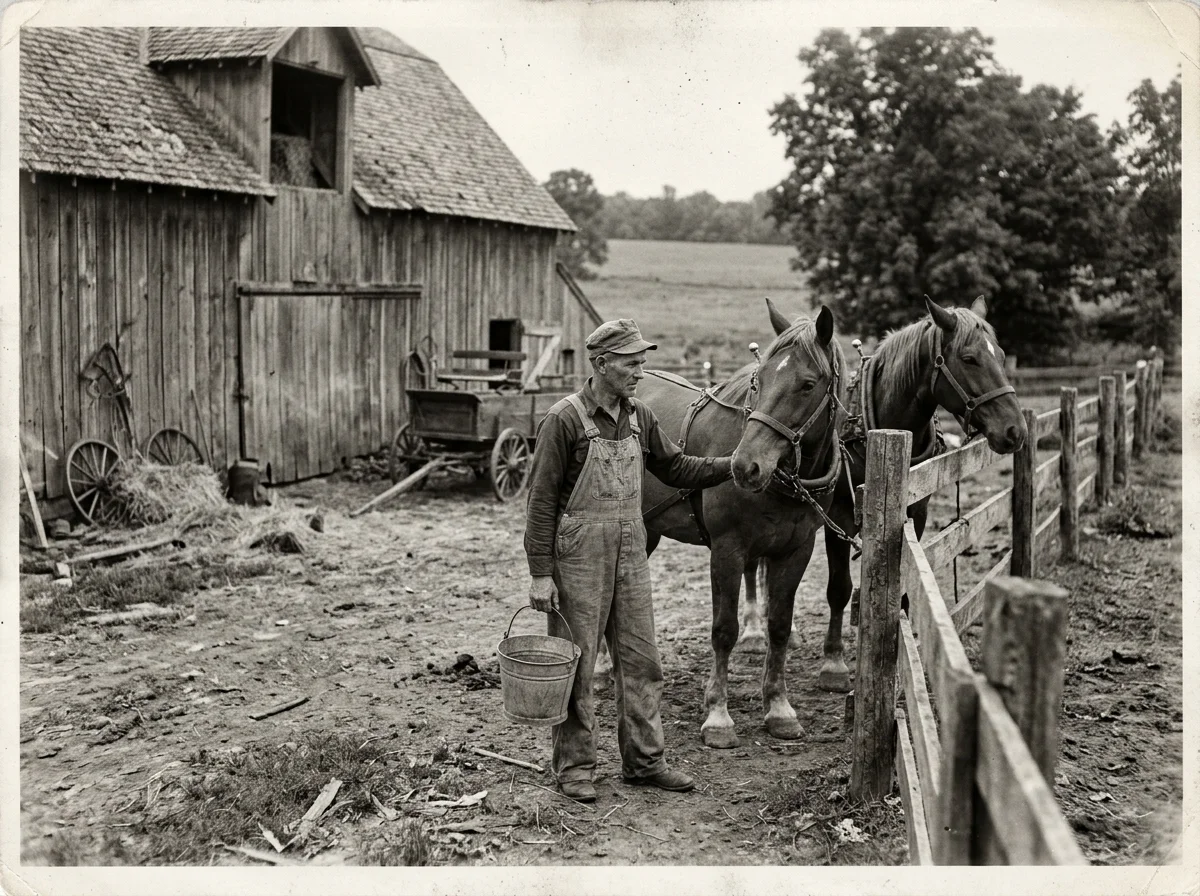
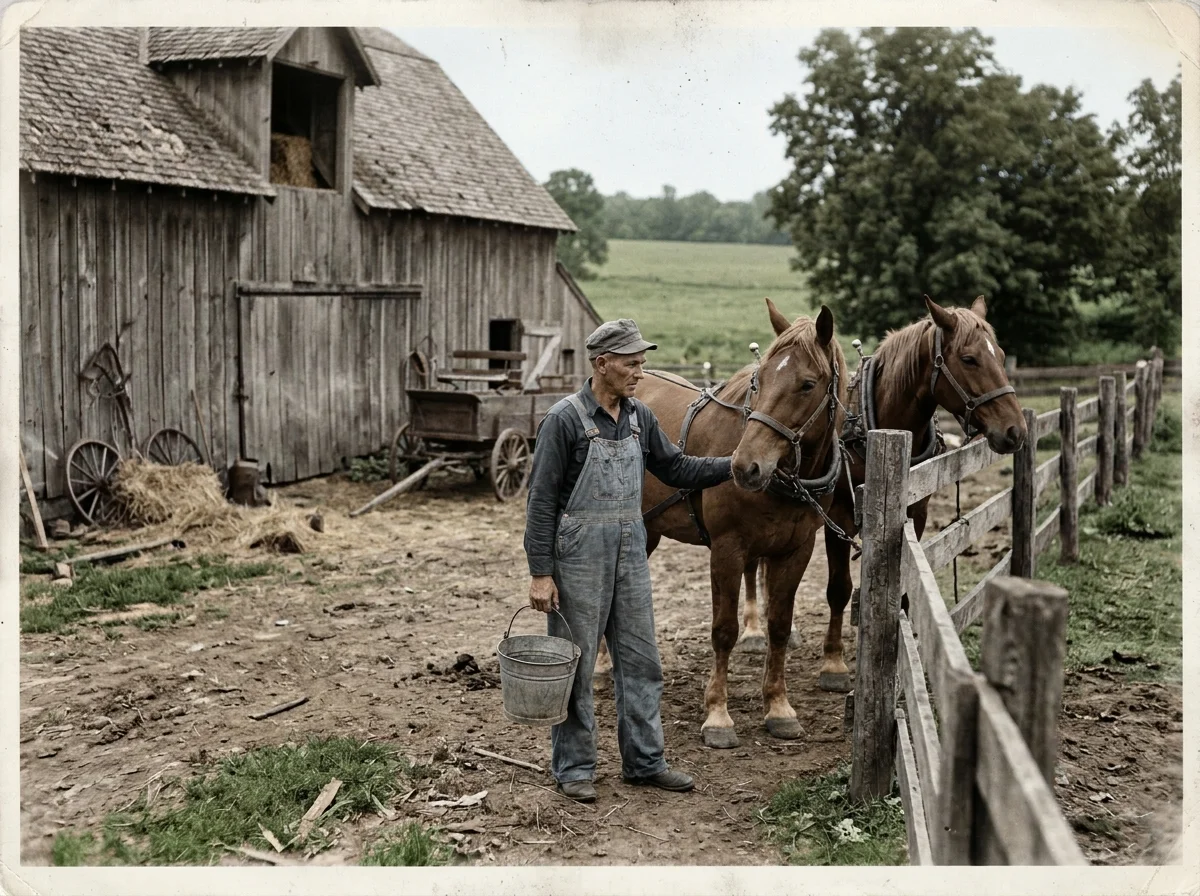
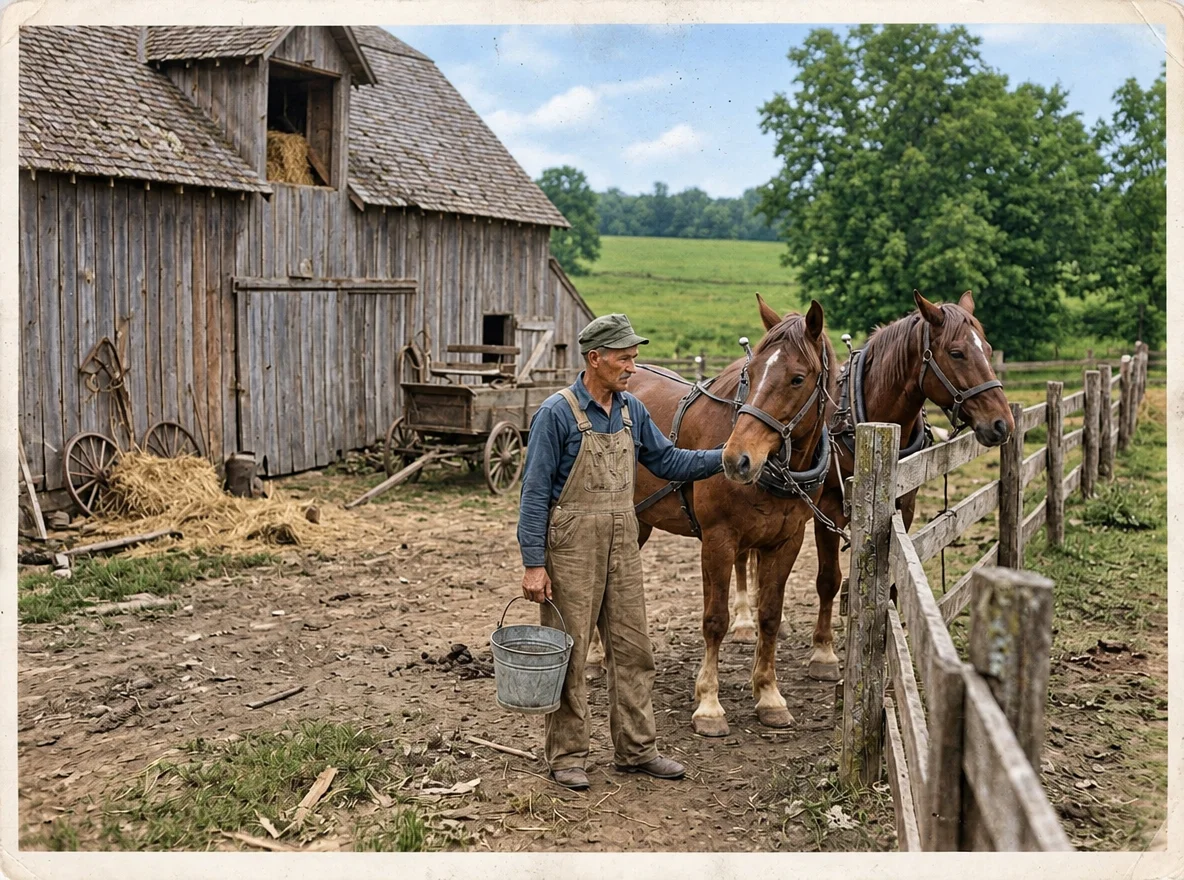
Farm with a barn and horses
Both made the horses chestnut and kept the weathered gray of the barn. GPT Image 2.6 again added a blue sky with clouds where the original sky is blank, and made the field a brighter green.
What we saw
- Faces stayed the same
- Every person in the five photos is recognizable in both models' results. GPT Image 2.6 smoothed the skin in the studio portrait; Nano Banana 2.1 kept the original texture.
- The colors are guesses
- A black-and-white photo doesn't record color, so each model picks what looks likely. They agreed on skin, brick and grass, and disagreed on clothes and eyes: green or blue cardigan, charcoal or navy suit, brown or green-gray eyes.
- How far each model went
- We turned every result back into black and white and compared it with the original. Nano Banana 2.1's results were 5 to 9 brightness levels away on average (out of 255), so it mostly just added color. GPT Image 2.6's were 12 to 19 levels away, because it also brightened the photos and repainted skies and backdrops.
- Invented skies
- In two of the three outdoor photos, GPT Image 2.6 replaced a blank white sky with a blue one with clouds. Nano Banana 2.1 kept the sky as pale as it was.
- Speed
- At 1K, Nano Banana 2.1 took 13 to 16 seconds per photo and GPT Image 2.6 took 19 to 34 seconds. Both cost the same.
Getting better colors
- Write down the colors you know
- Add a sentence to the prompt, for example "Her dress was dark red and the car was cream." The model follows it and guesses the rest.
- Repair damage first
- Tears, stains and heavy scratches are better fixed before you add color. Restore the photo first, then click Continue editing on the result and run the colorize prompt on it.
- Want it brighter?
- Nano Banana 2.1 keeps an old-photo look. If you want vivid, modern-looking color, switch to GPT Image 2.6, and check the sky and background for things it added.
- Keep the original
- A colorized photo is a guess about the past. Keep the black-and-white scan alongside it, especially in a family archive.
Frequently asked questions
Is it free to colorize a photo?
New accounts get 18 free credits, and colorizing a photo at 1K costs 6 credits, so the free credits cover three photos. Results have no watermark.
Can ChatGPT colorize photos?
Yes. ChatGPT's image feature runs on GPT Image 2.6, the model in the right-hand column of our test. In our five photos it chose brighter colors than Nano Banana 2.1 and added blue skies to two outdoor shots. You can run both models here on your own photo and compare.
Can Gemini colorize photos?
Yes. Nano Banana 2.1 is Google's image model, which the Gemini app also uses. It's the middle column of our test and the model preselected in the editor above, and it stayed the closest to the original photo of the two.
Are the colors accurate?
They're plausible, not recovered. The two models agreed on skin, brick and grass and disagreed on clothes and eyes. If you know a color, put it in the prompt.
Will it change the faces?
Not in our tests: every face in the five photos stayed recognizable in both models. GPT Image 2.6 smoothed skin in one portrait. Compare faces with the original before you share the result.
My photo is torn or stained. Can it colorize it?
It will add color, but the damage stays unless you ask for a repair. Restore the photo first, then colorize the restored result.
What size is the colorized photo?
A 1K result of a 4:3 photo is 1,200 × 896 pixels with Nano Banana 2.1, about 4 × 3 inches at 300 dpi. For a bigger print, generate at 2K for 7 credits.
Which model should I use?
Nano Banana 2.1 if you want the photo to still look like its era; GPT Image 2.6 if you want bright, modern color and don't mind it repainting the sky or backdrop. Both cost 6 credits at 1K.
Restore a damaged photoThe colorize prompt in our prompt libraryHow we handle your photos
Colorize your own black-and-white photo
The prompt is already filled in. 6 credits per photo with Nano Banana 2.1 at 1K, no watermark. New accounts get 18 free credits.
Colorize my photo