How to remove text from a photo
Upload and brush
Brush over the text, a little past the edges of the letters. If there are several pieces of text, brush only the ones you want gone.
Generate
The prompt removes the text in the brushed area and rebuilds what was behind it. With Nano Banana 2.1 that took 11 to 13 seconds and costs 6 credits at 1K.
Check the patch
Zoom in where the text was. If a faint letter or a smudge is left, click Continue editing and brush that spot again. Downloads have no watermark.
Five photos, two models
We made five photos with text on them using AI: a travel caption, a film date stamp, a sale banner, a painted shop sign and meme captions. The brand and shop names are made up. Each one was brushed and given to Nano Banana 2.1 and GPT Image 2.6 on YepShot with the prompt shown, at 1K, and each result is the first and only run. Click an image to see it full size.
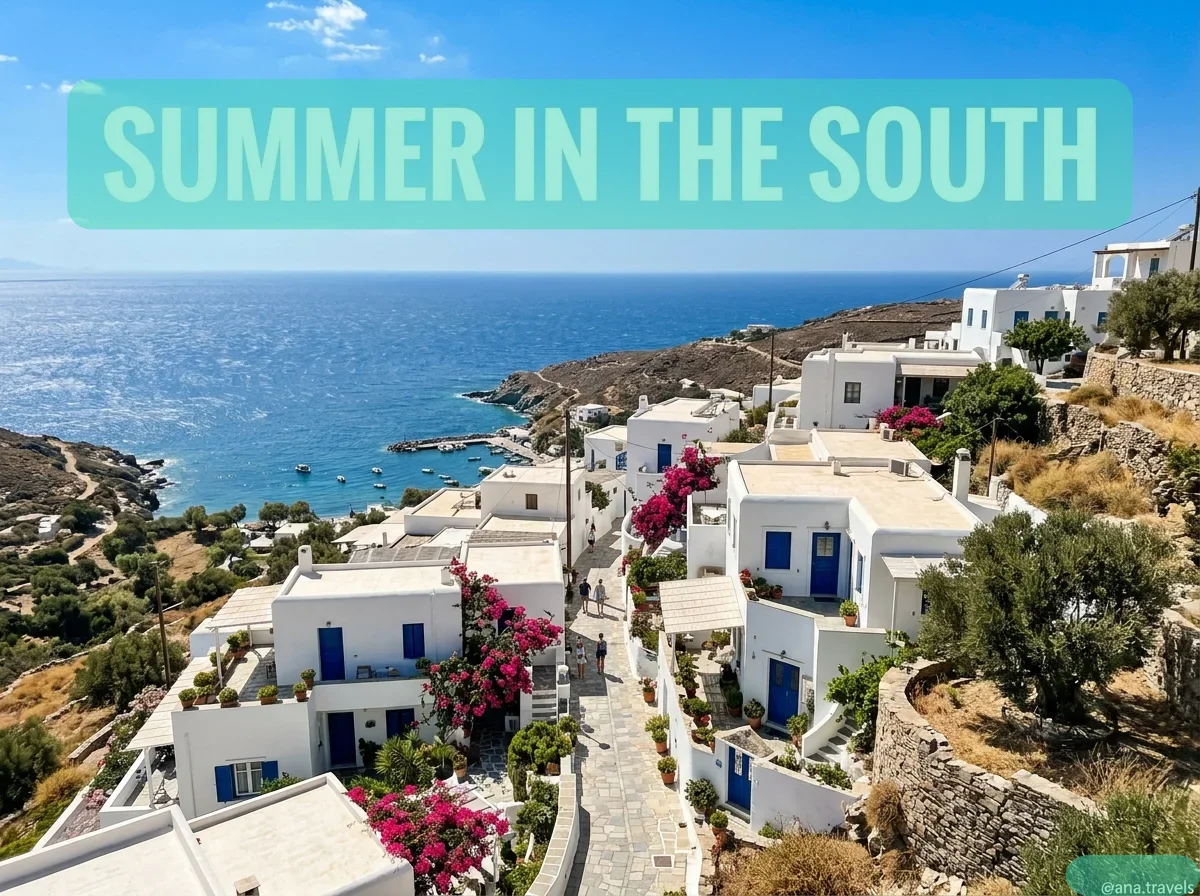
Original, brushed area in green
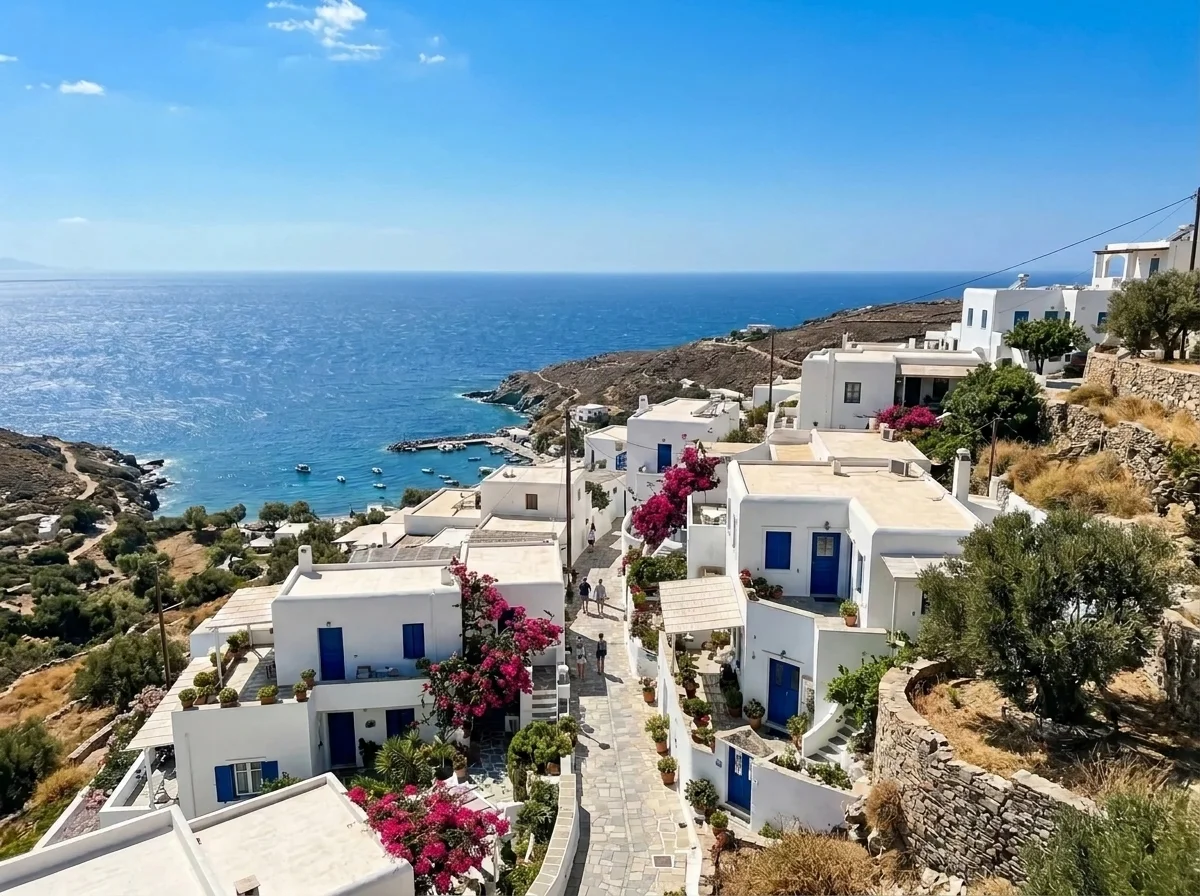
Nano Banana 2.1
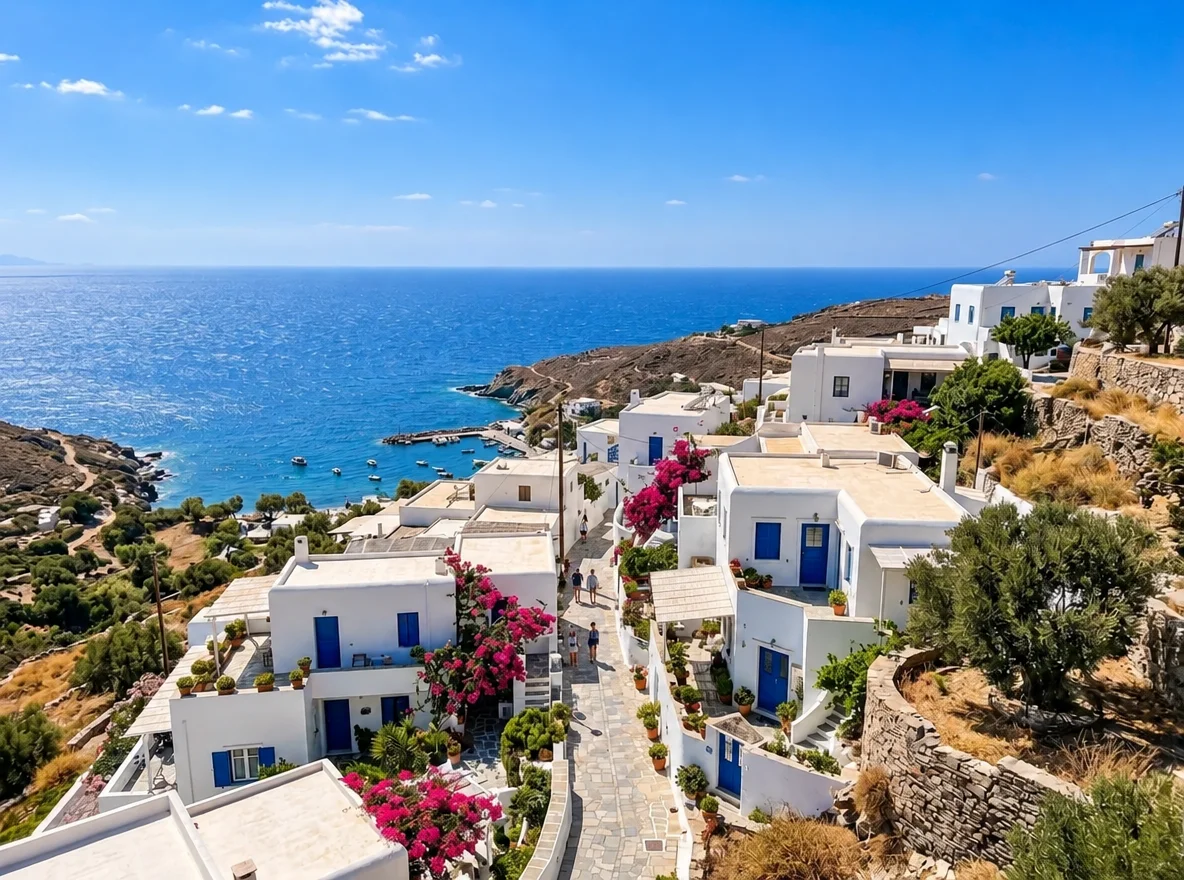
GPT Image 2.6
Caption on a travel photo
Prompt: Remove all the text in the marked area and fill it with what would naturally be behind it, matching the surrounding sky, texture and lighting. Keep everything outside the marked area unchanged.
Both removed the headline and the small handle in the corner and filled the space with sky and the stone wall that was behind it. Nothing in the village moved.
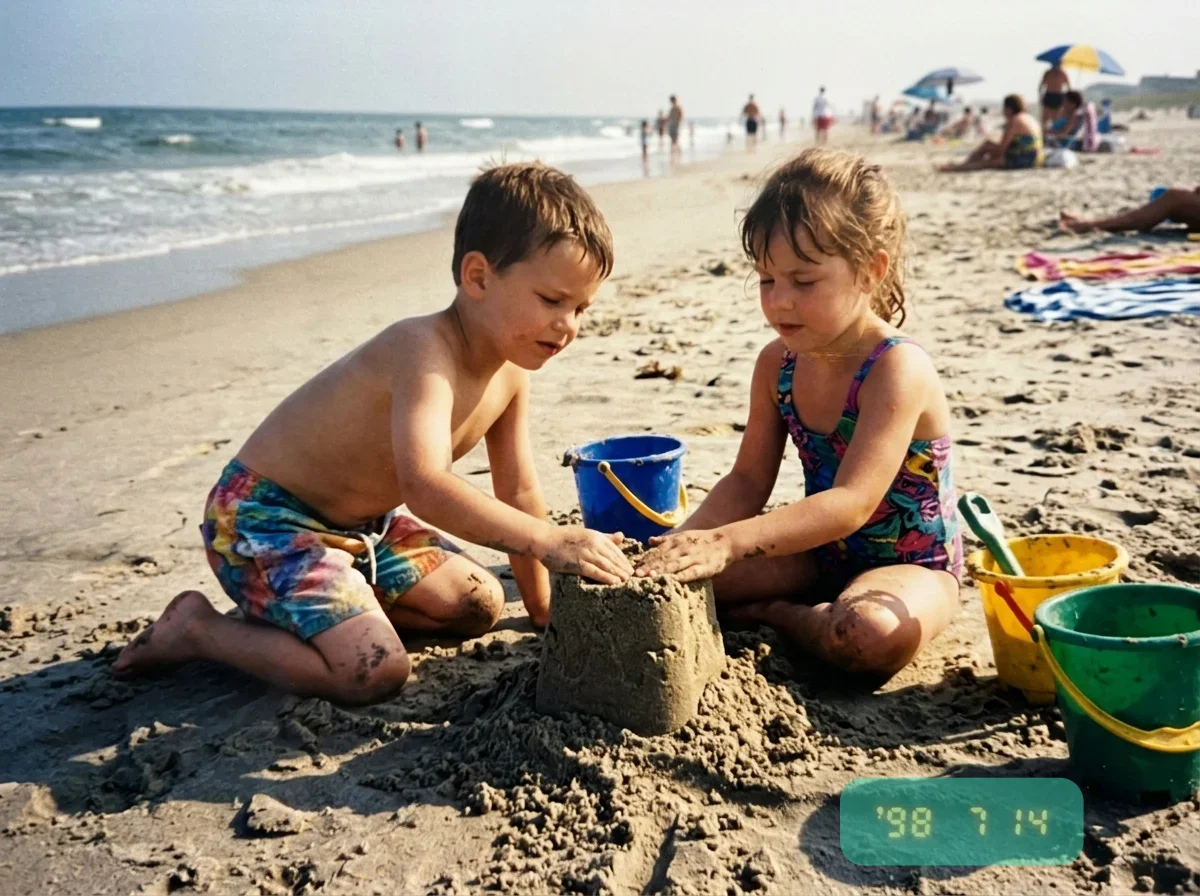
Original, brushed area in green
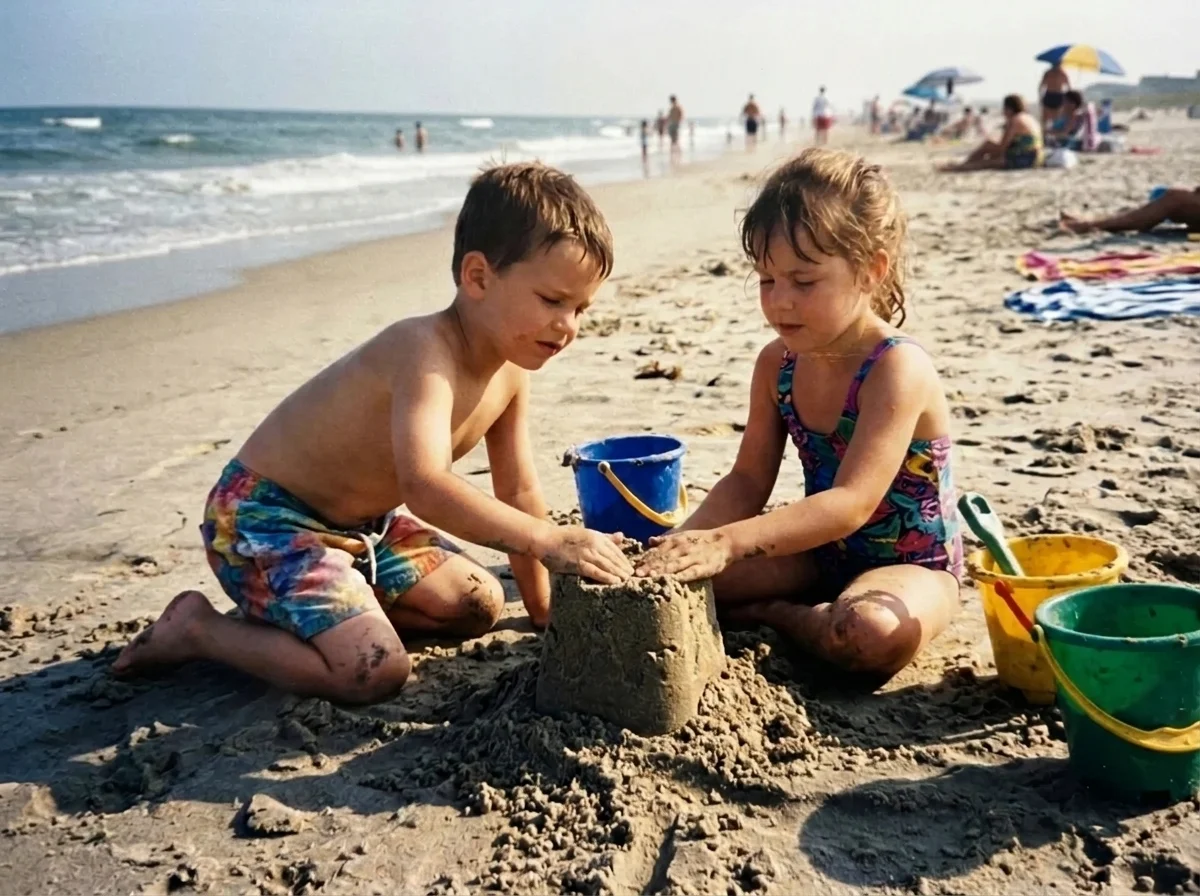
Nano Banana 2.1
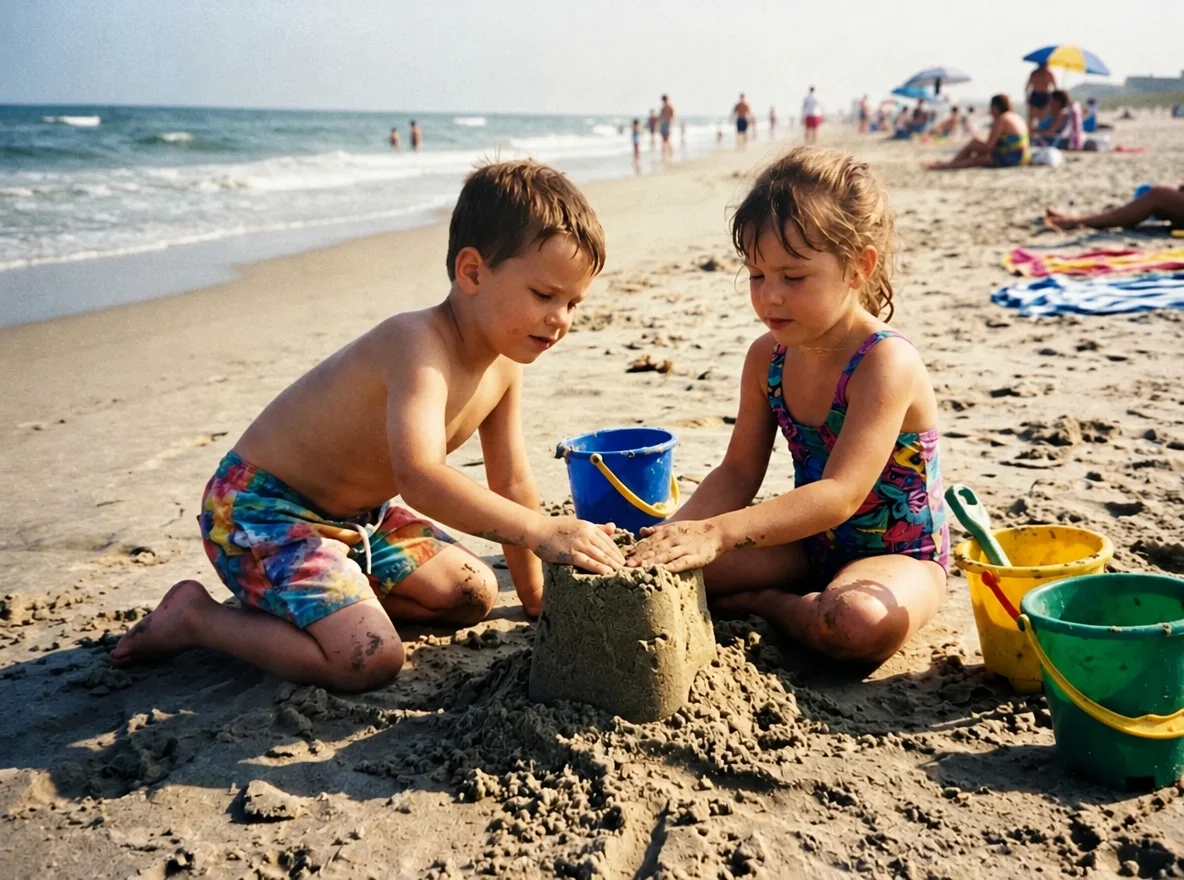
GPT Image 2.6
Date stamp on a film photo
Prompt: Remove the date stamp in the marked area and fill it with what would naturally be behind it, matching the surrounding sand, grain and lighting. Keep everything outside the marked area unchanged.
Both removed the orange digits cleanly. The stamp sat in a shadow on the sand: Nano Banana 2.1 kept the shadow's shape, GPT Image 2.6 redrew that patch of sand.
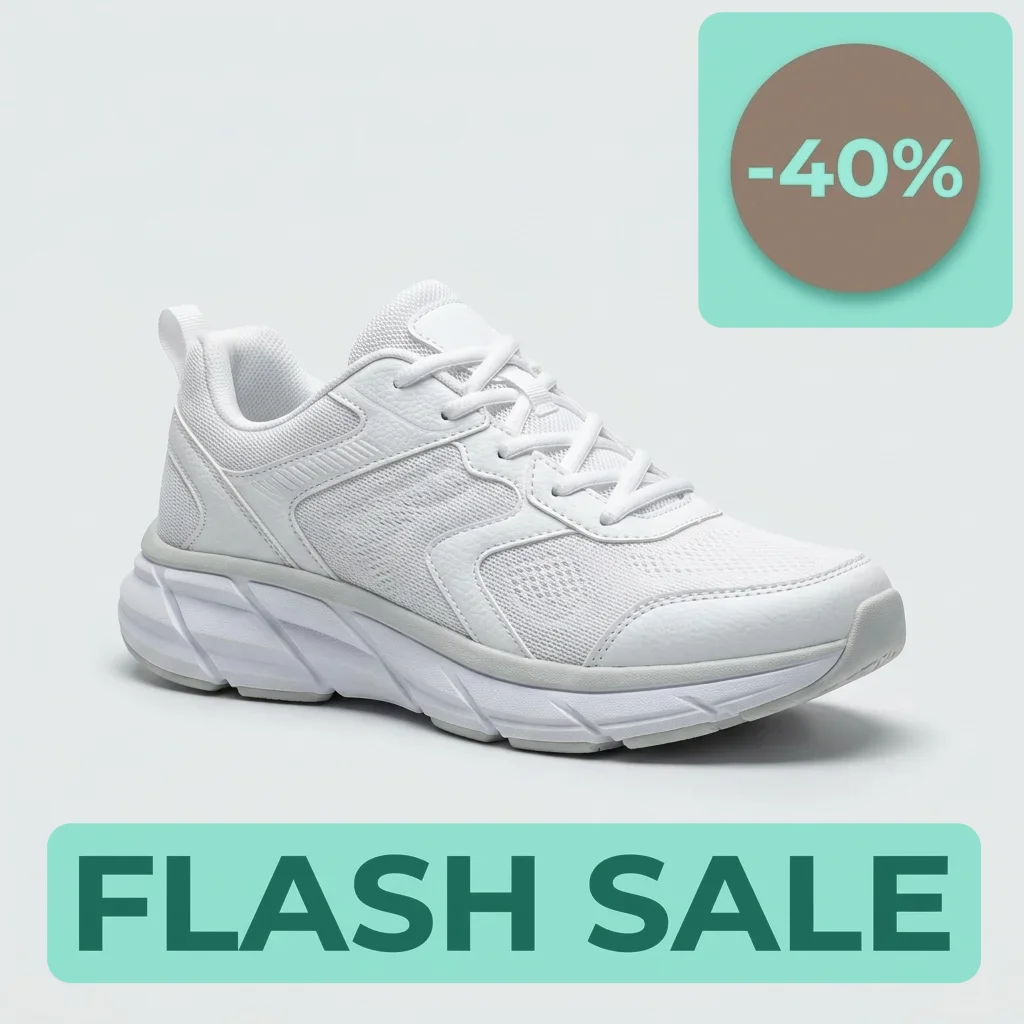
Original, brushed area in green
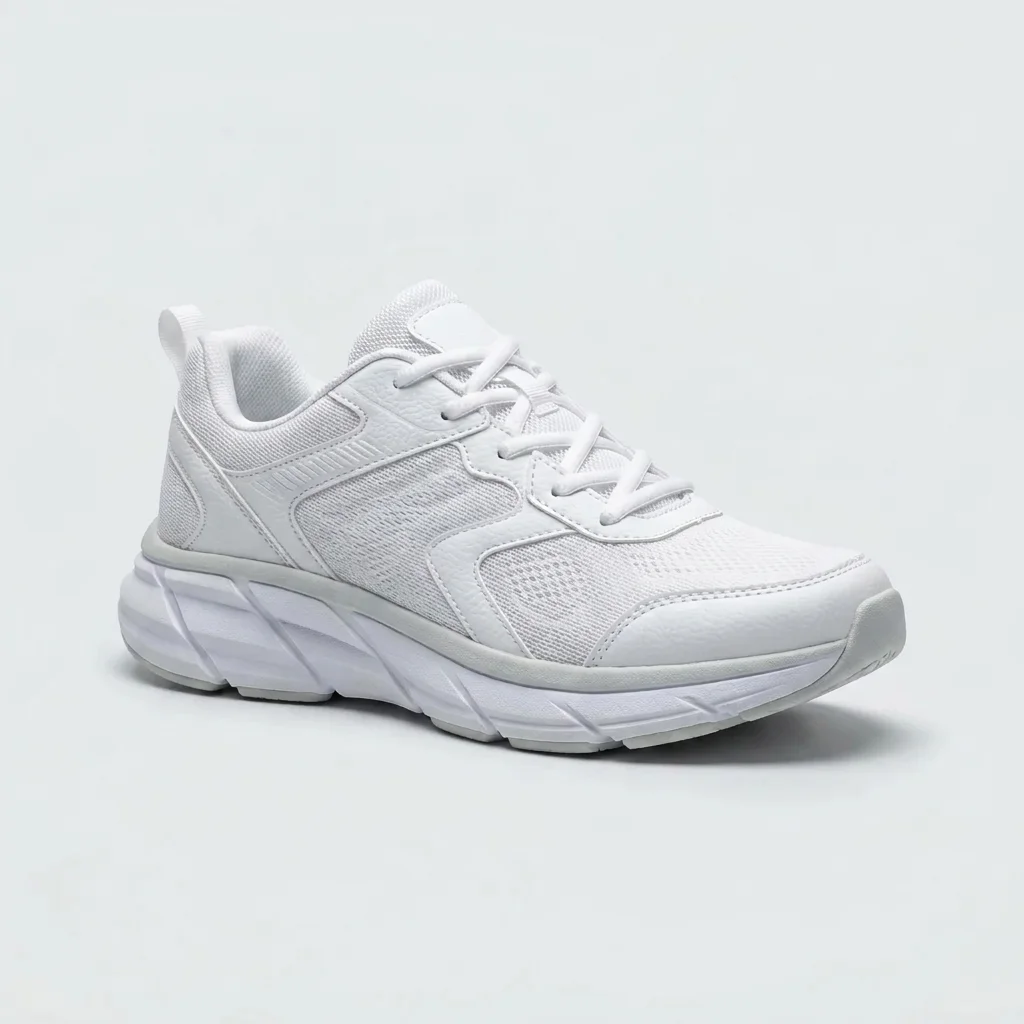
Nano Banana 2.1
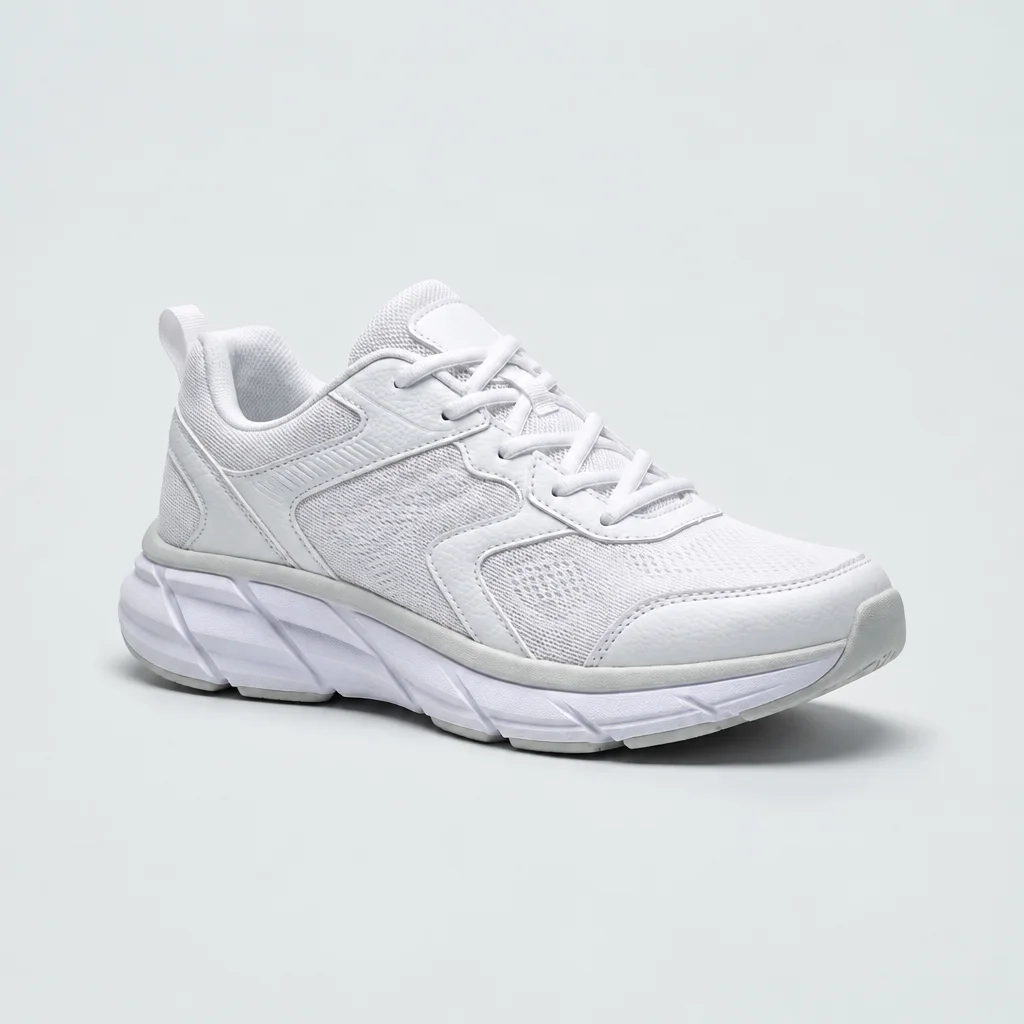
GPT Image 2.6
Sale text on a product photo
Prompt: Remove the text and the badge in the marked area and fill it with the plain studio background, matching its color, gradient and shadow. Keep the shoe and everything outside the marked area unchanged.
Both removed the badge and the banner and left an even studio background, with the shoe and its shadow untouched. This is the edit a shop needs to reuse a sale photo after the sale.
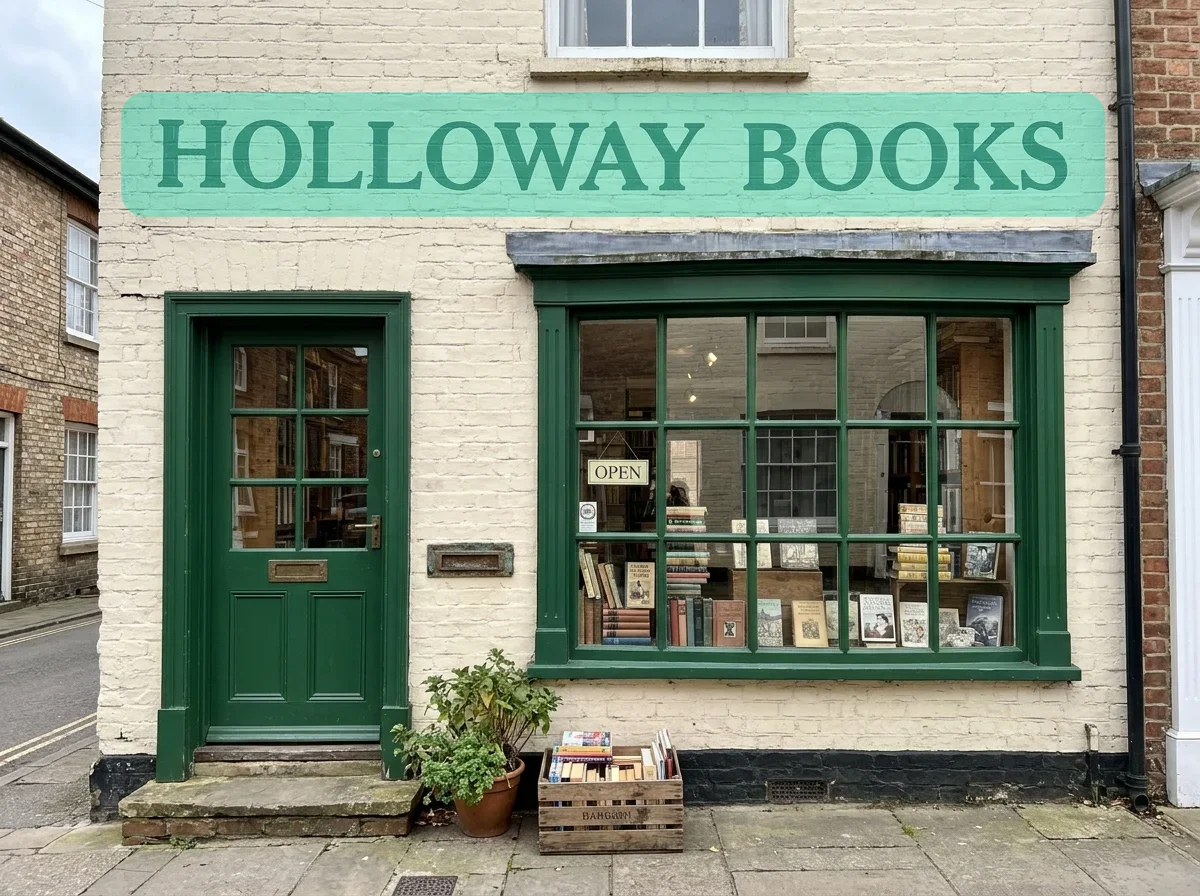
Original, brushed area in green
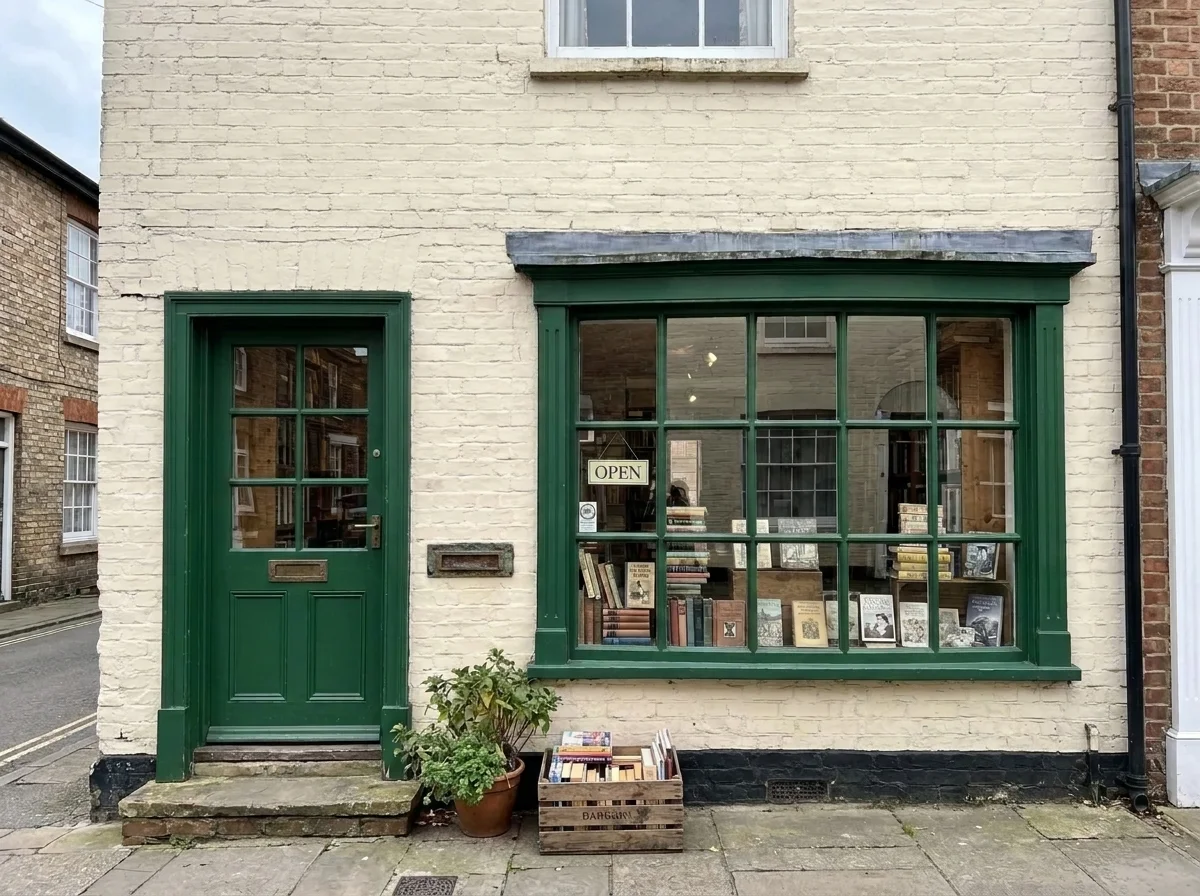
Nano Banana 2.1
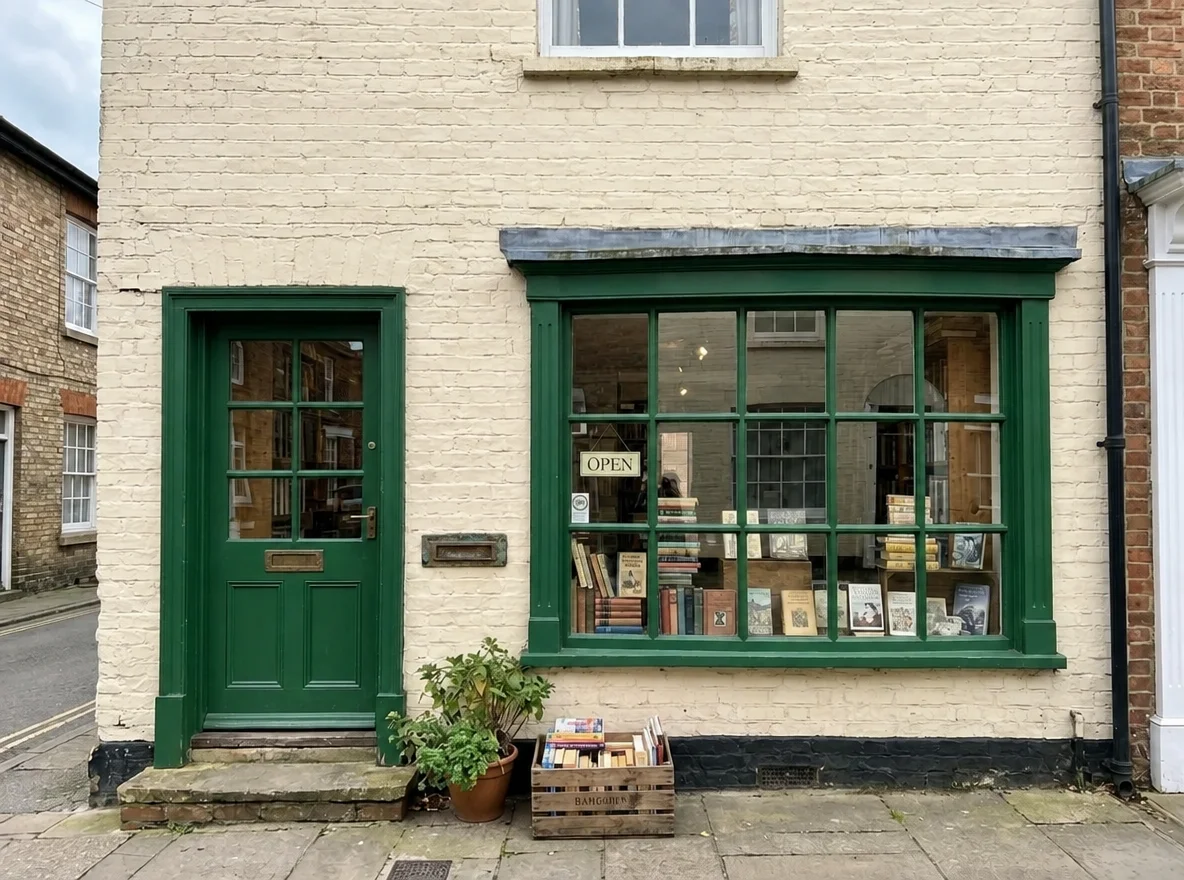
GPT Image 2.6
Painted sign on a wall
Prompt: Remove the painted lettering in the marked area and fill it with the cream-painted brick wall, continuing the brick pattern, paint texture and lighting. Keep everything outside the marked area unchanged.
Both continued the cream-painted brick across the space where the letters were. The windows, door and the small sign next to the door are unchanged.
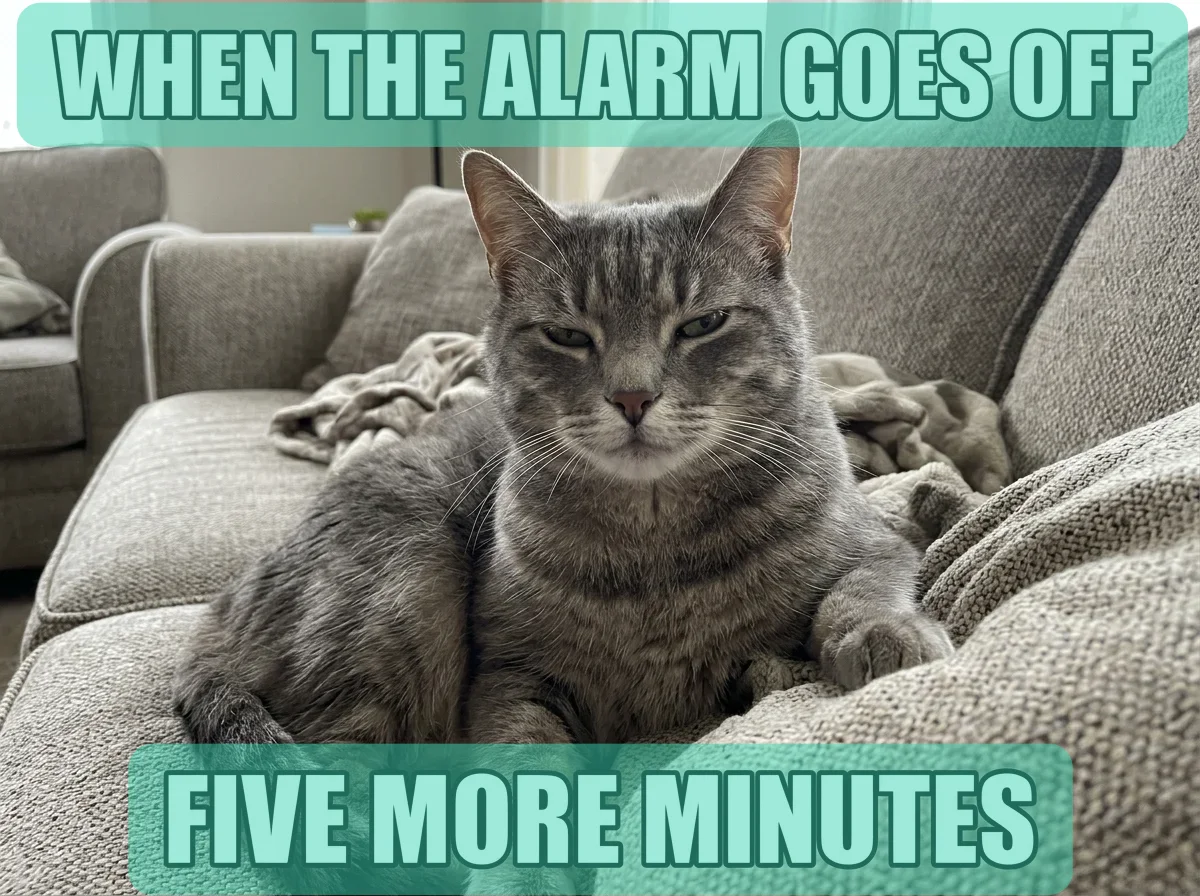
Original, brushed area in green
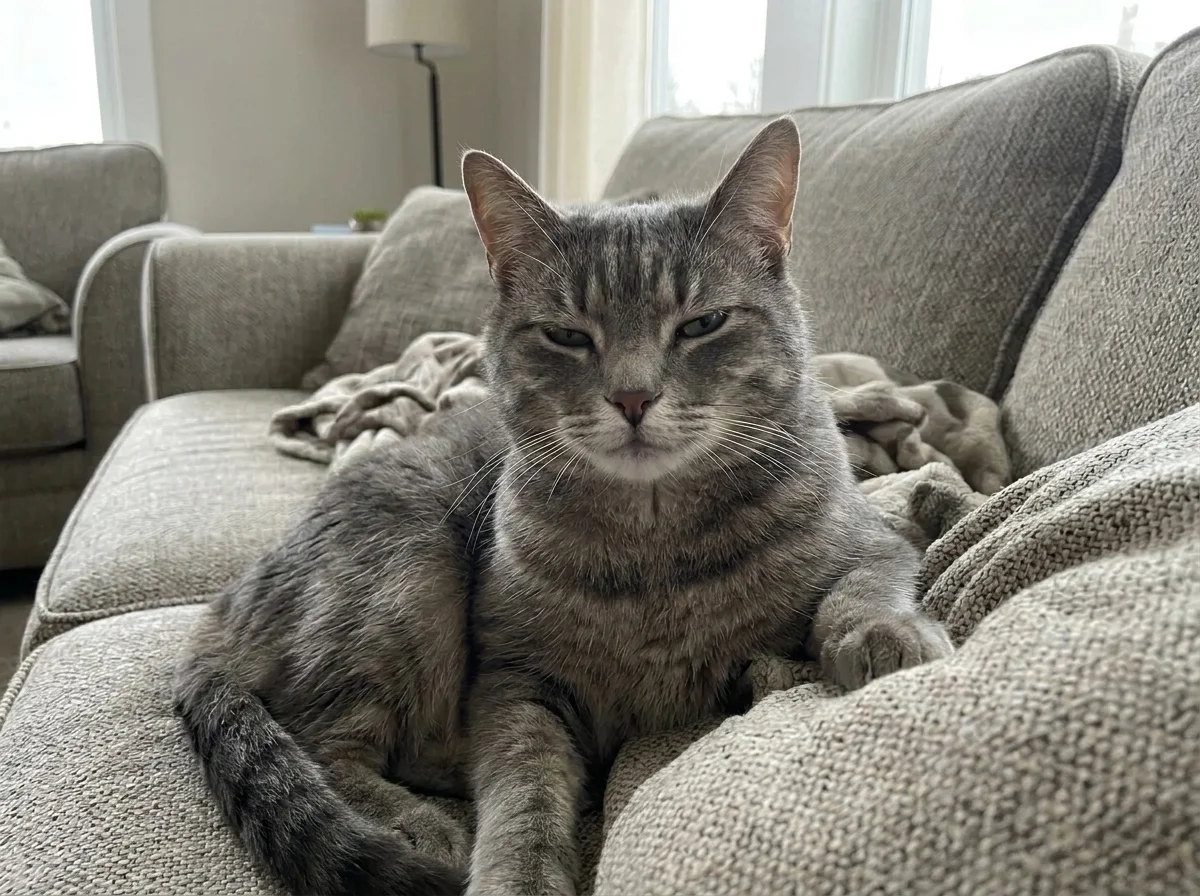
Nano Banana 2.1
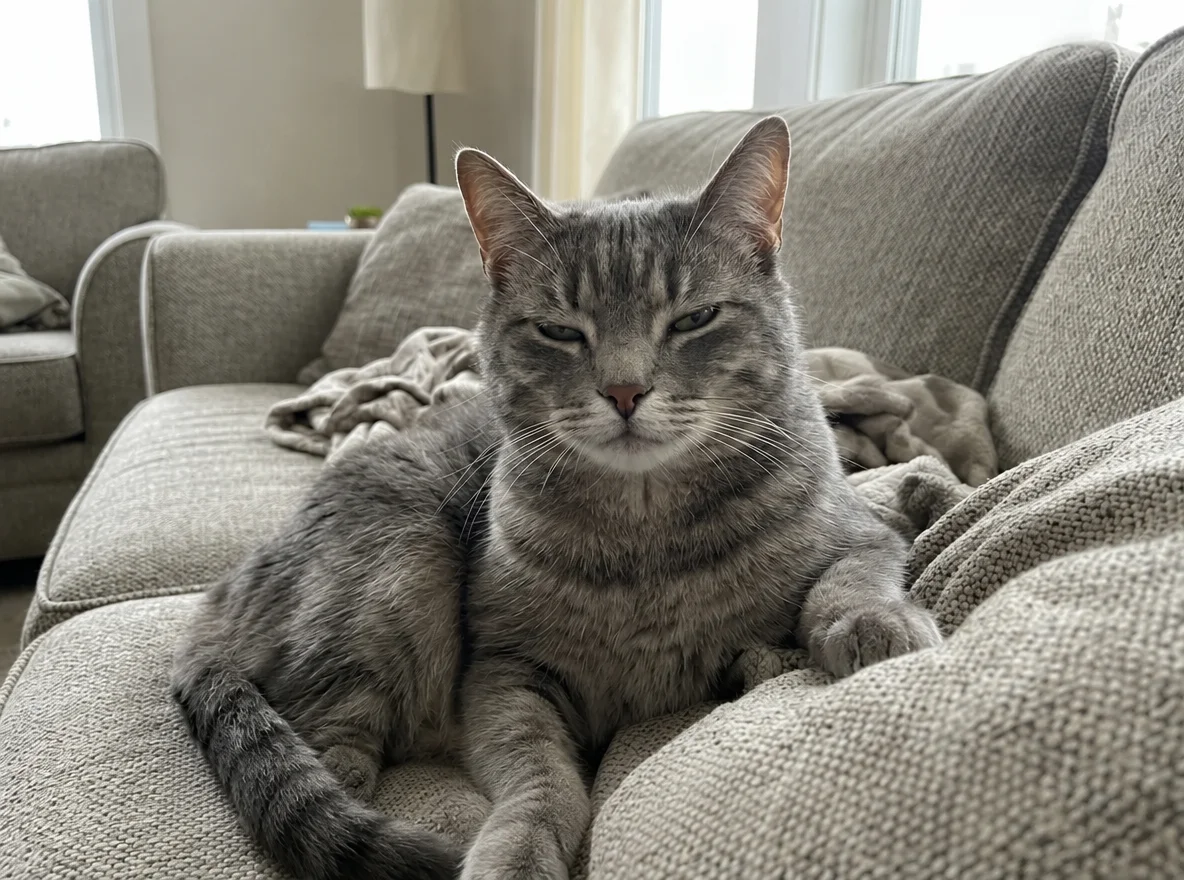
GPT Image 2.6
Meme captions on a pet photo
Prompt: Remove the captions in the marked area and fill them with what would naturally be behind them, matching the sofa, wall and lighting. Keep the cat and everything outside the marked area unchanged.
The bottom caption covered the cat's tail and paws, and both models drew them back. They placed the tail slightly differently, since neither could see it.
What we saw
- Every letter was gone
- In all ten results, five photos on two models, no letter or outline was left that we could see at full size.
- The rest of the photo didn't move
- With Nano Banana 2.1, 0% to 1.3% of the pixels outside the brushed area changed (by more than 30 of 255 levels, compared at 600 pixels wide). GPT Image 2.6 returns a slightly smaller image than the original, so we couldn't compare it pixel by pixel; looking side by side, it also left the rest alone.
- Hidden parts are redrawn
- Whatever was under the text, like the cat's tail or a patch of sand, has to be drawn from scratch. It will look right but won't be what the camera saw.
- Speed
- At 1K, Nano Banana 2.1 took 11 to 13 seconds per photo and GPT Image 2.6 took 21 to 33 seconds. Both cost the same.
What not to use it for
- Watermarks on other people's photos
- Don't. A watermark says who owns the photo, and removing it to reuse the picture breaks their copyright. Removing your own watermark or logo is fine.
- IDs, receipts and official documents
- Our content check blocks edits to the text on passports, ID cards, receipts and other official documents, because the main use of such an edit is passing it off as real.
- Video
- This works on photos only. For text in a video you need a video editor.
Frequently asked questions
Is it free to remove text from an image?
New accounts get 18 free credits, and each removal at 1K costs 6 credits, so the free credits cover three photos. Results have no watermark.
Can ChatGPT remove text from an image?
Yes. ChatGPT's image feature runs on GPT Image 2.6, the right-hand column in our test above. It removed the text from all five photos, but took about twice as long as Nano Banana 2.1 and redrew more around the text. You can run both here.
Do I need to brush the text?
Brushing tells the model exactly which text to remove, which matters when there's more than one piece of text or when you want to keep some of it. Every example on this page was brushed.
Will it change the rest of my photo?
Very little with Nano Banana 2.1: at most 1.3% of the pixels outside the brushed area changed in our five tests. Compare the result with the original anyway, especially around faces.
Can it remove a watermark?
Only remove watermarks from your own images. Taking a watermark off someone else's photo to reuse it breaks their copyright.
Can I replace the text with something else?
Yes, but use the prompt from our edit text page: it writes new words in the same lettering instead of leaving the space empty.
Which model should I use?
Nano Banana 2.1, which is preselected: it removed the text in every test, changed almost nothing else and was about twice as fast. Both models cost 6 credits at 1K.
Change text instead of removing itRemove objects from photosWhen the brush matters: 72 test edits
Remove the text from your own photo
Upload it and brush over the text; the prompt is already filled in. 6 credits per edit with Nano Banana 2.1 at 1K, no watermark. New accounts get 18 free credits.
Remove text